
Most people don't actually want a project management system. They want a place to write down what they need to do, see it clearly, and check it off. Somewhere along the way, to-do list apps stopped being simple and started becoming software projects of their own, with nested tags, custom views, automation rules, and settings menus that take longer to learn than the tasks they're meant to track.
If you've ever opened a task app, stared at it for a minute trying to remember where you put something, then closed it and just used your notes app instead, you already know the problem. The tool meant to reduce friction was adding more of it.
Why most task apps feel heavier than the tasks themselves
The promise of productivity apps is usually control. More views, more filters, more ways to organize. In practice, that often means more decisions before you can even write down a task. Should this go in a project? Does it need a tag? Which list does it belong to?
For a lot of people, especially makers, founders, and anyone juggling both personal and work tasks, this overhead defeats the purpose. The goal was never to manage a system. The goal was to remember things and get them done.
This is exactly the gap a simple to do list app without the overwhelm is meant to fill. Not fewer features for the sake of minimalism, but fewer steps between thinking of something and having it captured.
What "simple" should actually mean in a task app
Simplicity isn't about removing useful information. It's about removing friction. A genuinely simple to-do list still needs to show dates, reminders, and repeat settings, but it shouldn't require tapping into three different screens to see them.
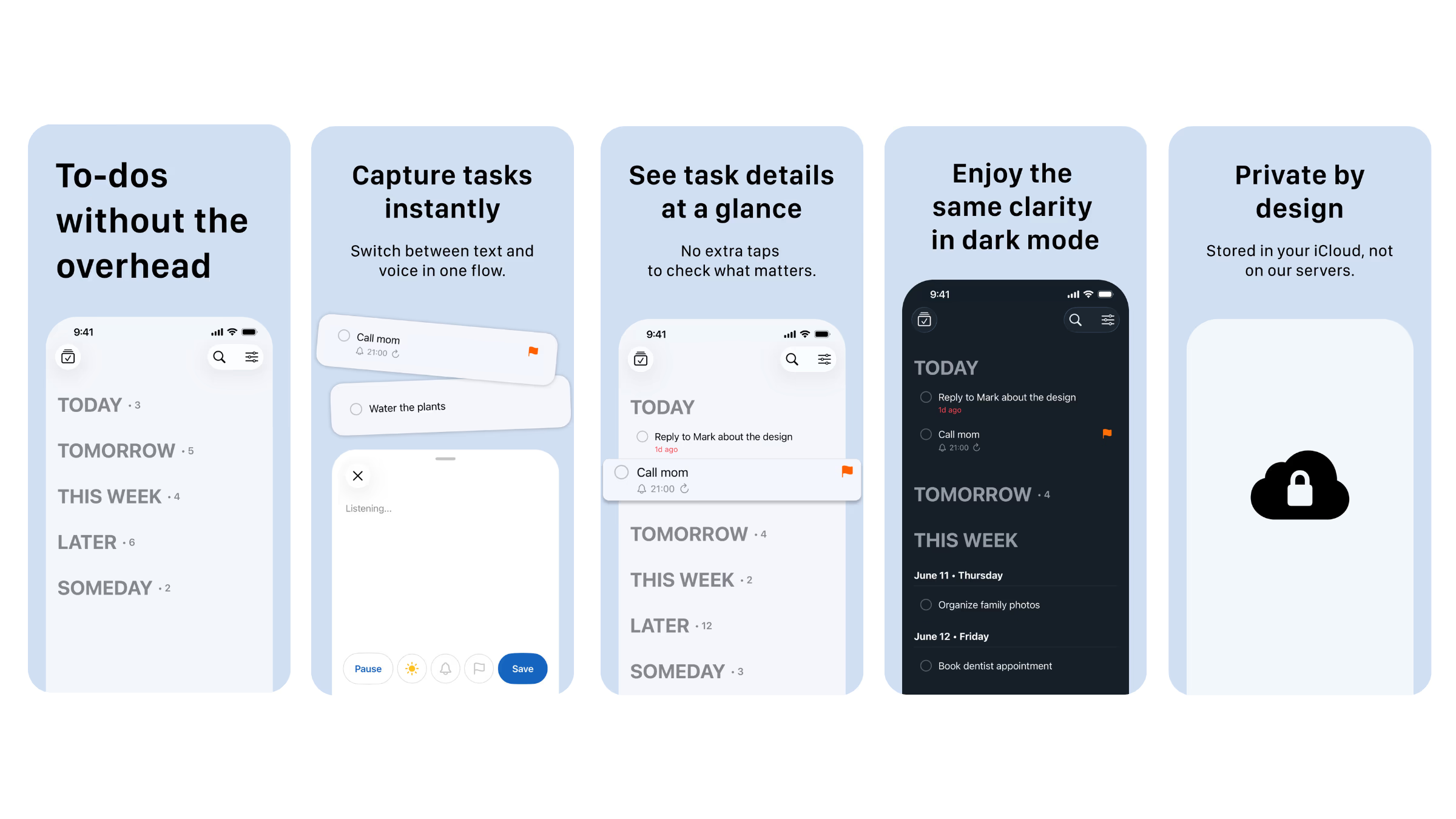
This is the core idea behind Todoit, a one-screen to-do list built for people who don't want their task app to become another task. Everything lives in a single view: the task, its date, its reminder, and whether it repeats. There's no separate detail screen to dig through just to confirm when something is due.
That single decision, keeping everything visible in one place, is what separates a tool that helps you move faster from one that slows you down while looking organized.
Capturing tasks before the thought disappears
Ideas and to-dos rarely show up at convenient times. They show up mid-conversation, while walking, or right as you're falling asleep. If capturing a task takes more than a few seconds, there's a good chance it never gets captured at all.
A simple to do list app without the overwhelm should make capture nearly instant. Voice input matters here, not as a gimmick, but as a way to log a task while your hands are busy or your attention is elsewhere. Fast presets for setting a date, reminder, or repeat pattern in a couple of taps matter too, because the fewer decisions required upfront, the more likely the task actually gets written down instead of forgotten.
This is also where Home Screen widgets become genuinely useful rather than decorative. Being able to add or check off a task without opening the app removes one more barrier between intention and action.
Who actually benefits from a minimal task app
Not everyone needs the same kind of system. Some people manage complex teams and multi-stage projects, and for them, a feature-rich platform makes sense. But a large number of people are simply trying to keep their day organized without turning task management into a hobby.
A minimal to-do list tends to work best for:
- Solo founders and makers who need to track personal and work tasks in one place without switching tools
- People who've tried complex productivity systems and abandoned them within a week
- Anyone who wants reminders and repeat tasks handled automatically instead of manually reset each time
- Users who prefer a clean, distraction-free interface over dashboards and customization options
If any of that sounds familiar, the issue probably isn't a lack of willpower or discipline. It's that the tool itself was never designed around how quickly real tasks need to be captured and reviewed.
Why removing steps matters more than adding features
It's tempting to judge a task app by how many features it offers. But every additional feature usually adds a decision point, and decision points are where tasks get abandoned before they're even saved.
A simple to do list app without the overwhelm works by going in the opposite direction. Instead of asking what else can be added, it asks what can be removed. No duplicate actions. No repeated steps to set something that should take one tap. No hidden menus for information that should already be visible.
This approach doesn't mean the app does less. It means the app gets out of the way faster, so the actual goal, finishing your tasks, takes priority over managing the app itself.
What to look for if you're switching to something simpler
If you're considering a move away from a heavier task manager, a few things are worth checking before committing:
- Can you see the date, reminder, and repeat status of a task without opening it
- How many taps does it take to add a task with a reminder
- Does the app support voice capture for quick, on-the-go entries
- Are widgets functional, allowing you to add or complete tasks without launching the app
- Is your data stored somewhere private, like iCloud, rather than spread across third-party servers
These small details usually predict whether you'll actually keep using the app a month from now, long after the initial setup excitement fades.
A different kind of productivity tool
There's a quiet shift happening among people who've grown tired of productivity software that demands more attention than the work itself. Rather than chasing more powerful systems, they're choosing tools that simply stay out of the way.
That's the space Todoit is built for. It's not trying to replace project management software for teams running complex workflows. It's built for the everyday reality of remembering what needs to get done, seeing it clearly, and marking it complete without friction.
For anyone who has felt like their task app became one more thing to manage, that single shift, from organizing your tasks to simply doing them, can make a noticeable difference in how consistently the list actually gets used.
You can find more tools built around this same idea of doing more with less friction over at NextGen Tools, where simple, focused products are highlighted instead of buried under feature comparisons.