
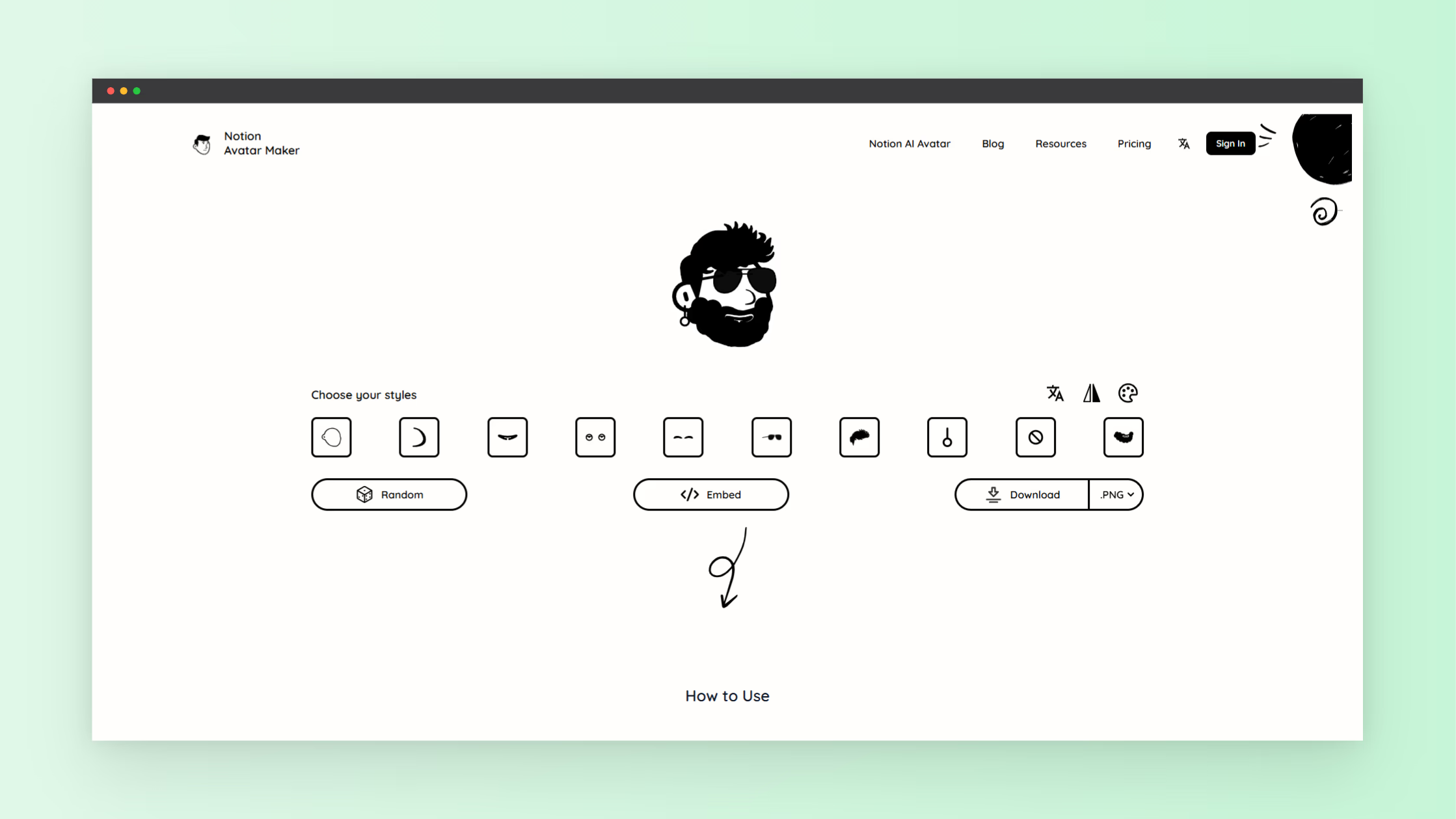
In 2026, avatars matter more than ever for personal branding, online identity, and digital presence. A custom avatar helps you look professional, unique, and recognizable across platforms. If you want a simple way to build a custom avatar without software downloads or design skills, this guide explains the Notion Avatar Maker and how you can use this free avatar creator tool to build your own profile image. Learn features, steps, tips, and why you need this tool for your online identity.
The Notion Avatar Maker is an online tool where you create a personalized avatar from scratch or from your own photo or text prompt. It works directly in your browser, no installs required, and offers high-quality results you can use on social media, team profiles, forums, websites, and more. It supports a wide range of styles, facial features, and design elements that help you reflect your personality visually.
You can access the free tool here. This is one of many tools on NextGen Tools platform you can use to improve your online presence.
They also offer an AI version where you can create your own Notion Avatar by uploading a photo or describing it. Try the AI Version.
What Is an Avatar Creator and Why You Need One
An avatar creator helps you make a visual representation of yourself. For many users, this means a stylized, illustrated picture that reflects personality. A good avatar maker lets you choose facial features, hairstyles, accessories, clothing elements, and colors so your avatar matches your look or brand.
Using a custom avatar makes your digital accounts look polished and consistent. It allows teammates, followers, and audiences to easily recognize you. A free avatar maker gives you access to this feature without cost, making it ideal if you are just starting out or testing different styles.
Key Features of the Notion Avatar Maker
The Notion Avatar Maker provides a mix of creative flexibility and easy use. You start with basic shapes and presets and then refine each part of the avatar. Features include:
- A variety of facial elements like eyes, nose, mouth, eyebrows.
- Hair styles, colors and accessories options such as glasses and hats.
- Background settings to choose colors or scenes that match your profile style.
- Downloadable output in PNG or SVG formats suitable for most platforms.
If you prefer automation, the tool also supports photo-to-avatar and text-to-avatar modes that create avatars based on a photo you upload or a description you type. This feature uses AI processing to interpret your input and generate a custom image in seconds.
All avatars created are released under Creative Commons zero CC0 license. You can use them for business branding or commercial projects without attribution.
How to Use the Notion Avatar Maker
Using this avatar maker is simple. You do not need design experience. Follow these steps:
- Visit the Notion Avatar Maker tool through NextGen Tools or the direct site.
- Choose your avatar style from the presets.
- Customize details like face shape, eyes, mouth, hair, and accessories.
- Adjust background and colors to match your brand.
- Download your custom avatar image.
If you use the AI mode:
- Upload a clear photo or describe how you want your avatar to look.
- Click generate and wait a few seconds for the tool to produce your avatar.
- Save your avatar when ready.
The interface is intuitive, with clickable controls and live previews so you see changes immediately. You can make multiple versions until you find a style you prefer.
Tips for Better Avatars
Here are tips to get more effective results from your avatar maker:
- Choose a high resolution photo if using the photo upload mode.
- Use simple backgrounds for clarity when you need profile icons on small scales.
- Try different styles before settling on a final look, especially if you use avatars on multiple platforms.
- Pick a color palette that matches your branding for consistency.
Uses for Your Custom Avatar
Your avatar has many uses once created. You can use it for:
- Profile images on social media, forums, galleries.
- Team directories and company websites.
- Messaging platforms and gaming profiles.
- Email signatures and digital resumes.
Because the avatar maker supports different output styles and elements, you can tailor images for informal or professional contexts.
Free Avatar Maker vs Paid Tools
Not all avatar creators are free. Some require subscriptions or downloads. But the Notion Avatar Maker gives you access to key features without payment. You get creative control and a polished avatar without costs. If you need more than the free quota, paid options exist, but the free tier is enough for most users.
More Tools to Explore
After you create your perfect avatar, you might want other tools for productivity, design, or identity. NextGen Tools is a large collection of utilities where you can find more resources to build your digital presence and workflow. Visit the main site here.
The platform includes tools for graphics, workspace management, and digital content creation. Whether you are a creator, professional, or hobbyist, these tools help you produce better work faster.
Final Thoughts
A custom avatar makes your digital presence stronger. Using a free avatar maker like the Notion Avatar Maker gives you control over how you look online. With intuitive customization, AI options, and free output, this tool stands out for creators and professionals alike. Create yours today and upgrade your online profile in minutes.
Ready to build your avatar and explore more tools? Start now at the Notion Avatar Maker and unlock a clearer online identity.