
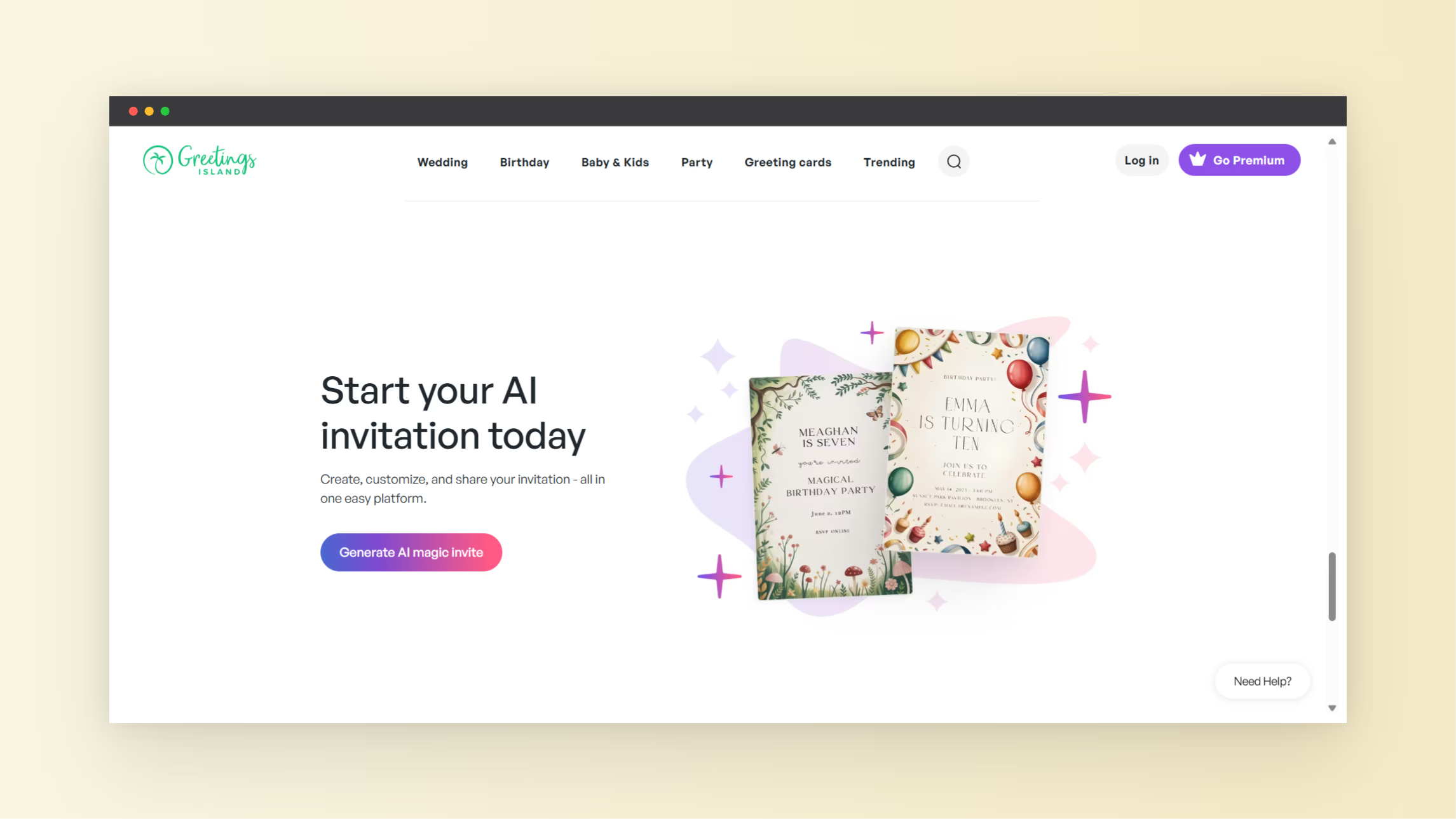
Planning an event in 2026 means more than writing down a date. You need an invitation card design that inspires guests, tells the story of your event, and fits your style. The AI Invitation Maker at NextGen Tools lets you build invitations quickly without design skills. It’s a freemium invitation card maker with both free and paid features, so you get flexibility and professional quality.
Every great event starts with clear communication. Whether you host a birthday, wedding, corporate meeting, or holiday celebration, your invite sets expectations. The design, layout, and style all matter. With an AI-driven tool, you get smart suggestions and layouts so your invite looks polished and readable without hiring a graphic designer.
In this post you’ll learn what this invitation card maker offers, how it helps your event, and tips to make standout invitation card design in minutes.
What Is an AI Invitation Maker?
An AI Invitation Maker is a tool that uses artificial intelligence to generate custom invitation designs. It removes the need to start from scratch or manually edit every element on a card. Traditional invitation card design means picking fonts, graphics, backgrounds, and layouts by hand. AI tools automate that work.
For example, many online invitation card makers offer templates and drag-and-drop editors. Some tools use AI to generate designs based on text description or theme you share. This speeds up your workflow, gives creative options, and helps you produce professional invitations faster than manual design.
How This Invitation Card Maker Works
The AI Invitation Maker featured on NextGen Tools gives you a way to generate editable invites with RSVP and design features. You describe your event in a few words, and the tool builds a layout you can edit, print, or share.
Here’s how it works:
- Choose event type and style
- Enter key event info like date, name, venue
- AI generates invitation layout
- You customize colors, fonts, images
- Save, download or use RSVP features
This approach saves time. Instead of building every element manually, the AI sets up a balanced design and hierarchy of text and visuals for you to refine.
Why Use This Invitation Card Maker Free Version
Some tools let you create invitations completely free with unlimited downloads. Others offer basic templates but restrict premium graphics or export options until you upgrade.
This NextGen Tools invitation maker works on a freemium model. You get core invitation card design features for free but paid upgrades unlock more templates, advanced design elements, or high-resolution exports.
Here’s what you get with the free version:
- Fast start with templates
- AI-generated layouts
- Editable text and simple graphics
- Digital invite export
Paid features may include:
- More premium templates
- Download options in print formats
- Advanced design controls
A freemium invitation card maker gives you flexibility. You can try out creative ideas and make usable invites without paying. If your event needs more polish or customization, premium features are there when you choose to upgrade.
Make Better Invitation Card Design
Good invitation card design isn’t only about looks. It is also about clarity. People need to see the essential event details at a glance. A well-designed invite improves your event appeal and boosts guest engagement.
Here are design tips you can use with your invitation card maker:
Focus on Clear Information
- Put event name and date at the top
- Include location and RSVP instructions
- Keep text readable with clean fonts
Choose a Theme
Match invitation style to your event. For example:
- Elegant script and floral for weddings
- Bright colors and playful icons for birthdays
- Clean minimalist for corporate invites
Use Visual Hierarchy
Make sure the most important details stand out. Larger font sizes and clear placement help your guests read the message instantly.
Keep Contrast High
Dark text on a light background or light text on a dark background improves legibility. Avoid low-contrast combinations that make details hard to read.
Even simple changes like these make your invitation card design feel more professional.
Digital vs Print Invitations
Today many events use digital invites shared by email or social media. A digital invite works for last-minute events or widespread audiences. Tools with AI support often let you download a high-resolution PNG or PDF for both digital and print.
Print invitations still matter for formal events like weddings. Your invitation card maker free version may let you export printable files. If you upgrade to premium, you may get print-ready options such as bleed marks or CMYK color settings.
Real Use Cases for AI Invitations
AI-assisted invitation card makers are useful in many scenarios:
- Birthdays and anniversary parties
- Weddings and engagements
- Corporate meetings and seminars
- Holiday gatherings and reunions
People without design training benefit most from the automatic layouts and suggestions. AI helps ensure spacing, font pairings, and image placements feel balanced.
How to Start with the Tool
Getting started with the tool is simple:
- Visit the AI Invitation Maker at NextGen Tools.
- Pick a template or enter your event details.
- Let the AI layout your invitation card design.
- Edit text, colors, and images to suit your event.
- Download or share your custom invitation.
If you want more tools for design and creation, explore the full suite of tools at NextGen Tools homepage.
Conclusion
Strong invitation card design influences how people respond to your event. With accessible tools like the AI Invitation Maker, you get fast results without design skills. Whether you need an invitation card maker free or you’re ready for premium features, this tool helps you turn your event idea into a polished invite.
Try the AI Invitation Maker today, explore templates, adjust layouts, and create invites that people will respond to.