
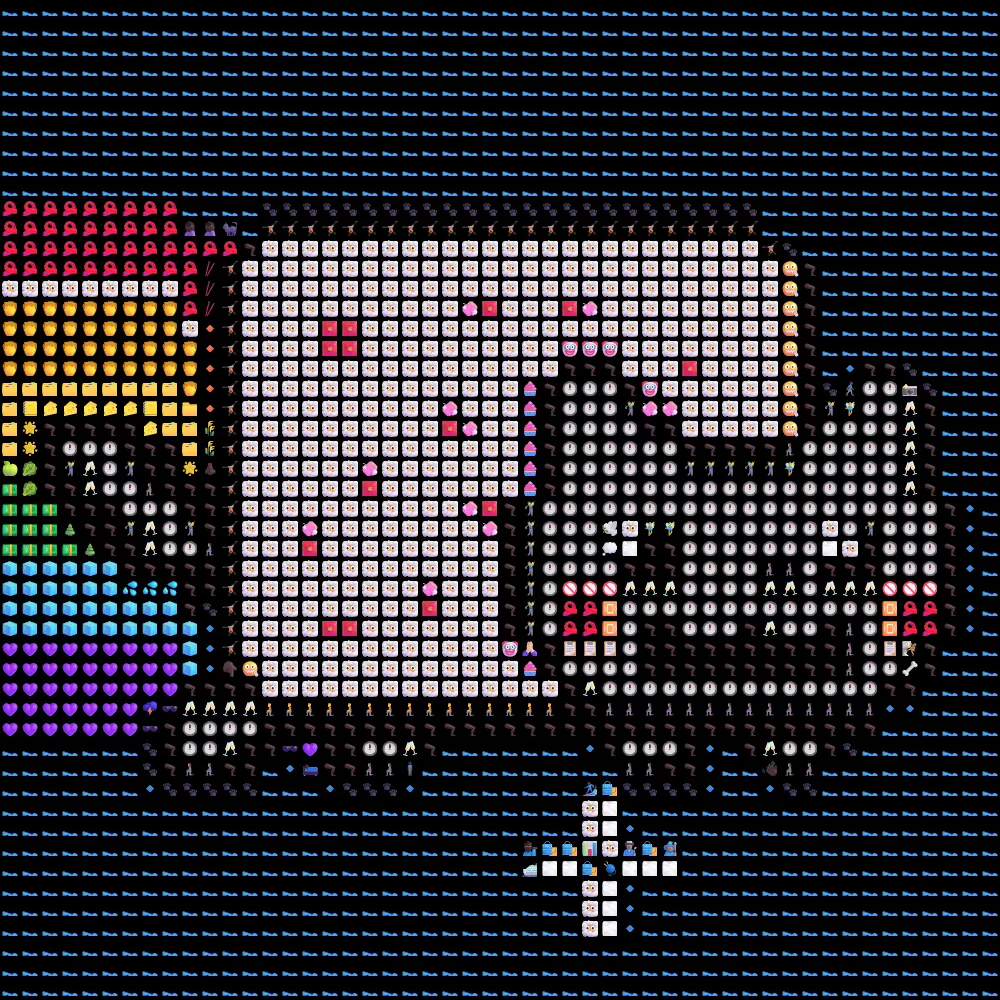
Emoji mosaic tools convert normal photos into artwork built from emojis. Each part of an image becomes a grid of emoji symbols. The result looks like a pixelated image formed entirely from emojis. These tools work in the browser and remove the need for design software or editing skills.
This guide explains how emoji mosaic generators work, what tools to use, and how to create your first emoji-based image. It also compares two popular options: NXGN Tools Emoji Mosaic Maker and Ripolas Image from Emojis.
How emoji mosaic generators work
Emoji mosaic tools analyze an image and break it into small blocks. Each block gets matched with an emoji based on color and brightness. Dark areas often use emojis like squares or shaded symbols. Bright areas use lighter icons like hearts, stars, or faces.
The process runs in the browser. No manual editing is needed. The tool handles mapping, resizing, and rendering.
Most tools follow this flow:
- Upload an image
- Adjust mosaic size or resolution
- Select emoji style or palette
- Generate emoji image
- Download or copy result
Why people use emoji image converters
Emoji mosaics serve creative and practical use cases. They simplify image styling and create shareable visuals for social platforms.
Common use cases include:
- Social media posts with unique visual style
- Profile images made from emoji art
- Fun visual experiments for designers
- Memes and creative content formats
These tools also work well for quick prototypes or visual storytelling without design software.
NXGN Tools Emoji Mosaic Maker overview
The NXGN Tools Emoji Mosaic Maker converts images into emoji-based artwork using automatic color mapping. It focuses on fast generation and simple controls for beginners.
You upload an image, set mosaic density, and generate an emoji version instantly. The output keeps recognizable shapes while replacing pixels with emojis.
Ripolas Image from Emojis overview
The Ripolas tool offers a similar feature set with a focus on privacy and browser-based processing. Images stay local in the browser instead of being uploaded to servers.
The generator converts photos into emoji mosaics and allows instant copying or PNG download. It supports multiple image types and works without registration.
According to its documentation, the system processes images directly in the browser and builds emoji mosaics by mapping pixel regions to emoji patterns for visual consistency.
Step-by-step guide to create an emoji mosaic
This workflow applies to most emoji mosaic tools.
- Open an emoji mosaic generator
- Upload a photo or image file
- Choose mosaic resolution or detail level
- Select emoji style if available
- Generate the output
- Download or copy the result
Higher resolution settings produce more detailed images. Lower settings create blocky emoji art with stronger visual abstraction.
Best practices for better emoji art results
Image choice affects output quality. Simple images work best because emoji grids reduce detail.
Tips for better results:
- Use high contrast images
- Avoid cluttered backgrounds
- Pick centered subjects like portraits or objects
- Increase resolution for detailed scenes
- Reduce resolution for meme-style output
Faces, animals, and logos convert cleanly into emoji mosaics compared to complex scenes.
Limitations of emoji image converters
Emoji mosaics are not exact image reproductions. They rely on color approximation and emoji sets. This limits fine detail.
Common limitations include:
- Loss of sharp edges
- Color mismatch in complex images
- Reduced readability at low resolution
Despite this, the output works well for creative visuals and social sharing.
When to use emoji mosaics in content creation
Emoji images fit well into lightweight design workflows. They help produce visuals quickly without editing tools.
Use emoji mosaics when you need:
- Fast visual content for posts
- Experimental design formats
- Engaging social media visuals
- Simple image transformation ideas
Developers and creators often use these tools for prototypes and fun visual experiments.
Conclusion
Emoji mosaic generators turn images into stylized emoji art using automated color mapping. Tools like NXGN Tools and Ripolas make the process simple and fast. Both run in the browser and support quick image conversion.
Try the NXGN tool here: Emoji Mosaic Maker
Explore more tools and creative utilities here: https://www.nxgntools.com
With the right image and settings, emoji mosaics become a simple way to create unique visual content for social platforms, experiments, and design ideas.