
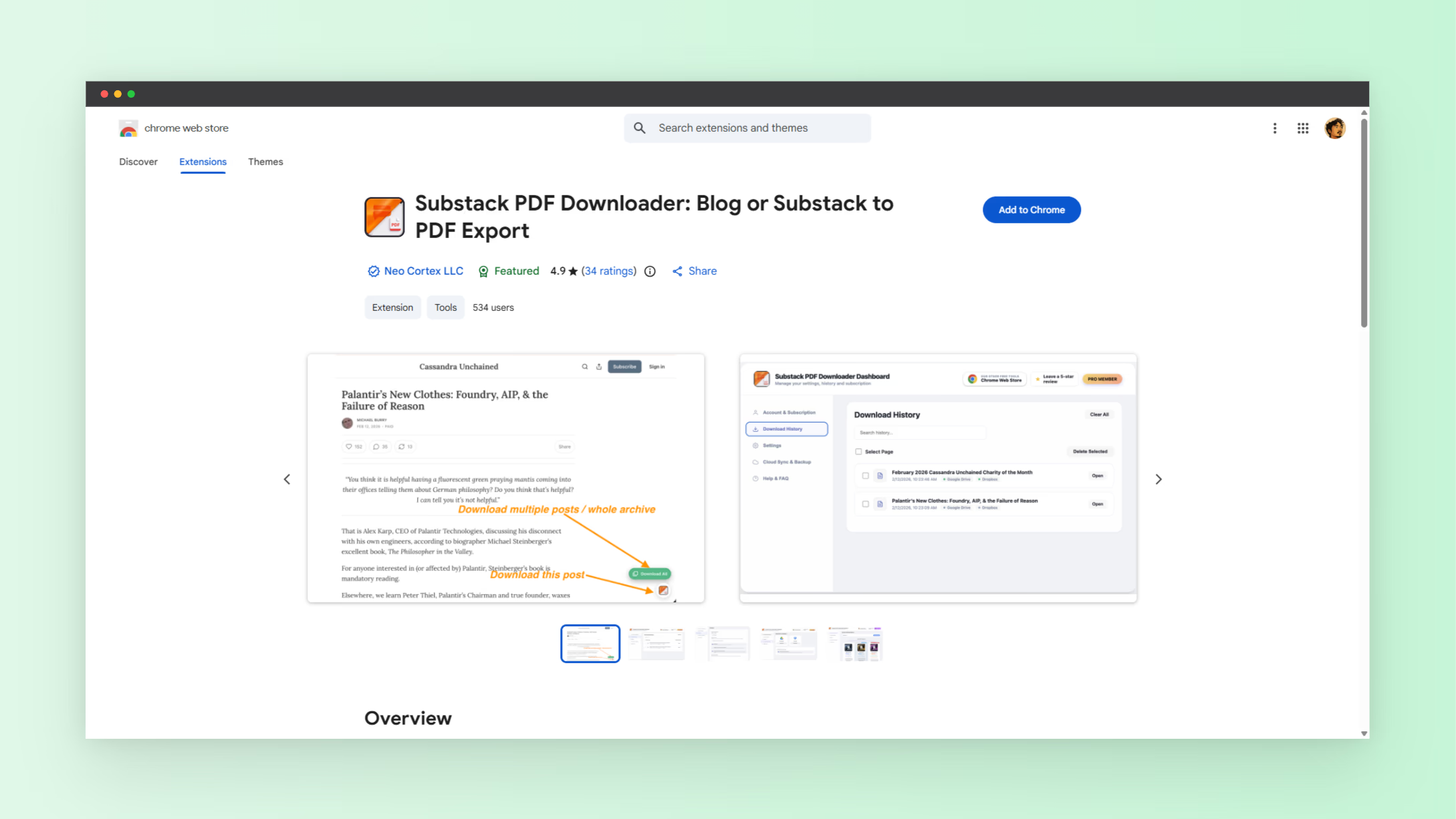
Substack has quickly become one of the most popular platforms for newsletters, independent journalism, and creator-driven content. Millions of readers subscribe to newsletters covering topics like technology, finance, culture, and writing. But there is one common limitation many readers encounter. Substack does not always provide a simple built-in way to download posts as PDF files for offline reading or archiving.
This becomes a problem when you want to save long essays, keep research material, store newsletters for future reference, or read articles without an internet connection.
If you have ever wondered how to download Substack posts as PDF, this guide will walk you through the process and explain the easiest method available today.
We will also show how a simple browser tool can convert any public Substack article into a clean downloadable PDF in seconds.
Why People Want to Download Substack Posts as PDF
Substack newsletters often contain long-form writing that readers want to revisit later. However, online access alone is not always convenient.
Many readers prefer saving articles locally for several reasons.
- Offline reading during travel or commuting
- Building a personal archive of favorite essays
- Saving research material for projects
- Printing long newsletters for easier reading
- Organizing educational content in note-taking apps
Substack delivers posts through email and web pages, but it does not consistently provide a dedicated export option for readers. As a result, users often rely on workarounds such as browser printing or third-party tools.
The problem with manual methods is that they often create messy PDFs filled with navigation elements, sidebars, or formatting issues.
A cleaner approach is to use a specialized tool that converts the article directly into a structured PDF.
The Easiest Way to Download Substack Posts as PDF
The simplest solution is to use a dedicated converter designed specifically for Substack posts.
One example is the Substack PDF Downloader, which allows users to turn any public Substack article into a downloadable PDF in seconds.
Instead of manually copying content or printing the page, the tool extracts the article text and formats it into a clean PDF file that is easier to read and store.
This approach is faster and produces better results than traditional browser printing.
Step-by-Step Guide to Download Substack Posts as PDF
If you want a quick and reliable way to convert a newsletter article into PDF format, follow these simple steps.
- Open the Substack article you want to download
- Copy the full URL of the post
- Visit the Substack PDF downloader tool
- Paste the article link into the input field
- Generate the PDF version
- Download the file to your device
Once downloaded, you can store the PDF anywhere you want, including your computer, tablet, or cloud storage.
This process typically takes less than a minute.
Benefits of Saving Substack Posts as PDF
Downloading newsletters as PDFs provides several advantages compared to leaving them in your inbox or browser.
Readers who regularly consume long-form content often build their own personal knowledge libraries.
Here are some major benefits.
- Permanent access to content even if a newsletter removes posts
- Easy highlighting and annotation
- Better organization in research folders
- Convenient sharing with collaborators
- Improved readability on e-readers or tablets
Many writers publish valuable insights that readers want to revisit months or years later. Saving those posts as PDF files ensures they remain accessible.
Who Should Use a Substack PDF Downloader
This type of tool is useful for several types of readers and professionals.
Writers, researchers, students, and newsletter enthusiasts often rely on saved articles as part of their workflow.
Common users include:
- Students collecting reference material
- Researchers archiving industry newsletters
- Writers studying long-form storytelling
- Professionals saving market analysis posts
- Readers building a personal reading library
Instead of bookmarking dozens of articles that may disappear later, downloading them as PDFs gives you a permanent personal archive.
Offline Reading Is Becoming More Important
Modern readers often consume content across multiple devices. Phones, tablets, laptops, and e-readers are all used throughout the day.
However, internet access is not always reliable. Travelers, commuters, and remote workers frequently encounter situations where they cannot load web pages.
PDF files solve this problem.
Once downloaded, the article can be opened anytime without relying on internet connectivity.
This makes PDFs perfect for long newsletters that require uninterrupted reading.
Organizing Your Saved Newsletter Library
Once you begin downloading Substack posts, organization becomes important.
Without structure, your saved files can quickly become difficult to navigate.
Here are a few simple ways to organize your newsletter archive.
- Create folders by topic such as finance, technology, or writing
- Name files using the article title and publication date
- Store PDFs in cloud storage for cross-device access
- Import articles into note-taking apps for annotation
Some readers even build large digital libraries of essays and newsletters that they reference regularly.
A simple folder structure can make that library far more useful.
Respecting Creator Content
While downloading articles for personal reading is convenient, it is important to respect the work of newsletter creators.
Writers invest significant time producing high-quality content for their audiences.
Readers should avoid redistributing downloaded material without permission.
Using PDFs for personal reference, study, or offline reading is generally acceptable, but sharing paywalled or copyrighted content publicly can violate creator rights.
Supporting newsletters through subscriptions is one of the best ways to help independent writers continue producing valuable work.
Discover More Useful Online Tools
Tools that solve small workflow problems can dramatically improve productivity.
From content conversion utilities to automation tools, the right resources can save hours of manual effort.
If you enjoy discovering practical tools like this one, you can explore many more at NextGen Tools, which features a growing collection of free utilities designed to simplify everyday digital tasks.
Whether you are working with online content, research material, or productivity workflows, having the right tools makes everything easier.
Final Thoughts
Substack has become a powerful platform for long-form writing, but saving articles for offline reading is not always straightforward.
Fortunately, simple browser tools now make it easy to convert newsletter posts into clean PDF files.
If you were searching for how to download Substack posts as PDF, the process is actually very simple. Just copy the article link, convert it with a dedicated tool, and download the file.
Within seconds you can create a personal archive of your favorite essays, research pieces, and newsletters.
For readers who regularly consume long-form content, this small workflow improvement can make a big difference.