
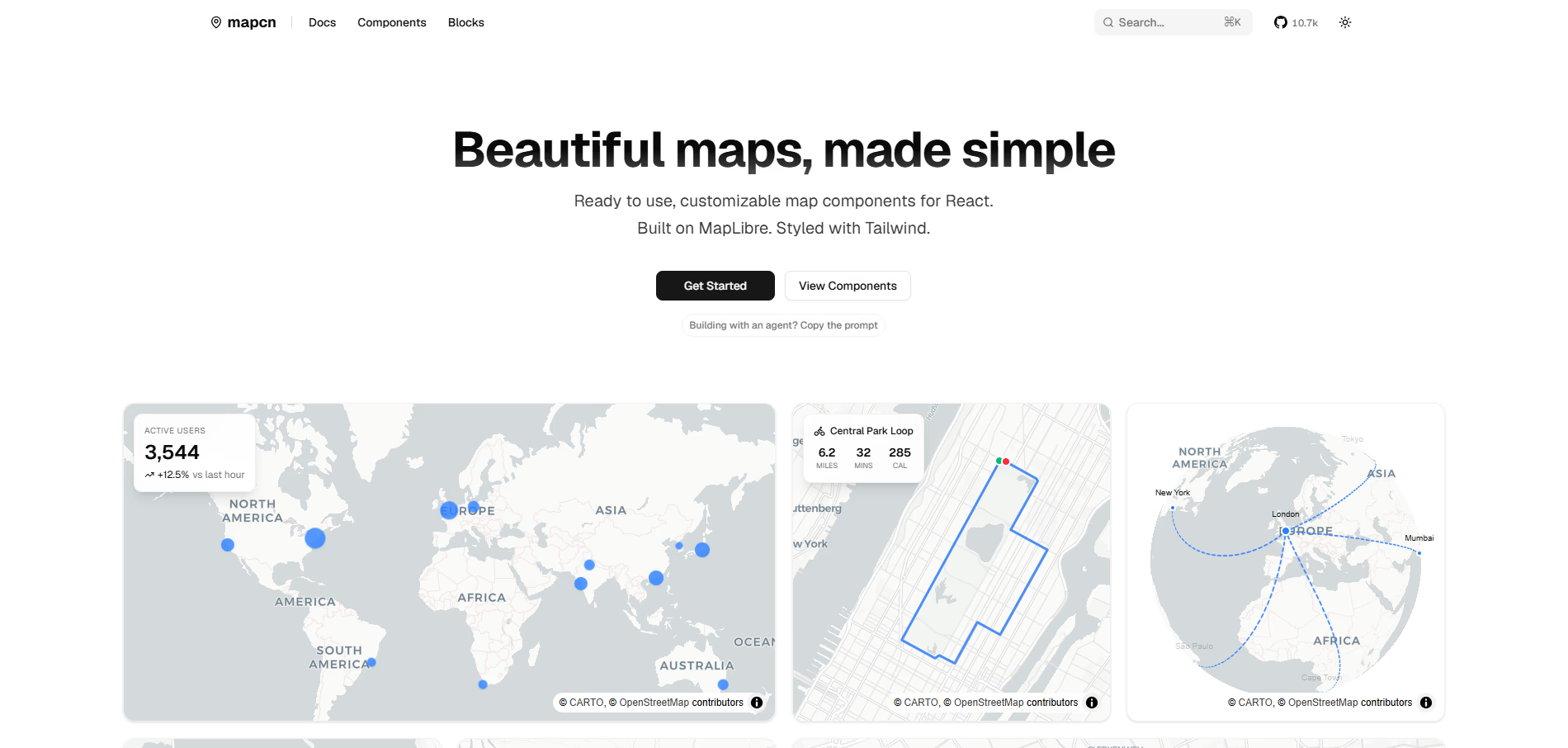
Adding a map to a React application usually sounds simple until you actually try it. You sign up for Google Maps or Mapbox, generate an API key, set up billing, wait for the dashboard to load, and only then do you get to write a single line of map code. For a lot of developers, especially those building side projects, prototypes, or internal tools, this entire process feels heavier than it needs to be.
The good news is that you do not need an API key to render a beautiful, interactive map in your app anymore. There are open source tools built specifically for React developers that let you skip the signup process entirely and start with production ready defaults.
Why Traditional Map Setups Feel Complicated
Most map libraries built for the web were designed with enterprise use cases in mind. That means heavy configuration, vendor lock in, and a pricing model tied to usage. This works fine for large companies, but it creates friction for smaller teams and solo developers who just want to show a location, plot a few markers, or visualize a route.
Common pain points include:
- Needing to create a billing account before writing any code
- Dealing with rate limits tied to a paid API key
- Wrapper libraries that hide the underlying map instance
- Inconsistent styling that clashes with the rest of the UI
- Extra bundle size from heavy SDKs
None of these problems are related to the actual difficulty of displaying a map. They come from the tooling layer sitting on top of it.
A Different Approach: Copy Paste Map Components
Instead of installing a black box SDK, some newer tools follow the same philosophy that made component libraries like shadcn popular. Rather than pulling in a dependency you cannot see inside, you copy the actual component code into your own project. You own it, you can modify it, and there is no hidden abstraction layer between you and the map.
This is the idea behind mapcn, a collection of React map components built on top of MapLibre GL and styled with Tailwind CSS. Because it works with free, open map tiles out of the box, there is no API key requirement at all. You install the components, drop them into your project, and render a working map immediately.
What Makes This Approach Work Without an API Key
The reason this works without a key comes down to the map tiles themselves. Instead of relying on a proprietary tile provider that gates access behind a token, MapLibre style maps can pull from open sources such as OpenStreetMap, Carto, or other MapLibre compatible tile providers. Some of these are completely free to use for reasonable traffic levels, which means your map renders correctly the moment you add the component, with no configuration step in between.
A few characteristics make this setup practical for real projects, not just demos:
- Zero config defaults that render a working map instantly
- Automatic light and dark theme switching to match your app
- Full TypeScript support so props and data structures are predictable
- Composable building blocks for markers, popups, routes, and clusters
- Compatibility with any MapLibre style, so you can switch tile providers later without rewriting your UI
This means you are not locked into a single free tier forever. If your app grows and you eventually want a premium tile provider, you can swap the style URL without touching your component logic.
Step by Step: Adding a Map Without an API Key
Here is a simplified version of the process for a typical React or Next.js project.
- Set up a React or Next.js project if you do not already have one
- Install Tailwind CSS, since the map components are styled with utility classes
- Copy the map component into your project using the provided installation command
- Import the component into a page or layout file
- Render the map with default props to confirm it loads correctly
- Add markers, popups, or routes as needed for your use case
Because there is no signup step, this entire flow can realistically be finished in a few minutes rather than an afternoon spent reading API documentation and billing pages.
Common Use Cases for a No API Key Map Setup
This kind of setup is especially useful for specific categories of projects where speed and simplicity matter more than enterprise scale mapping features.
- Portfolio and marketing sites that need a simple location map
- Internal dashboards that visualize delivery routes or active users
- Fitness or activity apps that plot a run, ride, or hike on a route
- Real estate or property listing pages showing nearby locations
- Hackathon projects and prototypes where setup time is limited
In each of these cases, the goal is not to build a mapping platform. It is to add a map that looks polished and functions correctly without slowing down development.
Styling the Map to Match Your App
One frequent complaint with traditional map embeds is that they look out of place. The default marker icons, popups, and controls often clash with the rest of a modern UI. Since components built for this workflow are styled with Tailwind and designed to pair with shadcn style design systems, the map controls, markers, and popups can inherit the same visual language as buttons, cards, and inputs elsewhere in your app. That consistency is often the difference between a map that feels bolted on and one that feels native to the product.
When You Might Still Want a Paid Provider
A free, key free setup is not the right fit for every situation. If your app depends on extremely high traffic, needs specialized data layers like real time traffic, or requires enterprise level support agreements, a paid provider may still make sense. The advantage of starting with an open, MapLibre based setup is that you are not locked in. Since the components stay close to the underlying map library, switching tile providers later is a configuration change rather than a full rebuild.
Final Thoughts
Adding a map to a React app does not have to start with a signup form. By using open source, copy paste components built on MapLibre and styled with Tailwind, you can render a fully interactive, theme aware map with zero API keys and no billing setup. This approach is a good match for developers who want to move fast without giving up control over how their map looks or behaves.
For more developer focused tools and resources like this, you can check out nxgntools.com.