
Businesses today rely on dozens of applications to manage communication, customer relationships, documents, and daily operations. While these tools help teams stay productive, they often create information silos that require employees to spend hours manually transferring data between systems. Emails need to be logged into customer relationship management platforms, documents need to be attached to customer records, and reports need to be generated from multiple sources. This repetitive work slows down teams and increases the risk of human error.
AI workflow automation is changing how organizations handle these challenges. Instead of manually connecting information across different platforms, intelligent automation tools can integrate email, CRM systems, cloud storage, and business applications into a unified workflow. Modern AI platforms can understand context, execute tasks automatically, and continuously improve based on usage patterns. For beginners looking to automate business processes, understanding how these systems work is the first step toward saving time and improving efficiency.
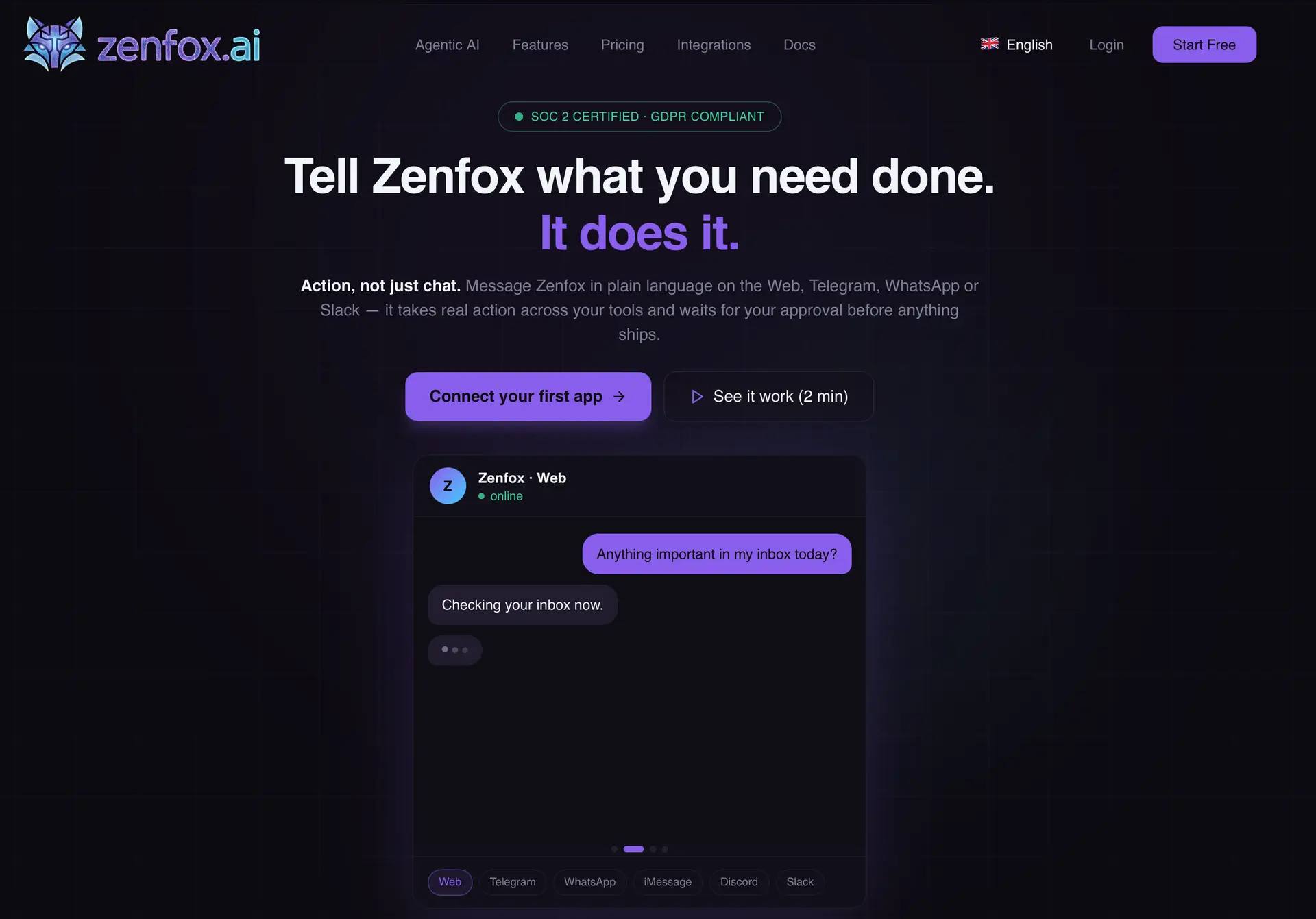
One emerging solution in this space is Zenfox, an AI-powered automation platform designed to connect thousands of business applications while performing tasks autonomously. By linking email platforms, CRM systems, cloud storage, communication tools, and APIs, organizations can create intelligent workflows that operate around the clock with minimal manual intervention.
What Is AI Workflow Automation?
AI workflow automation refers to the use of artificial intelligence to manage, optimize, and execute business processes across multiple systems. Unlike traditional automation that follows fixed rules, AI-powered automation can understand instructions written in natural language, analyze information from multiple sources, and make decisions based on context.
Traditional automation often requires extensive setup, technical expertise, and predefined workflows. AI workflow automation simplifies this process by allowing users to describe what they want accomplished. The system then creates and executes the workflow automatically.
For example, instead of manually creating a workflow that monitors incoming emails, extracts customer information, updates a CRM record, and stores attachments in cloud storage, an AI automation platform can perform these actions after receiving a simple instruction.
This approach makes automation accessible to non-technical users while providing advanced capabilities for businesses that want to scale operations.
Why Connecting Email, CRM, and Files Matters
Most business processes involve three critical information sources: email communication, customer relationship management systems, and document storage platforms. When these systems operate independently, employees spend valuable time switching between applications and manually updating records.
Connecting these systems creates a centralized workflow where information flows automatically between platforms. This integration improves visibility, reduces administrative work, and helps teams make better decisions based on complete and up-to-date information.
Common challenges organizations face when systems are disconnected include:
- Manual data entry between applications
- Lost or misplaced customer information
- Delayed responses to customer inquiries
- Duplicate records and inconsistent data
- Time-consuming document searches
- Limited visibility into customer interactions
AI workflow automation addresses these challenges by creating intelligent connections between tools and automating repetitive processes.
How AI Automation Platforms Like Zenfox Work
Modern AI workflow automation platforms go beyond simple integrations. Instead of connecting applications through rigid workflows, they use intelligent agents capable of understanding goals and executing multi-step processes autonomously.
Zenfox, for example, connects with over 3,000 business tools including Gmail, HubSpot, Slack, Google Drive, and many other popular platforms. Once connected, the platform learns organizational workflows, remembers project context, and executes tasks automatically.
The process generally follows three steps:
- Connect existing business applications.
- Describe the desired task in plain language.
- Allow the AI system to execute and monitor the workflow.
This eliminates the need for complex workflow builders, coding expertise, or extensive configuration.
The platform can process emails, update CRM records, generate reports, organize documents, conduct research, and perform other business functions without requiring constant supervision.
Benefits of AI Workflow Automation for Beginners
Organizations new to automation often assume implementation will be expensive, technical, and difficult to maintain. Modern AI-powered solutions have significantly reduced these barriers.
Key benefits include:
- Reduced manual workload across departments
- Faster response times to customer inquiries
- Improved data accuracy and consistency
- Enhanced team productivity
- Better customer experiences
- Scalable business processes
- Centralized access to information
Because AI systems understand natural language instructions, beginners can create sophisticated automations without learning programming languages or workflow design principles.
This accessibility allows small businesses, startups, and individual professionals to benefit from automation previously available only to larger enterprises.
Practical Use Cases for Connecting Email, CRM, and Files
Understanding real-world examples can help beginners identify opportunities for automation within their own organizations.
One common use case involves lead management. When a potential customer sends an email inquiry, an AI automation platform can automatically create a CRM contact, store relevant attachments, assign follow-up tasks, and notify the appropriate team members.
Another example is customer support automation. Incoming support requests can be categorized, documented, assigned, and tracked without requiring manual intervention.
Additional use cases include:
- Automated follow-up email sequences
- Document indexing and retrieval
- Sales report generation
- Contract management workflows
- Customer onboarding processes
- Competitive intelligence monitoring
- Project status reporting
- Knowledge management systems
These workflows help teams focus on strategic work instead of administrative tasks.
Getting Started with AI Workflow Automation
For beginners, the best approach is to start small and gradually expand automation capabilities. Identifying repetitive tasks that consume significant time is often the easiest way to find automation opportunities.
Consider asking the following questions:
- Which tasks are performed repeatedly every day?
- Where does information need to be copied between systems?
- What processes frequently cause delays?
- Which workflows involve multiple applications?
- Where do errors commonly occur?
Once these areas are identified, organizations can begin connecting their core systems and testing simple automation workflows.
Email management is often an ideal starting point because it affects nearly every department. Automating email categorization, follow-ups, CRM updates, and document storage can generate immediate productivity gains.
The Role of AI Agents in Modern Automation
One of the most significant developments in workflow automation is the emergence of AI agents. Unlike traditional software that follows predefined instructions, AI agents can understand objectives, determine required actions, and execute complex tasks independently.
These agents act more like digital employees than automation scripts. They can access connected applications, retrieve information, communicate with users, and perform multi-step processes across different systems.
For example, an AI agent might receive a request to generate a weekly sales report. Instead of relying on a predefined workflow, it can gather data from CRM systems, analyze trends, create visual summaries, store documents, and distribute reports through email or collaboration platforms.
This flexibility makes AI workflow automation significantly more powerful than earlier generations of business automation tools.
Document Management and AI Search Capabilities
Business documents often represent one of the largest untapped productivity opportunities within organizations. Contracts, reports, proposals, presentations, and customer records are frequently scattered across multiple storage platforms.
AI workflow automation platforms can index large volumes of documents and make them instantly searchable. Instead of manually locating files, employees can ask questions in natural language and receive relevant information immediately.
This capability improves knowledge sharing, accelerates decision-making, and reduces time spent searching for information.
When document management is connected with email and CRM systems, organizations gain a comprehensive view of customer interactions, project history, and business activities.
Security and Compliance Considerations
As organizations automate more business processes, security becomes increasingly important. Email communications, customer records, and business documents often contain sensitive information that must be protected.
When evaluating AI workflow automation solutions, beginners should consider:
- Data encryption standards
- Compliance certifications
- Access controls
- Audit logging capabilities
- Data storage policies
- User permission management
Strong security practices ensure that automation improves efficiency without introducing unnecessary risk.
Future Trends in AI Workflow Automation
The future of business automation is moving toward increasingly autonomous systems capable of managing complex workflows with minimal human involvement. AI agents are becoming more capable of understanding business objectives, coordinating across multiple tools, and adapting to changing requirements.
Future developments will likely include deeper contextual understanding, improved decision-making capabilities, more sophisticated document analysis, and greater integration across business ecosystems.
As these technologies mature, organizations that adopt AI workflow automation early will be better positioned to improve productivity, reduce operational costs, and deliver better customer experiences.
Final Thoughts
Connecting email, CRM systems, and business files through AI workflow automation represents one of the most practical ways to improve organizational efficiency. By eliminating repetitive tasks and enabling information to flow automatically between applications, businesses can free employees to focus on higher-value activities.
Platforms like Zenfox demonstrate how modern AI automation has evolved beyond simple task automation into intelligent workflow management. With the ability to connect thousands of applications, execute tasks autonomously, manage documents, and automate business processes through natural language instructions, these solutions make advanced automation accessible to organizations of all sizes.
For beginners, the journey starts by identifying repetitive workflows and exploring how AI-powered automation can streamline daily operations. As businesses continue to adopt connected systems and autonomous AI agents, workflow automation will become an essential component of modern productivity and growth strategies.