
Bulk Mail Check: A Practical Guide to Email Verification and Deliverability
Email remains an important communication channel for businesses, marketers, startups, and online services. Companies use email to send newsletters, product updates, promotional campaigns, account notifications, and other business communications. However, the quality of an email campaign depends partly on the quality of its contact list.
Invalid email addresses, outdated contacts, and domains configured to accept messages for unverified mailboxes can complicate the process of preparing a campaign. Sending messages without reviewing the recipient list can also make it more difficult to understand delivery problems and maintain good email practices.
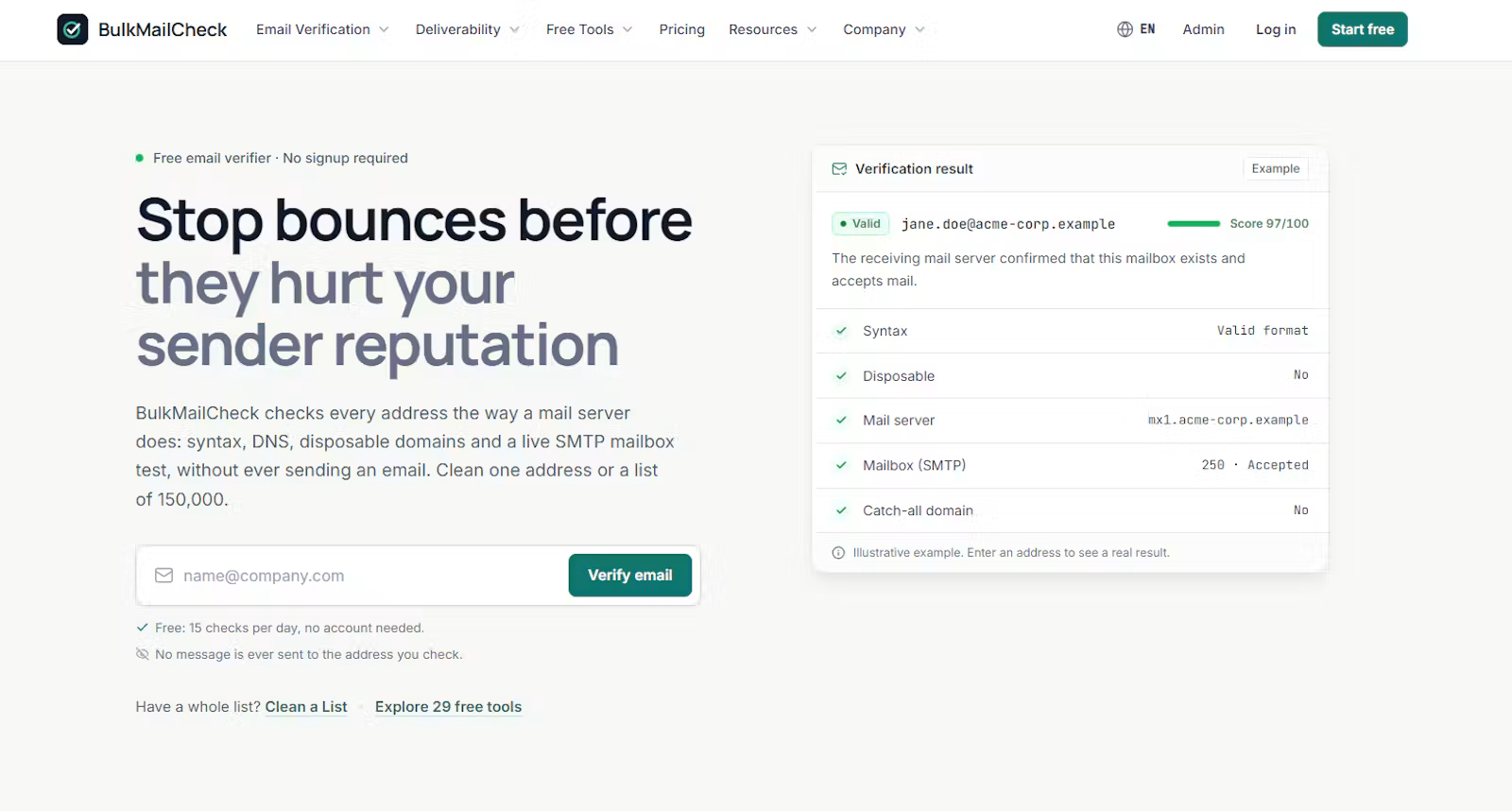
Bulk Mail Check is an online platform designed to help users verify email addresses, detect catch-all configurations, clean CSV contact lists, and access email deliverability tools. This article explains how email verification works, why list quality matters, and how Bulk Mail Check can fit into an email preparation workflow.
Why Email List Quality Matters
An email list can become less accurate over time. People change jobs, businesses change domains, websites close, and email accounts become inactive. Lists collected from different sources may also contain formatting errors, duplicate addresses, or addresses that were entered incorrectly.
For businesses that send email regularly, these problems create additional work. Marketing teams may spend time investigating delivery failures, while developers may need to validate addresses before storing them in an application.
Reviewing email lists before sending campaigns helps identify potential issues earlier in the process.
Common email list problems include:
- Invalid addresses: The address contains an error or cannot be verified as a valid recipient.
- Formatting mistakes: Missing characters, incorrect separators, or accidental spaces make an address unsuitable for processing.
- Outdated contacts: Previously used addresses may no longer be active.
- Catch-all domains: Some mail servers accept messages addressed to many or all possible mailboxes on a domain, making individual mailbox verification difficult.
- Duplicate contacts: The same address may appear multiple times in a list.
- Unreviewed CSV files: Contact data imported from spreadsheets or other systems may require validation before use.
These issues do not all have the same cause or solution. A structured verification process helps users distinguish between addresses that can be checked successfully and those that require additional attention.
What Is Bulk Mail Check?
Bulk Mail Check is an online email verification and deliverability tools platform.
Its stated functionality includes SMTP mailbox checks, catch-all detection, CSV list cleaning, and free tools for email deliverability. These capabilities are relevant to users who need to review individual addresses or prepare larger contact lists before sending email.
Rather than relying only on the appearance of an email address, SMTP mailbox checks examine email server responses as part of the verification process. Catch-all detection addresses a different challenge: some domains are configured to accept messages without confirming whether a particular mailbox exists.
Bulk Mail Check brings these functions together in an online service for users who want to check their email data before using it in campaigns or other workflows.
Visit the official website to explore the available tools:
How Email Address Verification Works
Email verification can involve several different checks. Understanding the distinction between them helps users interpret results correctly.
1. Syntax Validation
The first step is checking whether an email address follows the expected format. A typical address contains a local part, an at sign, and a domain.
For example, a properly structured address might look like [email protected].
An address with a missing domain or an incorrectly positioned at sign may fail basic syntax validation. These errors can often be identified without contacting an email server.
However, a correctly formatted address is not necessarily active. Syntax validation checks structure rather than proving that a mailbox exists.
2. Domain and Mail Server Checks
The next step may involve examining the domain and its email configuration. A domain needs appropriate mail routing to receive email through the usual infrastructure.
Domain-level checks help identify certain configuration problems, but they do not independently establish that a specific recipient mailbox is active.
This distinction is important when cleaning contact lists. A domain may be configured to receive email even when a particular address is invalid or unavailable.
3. SMTP Mailbox Checks
SMTP is the protocol commonly used to transfer email between mail servers. SMTP mailbox verification attempts to gather information from the recipient server by examining its responses during a verification process.
Bulk Mail Check identifies real SMTP mailbox checks as one of its core capabilities.
These checks can provide useful information about an address, but their results depend on the receiving server. Some servers restrict verification requests, delay responses, or intentionally avoid revealing whether a mailbox exists.
Consequently, an SMTP check should not be treated as an absolute guarantee that an email will reach the inbox. Actual delivery can also depend on sender reputation, authentication, message content, filtering rules, and other factors.
Understanding Catch-All Email Detection
Catch-all configurations are one of the challenges involved in email verification.
A catch-all domain is configured to accept email addressed to mailboxes that may not have been individually created or confirmed. Depending on the server configuration, an email sent to an incorrect address at such a domain may still be accepted during the initial SMTP conversation.
For example, imagine a company using the domain example.com. Its mail server may accept messages addressed to [email protected], [email protected], or even an address that does not correspond to an actual employee mailbox.
In this situation, receiving a positive response from the server does not necessarily prove that every individual mailbox exists.
Catch-all detection helps identify this type of configuration so users can interpret verification results more carefully.
This is particularly relevant when preparing business contact lists containing addresses from company domains. A catch-all result should not automatically be interpreted as proof that an address is valid or invalid. It indicates that the domain's configuration makes individual mailbox verification less conclusive.
Bulk Mail Check includes catch-all detection as part of its stated functionality, giving users another factor to consider when reviewing email addresses.
Cleaning CSV Email Lists Before Sending
Many businesses store contact information in spreadsheets or export it from customer relationship management systems, registration forms, and other applications. CSV files are a common format for moving this information between systems.
Before using a CSV file in an email campaign, it is useful to review the data.
A practical preparation workflow includes the following steps:
- Prepare the source file. Confirm that the file contains the expected columns and that the email address field is clearly identifiable.
- Review formatting. Look for missing values, malformed addresses, and accidental whitespace.
- Check email addresses. Use verification tools to evaluate addresses before adding them to a sending list.
- Review uncertain results. Separate addresses that require additional investigation from those that can be processed confidently.
- Remove confirmed errors. Correct or exclude records that cannot be used reliably.
- Check the resulting data. Review the cleaned file before importing it into the system used to send email.
Bulk Mail Check provides CSV list cleaning alongside its email verification functionality. This makes it relevant to users who need to prepare contact data in bulk rather than checking addresses individually.
The exact results of any cleaning process depend on the input file and the checks performed. Users should retain an original copy of important contact data and review the processed output before replacing their source records.
Who Can Use Bulk Mail Check?
Email verification is useful in several business and technical contexts.
Email Marketers
Marketing teams often manage lists for newsletters, product announcements, and promotional campaigns. Reviewing addresses before sending helps identify potential data quality issues and reduces the amount of manual investigation required after a campaign.
Small Businesses and Startups
Smaller organizations may not have a dedicated team for email infrastructure or contact data management. An online service offering verification and related tools can help them incorporate basic list checks into their existing workflow.
Developers
Developers may work with email addresses collected through registration forms, applications, customer databases, or imported datasets. Verification tools can support data review before an application uses a list for communications.
Email verification should complement appropriate input validation and application-level controls rather than replace them.
Teams Managing CSV Contact Lists
Organizations that periodically export and import contacts may need a repeatable process for checking their data. CSV list cleaning is relevant when contact information moves between spreadsheets, marketing platforms, and internal systems.
These examples describe potential applications of the platform's stated functionality. The appropriate workflow depends on the user's data sources, sending infrastructure, and operational requirements.
Email Verification and Deliverability Are Related but Different
Email verification and email deliverability are connected, but they are not the same thing.
Email verification evaluates an address or its associated mail configuration to determine whether it appears usable or presents potential problems.
Email deliverability concerns whether messages successfully reach their intended destinations, including the inbox rather than a spam folder or another filtered location.
A verified address does not guarantee inbox placement. A message may still be filtered because of sender reputation, missing authentication, recipient preferences, content characteristics, or receiving-server policies.
Similarly, a technically valid address may belong to someone who did not consent to receive marketing messages.
For this reason, businesses should combine list verification with appropriate consent practices, unsubscribe handling, sender authentication, and monitoring of their email campaigns.
Bulk Mail Check offers free deliverability tools in addition to its verification functionality. Users can explore the platform to determine which available tools are relevant to their particular needs.
A Practical Workflow for Better Email List Management
A consistent process can make email list maintenance easier to manage.
Start by collecting contact information through appropriate sources and recording it in a structured format. Apply basic validation when addresses enter your system, and review imported data before adding it to an existing contact list.
For larger datasets, use CSV files to organize and prepare the information. Run relevant verification checks, examine uncertain results, and correct confirmed data errors. Avoid treating inconclusive verification results as definitive evidence that an address is either safe or unusable.
After cleaning the list, review the sending setup. Check that your domain is configured appropriately for email authentication and that your sending practices comply with applicable requirements. Monitor campaign results to identify recurring data quality issues.
Repeat the process periodically, especially when contact lists are reused over long periods or combined from multiple sources.
This approach treats email verification as one part of a broader data management process instead of relying on a single check to solve every deliverability problem.
What to Consider When Choosing an Email Verification Tool
Before incorporating an email verification service into your workflow, consider the following factors:
- Verification methods: Understand whether the service performs syntax checks, domain checks, SMTP checks, or other forms of analysis.
- Catch-all handling: Determine how uncertain mailbox results are identified and presented.
- Bulk data support: Check whether the service supports the file formats and list sizes required by your workflow.
- Result interpretation: Make sure you understand what each verification status means and what it does not guarantee.
- Privacy and data handling: Review the provider's policies before submitting customer or business contact information.
- Pricing: Compare the available free tools and paid plans with your expected usage.
- Integration requirements: If you plan to use verification in an application, confirm whether the service provides the integration methods you need.
These considerations help users evaluate whether an online verification tool fits their operational requirements.
Get Started With Bulk Mail Check
Bulk Mail Check provides email address verification, SMTP mailbox checks, catch-all detection, CSV list cleaning, and free deliverability tools in one online platform.
For marketers, small businesses, developers, and teams working with contact lists, these capabilities can support a more structured process for reviewing email data before sending campaigns.
Email verification cannot guarantee successful delivery, but it can help identify potential problems earlier and make contact list maintenance more systematic.
Visit https://bulkmailcheck.com to explore the available tools.
You can also review the available plans at https://bulkmailcheck.com/pricing to determine which option fits your requirements.
Final takeaway: Check your email data before sending, understand uncertain verification results, and combine list cleaning with responsible sending practices. A repeatable process helps keep contact information organized and makes email campaign preparation easier to manage.