
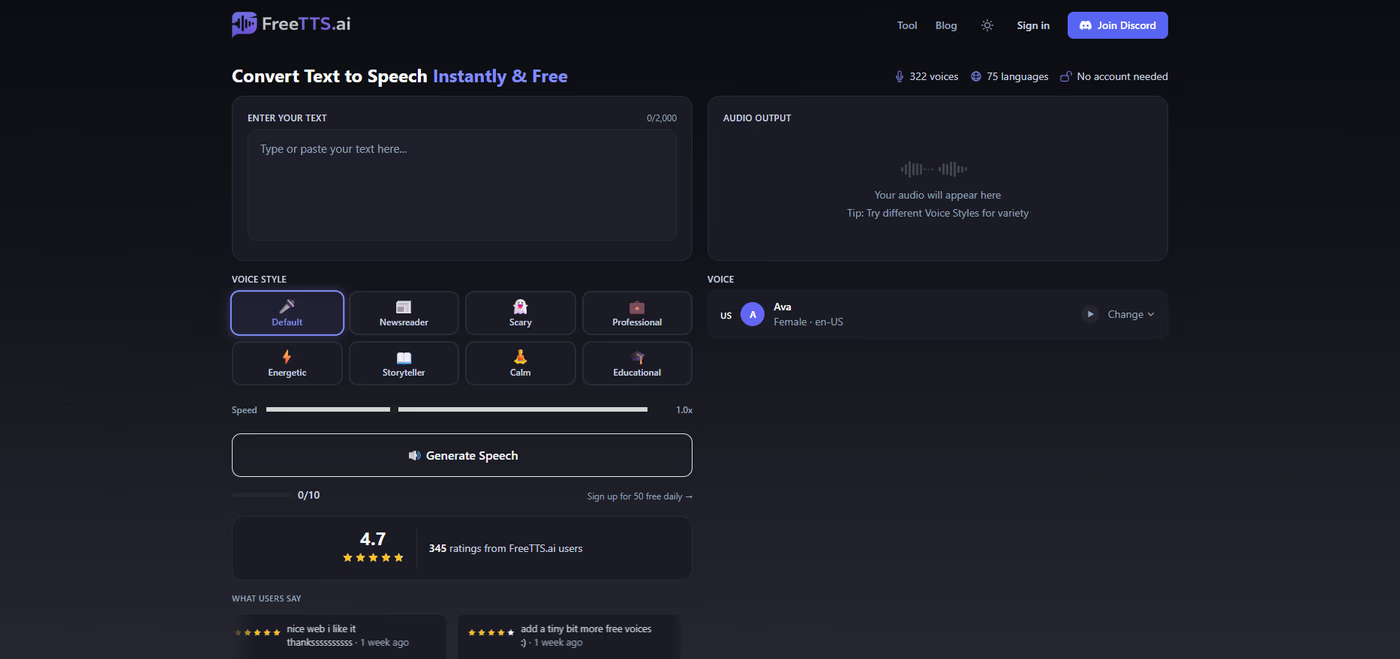
Turning written text into spoken audio used to mean creating an account somewhere, verifying an email, and maybe entering a card number before you even heard a single word out loud. That extra friction stops a lot of people who just want to hear a sentence read back to them right now. The good news is that converting text to speech online without signing up is not only possible, it has become the standard way most casual users get audio from text today.
Why People Search For a No Signup Text to Speech Option
Most people who look for this kind of tool are not producing a podcast or building a voiceover business. They are students who want to proofread an essay by ear, developers testing how an app reads content aloud, or someone who simply prefers listening over reading a long article. None of these use cases require a subscription. They require speed. Typing in a sentence, pressing generate, and getting an audio file back within seconds is the entire goal, and any signup wall gets in the way of that.What a No Account Text to Speech Tool Actually Looks Like
A tool built for this purpose runs entirely in the browser. There is nothing to install and nothing to download before you start. You paste text into a box, choose a voice, and hit generate. The output plays back immediately and can be downloaded as an MP3 file.- No email address required to start generating audio
- No password or account creation step
- Audio ready within seconds of clicking generate
- A downloadable file rather than a locked preview
Voice Variety Matters More Than People Expect
A single robotic voice reading everything the same way is one of the biggest reasons people abandon text to speech tools after one try. The tone of a voice actually changes how spoken content is received. A news style delivery reads differently than a casual explainer voice, and a calm narration style suits a bedtime story far better than an energetic one suits a technical walkthrough. Having a range of voice styles, not just accents or speeds, lets someone match the delivery to the content rather than settling for whatever the default happens to be.Common Situations Where This Comes In Handy
- Proofreading an essay, email, or report by listening for awkward phrasing that is easy to miss when reading silently
- Testing how an app, chatbot, or interface sounds when it reads content aloud to a user
- Creating a quick voiceover for a short video clip or social post without hiring a voice actor
- Listening to long articles or documents while doing something else, like commuting or exercising
- Generating placeholder audio for a project before committing to a paid, higher fidelity option
What To Look For Before Choosing a Tool
Not every free text to speech site is built the same way. A few details are worth checking before relying on one regularly.- Whether an account is actually required, or just optional for extra features
- How many voices and languages are available without paying
- Whether the audio can be downloaded, not just streamed once
- Whether there is a daily limit on how much text can be converted