
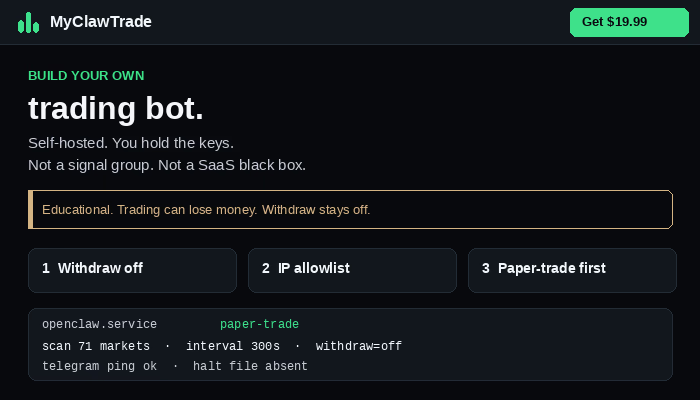
If the bot API key can withdraw, switch that off.
That sentence is the product. Everything else is how not to undo it. A self-hosted scanner on a cheap VPS does not need permission to send coins off the exchange. It needs to read balances, place and cancel spot orders, and set a stop on the venue. Withdraw is for you, in the official app, after 2FA. If a leaked file can empty the account, the key is wrong. The indicator is not the story.
Most blown accounts in this niche are not a bad strategy. They are a key that can withdraw, a key sitting in a public GitHub repo, or a key with no IP lock. Marketing talks about AI and running 24/7. Ops talks about chmod, allowlists, and paper-trade. This article is the ops piece. It is not a signal. It is not financial advice. Trading can lose money, including the whole allocation.
Create the key on the official site only. Do not follow a Google ad that looks like the exchange. Clone sites exist to harvest 2FA and API secrets. Bookmark the real domain on the VPS browser or, better, never log in from the VPS at all — create the key on a machine you trust, then paste once into .env over SSH. Name the key something dull: vps-bot-spot. Never mix it with a personal unrestricted key you use on your phone.
Turn withdrawals off before you copy the secret. Restrict to Spot until paper-trade logs are boring for a full scan interval. Enable IP access restriction. Put only the VPS public IPv4 on the list. Not your home ISP. Not your phone. Not “unrestricted for a minute to test.” That minute is how a laptop in a cafe reuses the key. If you need to rotate because you moved hosts, update the allowlist. Do not open the world.
If you rebuild the droplet and the IP changes, 401s mean the lock is working. Update the list. Do not disable the restriction to make the error go away. The error is the feature. Clock skew can also 401 — NTP on the VPS, not a new key with withdraw on. Work the list: key, IP, time. Never “test” by adding withdraw.
Store the secret in .env on the VPS. chmod 600. Same Unix user as the systemd service. systemd should use EnvironmentFile= pointing at that exact path. The Python file never contains the key. Logs may say key loaded. They must not print the secret. If journalctl ever showed the secret, rotate the key. Assume anyone with read on that file can trade as you. 644 on a shared box is a leak. 777 is a joke. 600 is the default.
Keep it out of git:
.env
.env.*
!.env.example
Commit empty names only. If a real .env ever hit git, Discord, email, iCloud, or a screenshot, delete the key on the exchange first. Then rotate. Do not tidy git while the old secret still works. Assume any copy that left the server is burned. History is forever. The exchange key does not have to be.
Paper-trade first. Same loop, real prices, no live create_order. When the logs are dull — scan, skip, ping Telegram — you still do not turn withdraw on. You never need it for this bot. A daily loss limit and a HALT file are for live later. They do not replace withdraw-off. A green percent in a thumbnail is someone else’s pitch.
Telegram is for fills, failures, and a dull morning ping. It is not a P&L dashboard. If Telegram is silent, fix the token, chat_id, or systemd env. Do not open withdraw to “see if the bot is alive.”
This is a setup checklist, not a signal group. It does not predict crypto. It polls markets on a timer, applies your rules, can send the order, sets the stop on the exchange, and texts Telegram. You hold the keys. You read the file. You run the VPS. If you have never used SSH and do not want to, this is the wrong product.
Educational. Not financial, tax, or investment advice. You can lose money.
Full walkthrough:
https://myclawtrade.com/guides/binance-api-keys.html
.env and chmod 600:
https://myclawtrade.com/guides/env-chmod.html
401 / IP allowlist:
https://myclawtrade.com/guides/binance-401.html
Paper-trade:
https://myclawtrade.com/guides/paper-trade.html
Free checklist:
https://myclawtrade.com/checklist.html
Order of operations, every time you touch a key:
1. Official site. Not a search ad.
2. Withdraw off. Confirm the UI actually saved it.
3. Spot only. No futures until you understand liquidation.
4. IP = this VPS IPv4.
5. Copy secret once into .env. chmod 600.
6. Paper-trade. systemd up. Telegram ping dull.
7. Live orders only after that is boring. Withdraw still off.
If any step fails, stop. Do not skip to live to “see a fill.” A fill with withdraw on is not a win.
Who this is for: people who will SSH a small Linux box, edit an .env, and read a journalctl line without panic. Who this is not for: anyone who wants a hosted dashboard, copy-trades, or a guaranteed daily percent. Those products exist. They hold the keys. This one does not.
The long versions live on the site. This story is the reminder you pin: withdraw off, then the rest.
When you are live, the same rules hold. A profitable week does not earn withdraw permission. A losing week does not earn unrestricted IP. Rotate on a schedule if you want, but rotate immediately on leak. Check withdrawal history and device logins after any scare. Then keep scanning with the new key, still withdraw off, still IP locked.
If you want the files — ebook, source, config, deploy script — they are on myclawtrade.com for $19.99 once. The guides above stay free. Start with the checklist either way.
If the bot key can withdraw, switch that off. Spot only, IP-lock the VPS, chmod 600 .env, never git. Setup checklist, not a signal group. Educational. Trading can lose money. https://myclawtrade.com/guides/binance-api-keys.html
Myclawtrade.com educational from beginners to advanced users.
Cheers, The team here.