
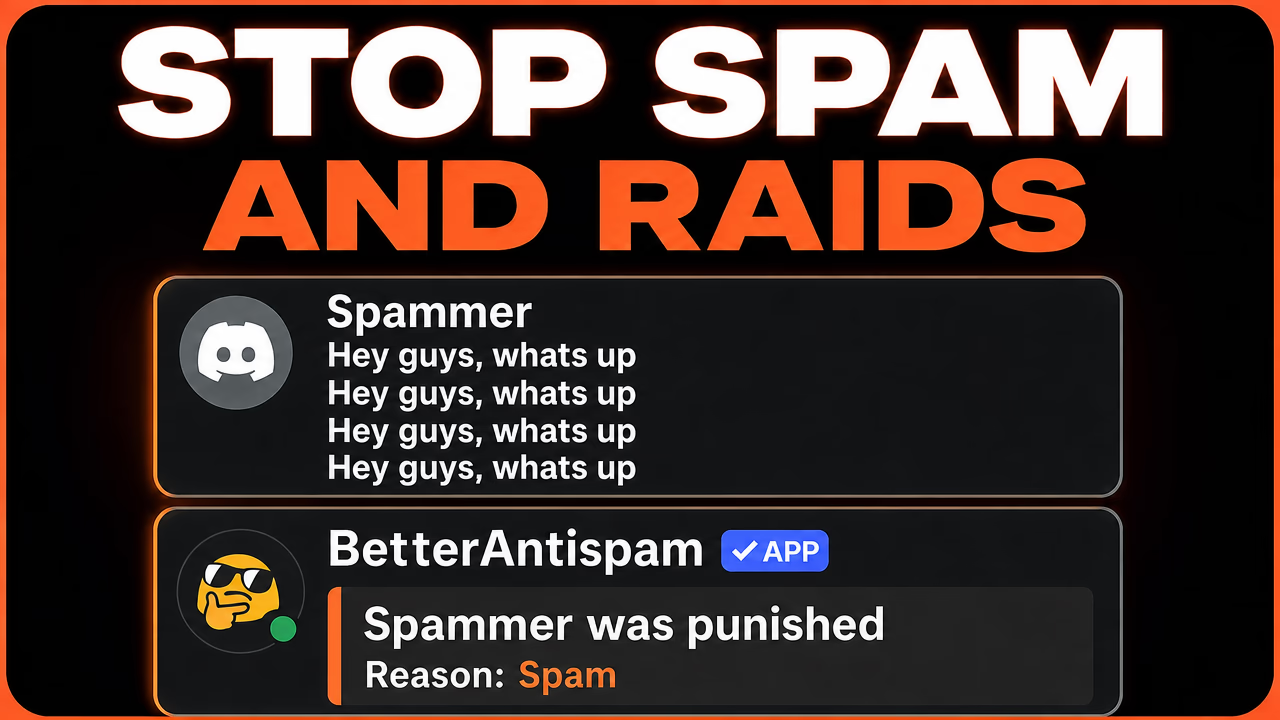
How to Protect a Discord Server from Spam, Raids, and Nukes in 2026
Discord communities grow fast, and so do the risks that come with public invites. Spam dumps can flood chat in seconds. Raid joins can overwhelm verification. Nuke-style abuse can delete channels, wipe roles, or ban members before staff even see what happened. If you run a gaming server, creator community, brand Discord, school group, or professional space, server protection is no longer optional.
This guide explains how to protect a Discord server from spam, raids, and nukes with a clear setup anyone can follow. It also shows how BetterAntispam helps you cover prevention, moderation, cleanup, and recovery in one free core bot.
Why Discord spam and raids are getting harder to manage
Manual moderation works when a server is small. It breaks when growth arrives. One spam bot can send dozens of messages before a moderator reacts. A coordinated raid can bring in hundreds of accounts in a short window. A compromised admin account can remove channels or change permissions before anyone notices.
Common problems Discord owners face include:
- Spam floods, duplicate messages, mention abuse, and invite advertising
- Raid joins from new or suspicious accounts
- Scam links and unsafe image uploads
- Selfbot-style behavior that bypasses normal chat patterns
- Destructive actions like mass bans, channel deletes, and role abuse
- Cleanup work that takes hours after an attack
The goal is not just to delete bad messages. The goal is to stop damage early, keep real members safe, and give staff tools to recover quickly when something slips through.
What a complete Discord protection setup should include
A strong Discord moderation setup usually needs more than one filter. The best approach covers four layers.
1. Prevention
Stop bad actors from getting full access too easily. Member verification, join checks, and anti-raid tools help here.
2. Detection
Catch spam, scam links, NSFW uploads, selfbots, and unusual behavior while chat is happening.
3. Response
Mute, kick, ban, quarantine, warn, lock channels, or pause joins when an incident starts.
4. Recovery
Clear flooded channels, review logs, restore access, and bring the server back to normal after an attack.
Many communities try to solve this by stacking several bots. That often creates more setup work, overlapping settings, and gaps during an emergency. An all-in-one Discord security bot can reduce that friction.
How to protect your Discord server step by step
Step 1: Set basic staff structure
Make sure trusted moderators have clear roles. Keep Administrator permissions limited. Place your moderation bot high enough in the role list to act on members it needs to moderate.
Step 2: Turn on verification
Verification is one of the simplest ways to reduce bots and throwaway accounts. Require new members to complete a check before they can chat. This alone can cut a large amount of low-effort spam.
Step 3: Enable anti-spam and filters
Anti-spam tools should catch floods, duplicates, mention spam, invite spam, and other chat abuse. Pair that with link filtering and image filtering so scam links and unsafe uploads are less likely to spread.
Step 4: Prepare for raids
Anti-raid tools watch join waves and suspicious account patterns. Raid Mode and lockdown options help when an attack is already underway. The key is having these ready before you need them.
Step 5: Protect against nukes
Anti-nuke protection watches destructive actions such as mass bans, channel deletes, role wipes, and dangerous permission changes. This matters most when a staff account is compromised or a malicious bot is added.
Step 6: Set logging and cases
Logging helps your team understand what happened. Cases, warnings, mutes, kicks, and bans keep moderation consistent across shifts. Without logs, staff waste time guessing.
Step 7: Plan cleanup and recovery
Even good protection can miss something. Make sure you can clear flooded channels quickly, lock the server during an incident, and recover access if roles or permissions get disrupted.
How BetterAntispam helps
BetterAntispam is a free Discord moderation bot built for communities that want strong protection without a complicated stack. It covers anti-spam, anti-raid, anti-nuke, verification, filters, logging, cleanup, and recovery in one place.
Owners can invite the bot, follow the guided setup, and turn on only the modules they need. Most servers can go live in under 5 minutes. That makes it useful for new communities and larger servers that need faster incident response.
Core protection stays free. Optional upgrades are available for advanced controls when a server needs more. BetterAntispam has been active since 2020 and is designed around practical moderation for real Discord communities.
Key BetterAntispam features for server security
- Anti-spam protection for floods, duplicates, mention abuse, and chat spam
- Anti-raid tools for mass joins and early raid response
- Anti-nuke safeguards for destructive channel, role, and permission abuse
- Verification flows to screen new members before chat access
- Filters for risky links, unwanted images, and selfbot-style behavior
- Logging and staff moderation tools for warnings, mutes, kicks, bans, and cases
- Cleanup and recovery options after spam dumps or nuke attempts
- Emergency controls like Raid Mode and lockdowns during active incidents
Best practices for Discord server owners
- Keep Administrator permissions rare. Most staff do not need full admin access.
- Use verification on public invites. Open servers attract more spam and raids.
- Review logs after every major incident so your team improves response time.
- Do not wait until after a raid to set up lockdown and cleanup tools.
- Test your setup with trusted staff before opening invites widely.
- Keep your moderation bot role ordered correctly so actions can succeed.
- Revisit settings as the server grows. Thresholds that work for 200 members may need tuning at 20,000.
Who should use a Discord anti-spam and anti-raid bot
BetterAntispam fits Discord administrators, moderators, and community managers who want automated protection with less manual cleanup. It works well for:
- Gaming servers dealing with spam dumps and raid joins
- Creator and influencer communities fighting scam links and fake accounts
- Brand and product Discords that need a safer member experience
- School and education groups that want cleaner discussions
- Professional communities that need logging and consistent moderation
Final checklist before you open invites
- Invite a trusted moderation bot and complete guided setup
- Enable verification for new members
- Turn on anti-spam, anti-raid, and anti-nuke modules
- Set link and image filters
- Choose log channels and staff moderation tools
- Confirm cleanup and lockdown options are ready
- Run a quick staff walkthrough so everyone knows what to do during an incident
Protecting a Discord server from spam, raids, and nukes does not have to mean juggling five bots or watching chat all day. With the right prevention, detection, response, and recovery layers, your team can keep the community focused on conversation instead of cleanup.
If you want free core Discord protection with a fast setup, BetterAntispam is built to help you stop spam, raids, and nukes in one place. Learn more at betterantispam.com, read the docs, or join the support Discord to get started.