Academic Scheduler: The AI-Powered Timetable Tool Schools Are Switching To in 2026
Every school administrator knows the feeling. Term is a few weeks away, the spreadsheet is open, and somewhere between assigning Mr. Smith to three different classes at 10 a.m. and realizing Grade 8B has no Science period all week, the whole thing starts to feel less like planning and more like solving a puzzle with no clean solution.
That puzzle is exactly what Academic Scheduler was built to solve. It's a purpose-built timetabling platform for schools, colleges, and multi-branch educational networks — and over the past year it has been adopted by more than 200 institutions looking to replace manual, spreadsheet-based scheduling with something faster, cleaner, and far less error-prone.
This article looks at what Academic Scheduler actually does, why timetabling is harder than most tools give it credit for, and what's changed with the platform's newest addition: an AI scheduling assistant that can fill an entire class's timetable from a plain-English instruction.
The Problem Academic Scheduler Was Built to Solve
On paper, a school timetable looks simple — assign subjects to time slots, make sure teachers and rooms are free, repeat for every class. In practice, even a mid-sized secondary school with 15 classes, 25 teachers, and 8 periods a day across 5 days has more than 1,500 individual scheduling slots to fill, each governed by several overlapping constraints at once:
- The assigned teacher has to actually be free at that time
- The classroom or specialist room can't be double-booked
- No student group can be scheduled in two places simultaneously
- Subjects need to be spread out, not clustered into repetitive blocks
- Weekly frequency targets per subject have to be met — not skipped, not exceeded
- Teacher workload needs to stay balanced across the week
Most of the damage from a bad timetable doesn't show up while it's being built — it shows up on the first day of term, when three classes turn up for one room or a teacher discovers they've been booked into two places at once. Fixing that after publication is far more disruptive than catching it during setup.
Academic Scheduler's core value proposition is straightforward: catch every one of those conflicts automatically, in real time, as the schedule is being built — not after.
How Academic Scheduler Organizes the Process
Rather than treating timetabling as one big, unstructured task, Academic Scheduler breaks it into a sequence that mirrors how the underlying data actually depends on itself:
1. Periods — Define the time structure of the school day: period names, start and end times, and whether a slot is a teaching period or a non-teaching one (breaks, lunch, assembly). Modified schedules for specific days, like a shorter Friday, are handled here too.
2. Subjects — Every subject taught anywhere in the school gets listed once, using one consistent name. This includes core academics, electives, and non-academic scheduled activities like Assembly or Study Hall.
3. Teachers — Each teacher is added with their name, contact details, and — critically — the exact subjects they're qualified to teach. Not their department. The specific subjects. Availability restrictions (only available certain days, no first period on Fridays, etc.) are captured here as well.
4. Classes — Each class or section (Grade 7A, Grade 10 Science Stream, etc.) is set up with its subject list, the specific teacher assigned to each subject for that class, and a weekly period limit per subject.
5. Schedule — Only once the first four steps are complete does the actual grid-filling happen. By this point, most of the hard decisions have already been made during setup, so this step becomes about placement, not design.
The platform's own onboarding data backs up why this order matters: schools that completed setup properly before touching the schedule grid finished in hours. Schools that jumped straight to filling in the timetable — before teachers had subjects assigned or classes had their subject lists built — routinely had to undo hours of work and restart.
Built-In Conflict Detection
The feature that shows up most often in feedback from schools using Academic Scheduler is real-time conflict detection. As a period is filled in, the system checks:
- Whether the assigned teacher is already booked elsewhere at that time
- Whether the room (if rooms are tracked) is available
- Whether the weekly subject limit for that class has already been reached
- Whether the same subject is being clustered unnaturally into consecutive slots
This matters because the alternative — running a single conflict check at the very end — means an administrator might complete 80% of a school's schedule before discovering that one teacher has been double-booked across fifteen different slots. Real-time checking turns that into a non-issue: the conflict is flagged the moment it would occur, not after a full afternoon of work built on top of it.
What's New: AI-Powered Timetable Scheduling
The most recent addition to the platform is an AI generator that automates the actual grid-filling step — the part of timetabling that historically took the longest, even with good setup data and solid conflict detection.
Here's how it works in practice:
- Pick a class that already has its subjects, teachers, and weekly limits configured.
- Optionally type an instruction in plain English — something like "put Maths in the morning" or "4 Science periods a week, none on Friday."
- Generate, and the AI fills every empty period for that class in seconds.
- Review the draft — nothing is written to the live timetable automatically.
- Approve, edit, or regenerate based on what comes back.
Every AI-generated placement runs through the same conflict rules as manual scheduling: teacher availability, weekly subject limits, existing bookings across the entire school, and valid subject-teacher assignments. The AI won't place a teacher into a slot they're not qualified for, won't exceed a subject's weekly limit, and won't create a double-booking anywhere else in the school's live schedule.
Importantly, nothing is saved without explicit approval. The generated schedule is a draft layered on top of the existing timetable — administrators can accept it as-is, tweak individual slots, or discard it and try again with a different instruction. This keeps a human in the loop for the final decision while removing the repetitive, mechanical work of placing hundreds of subject-teacher-period combinations by hand.
For schools building a timetable for the first time, this turns a blank grid into a strong starting draft instead of an empty page. For schools rebuilding mid-year after a staffing change or a new subject limit, it means far less manual rework to reach a usable schedule again.
Other Features Worth Knowing About
Beyond the core scheduling engine and its new AI layer, Academic Scheduler includes a set of features aimed at the practical, day-to-day reality of running a school:
- Exam timetable scheduling, handled as a separate workflow with its own constraints — no student sitting two exams at once, mandatory gaps between consecutive exams, invigilator assignment by availability rather than subject expertise, and venue capacity based on actual enrollment.
- Teacher substitution management, which uses the same subject-teacher assignment data from setup to quickly surface valid substitutes — someone who is both free during the affected period and qualified to cover the subject.
- Export options for timetables as PDF, Excel, CSV, or image, making it easy to distribute schedules to staff, parents, or students in whatever format is most convenient.
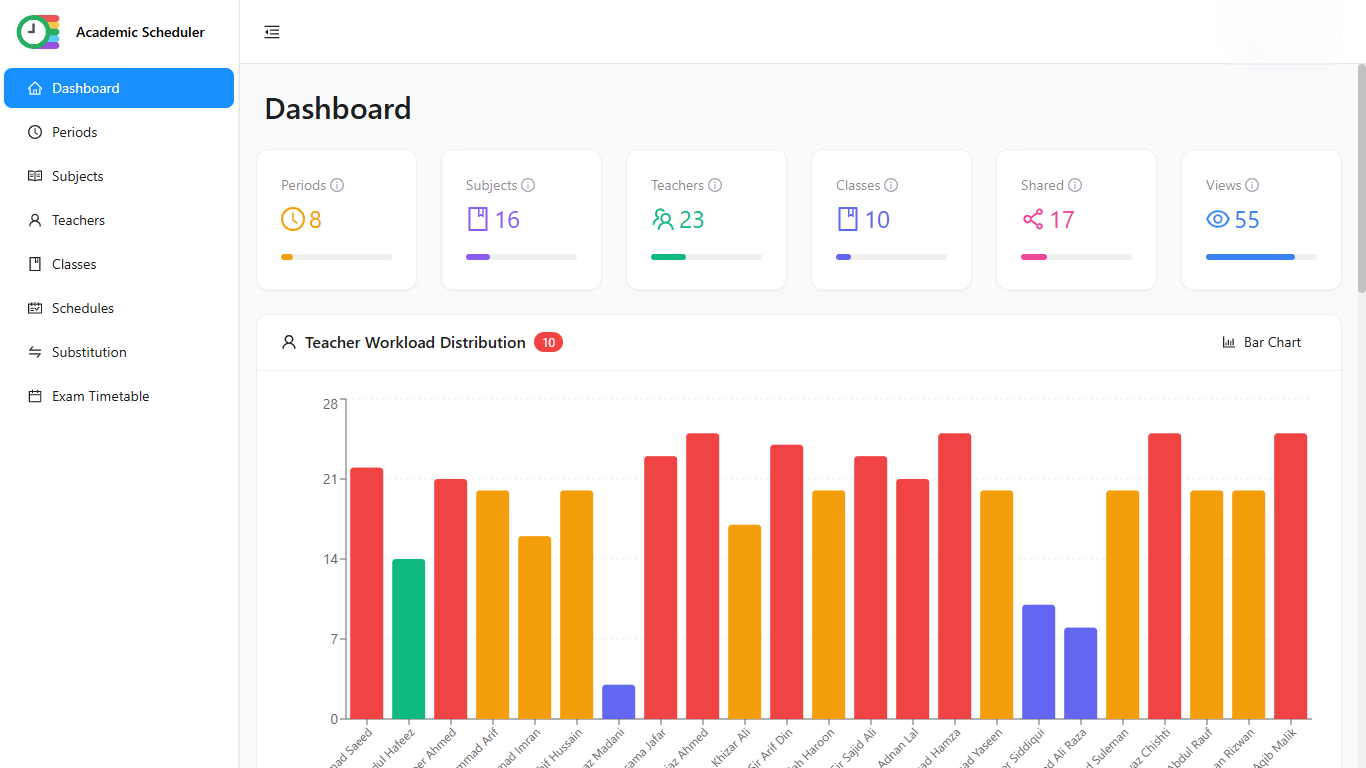
- Teacher workload analytics, giving administrators a clear view of how teaching hours are distributed across staff each week — useful both for fairness and for contractual compliance around preparation periods.
- Multi-branch support, for school networks managing several campuses under one system rather than juggling separate spreadsheets or tools per location.
- Mobile access, so teachers and administrators can check schedules, substitutions, or updates without needing to be at a desktop.
- Multi-language support, including a recently added French-language interface, reflecting the platform's growing use outside English-speaking markets.
Common Timetabling Mistakes the Platform Is Designed to Prevent
A recurring theme across Academic Scheduler's own guidance to new schools is that most timetabling pain isn't caused by complexity — it's caused by a handful of avoidable habits:
- Starting the schedule before setup is finished. Filling in periods before teachers have subjects assigned or classes have subject lists ready almost guarantees rework partway through.
- Assigning every subject to every teacher "to keep options open." This defeats the purpose of subject-teacher assignment entirely — if every teacher is a valid option for every subject, the system can no longer filter out invalid or conflicting assignments.
- Skipping weekly subject limits. Without a clear target, it's easy to end up with one subject scheduled far too often and another barely scheduled at all.
- Leaving out non-teaching periods. Breaks, lunch, and assembly need to be defined as real slots — otherwise they show up as scheduling gaps, or worse, get accidentally filled with academic subjects.
- Inconsistent naming. "Maths" and "Mathematics" aren't the same record to a scheduling system, and neither are "Mr. Smith" and "John Smith." Naming inconsistency quietly breaks conflict detection and reporting.
Academic Scheduler's setup flow is structured specifically to make these mistakes harder to make by default — subjects are named once, teacher assignments are explicit rather than blanket, and weekly limits are a required part of setting up a class.
Who Uses Academic Scheduler
The platform is aimed at school administrators, principals, and academic coordinators responsible for building and maintaining timetables — from single-campus schools with a handful of sections to multi-branch networks coordinating schedules across several locations. It's also relevant to IT and operations staff at institutions looking to move off spreadsheet-based scheduling without adopting something overly complex or requiring dedicated training.
Based on onboarding data from schools already on the platform, a school with 10–20 classes and complete, organized setup data typically finishes a full timetable in 4–8 hours. Without that preparation, the same process can take 2–5 days — a gap that has less to do with the tool itself and more to do with how ready the underlying data is before scheduling begins.
Getting Started
Academic Scheduler offers a free trial with no credit card required, and the platform is built to scale from small single-campus schools up to larger multi-branch networks. New users typically start by defining their school's period structure, adding their subject list with a single naming convention, entering teachers with their specific subject qualifications, and setting up classes with weekly limits — the same four-step setup that underlies both the manual scheduling workflow and the new AI generator.
For schools currently relying on spreadsheets, disconnected documents, or a patchwork of manual conflict-checking, Academic Scheduler's combination of structured setup, real-time conflict detection, and now AI-assisted scheduling represents a meaningfully faster — and more reliable — path to a timetable that staff can actually trust from day one.
Learn more or start a free trial at academic-scheduler.com.