
Sessions Pro for Cursor
Run multiple Cursor accounts at once

PaidFree trialmacOSWindows
- Upvotes
- 0
- Comments
- 0
- Impressions
- 2
this week
discussions
this week
About
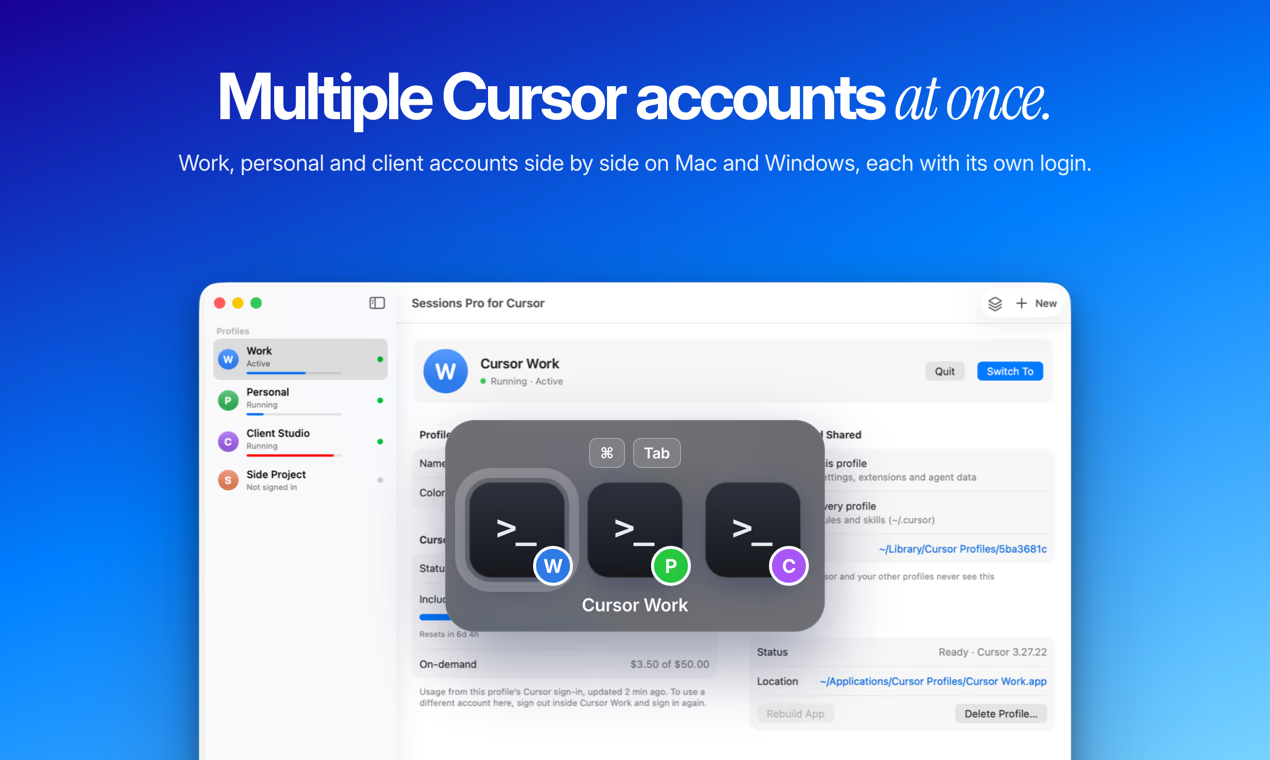
Cursor keeps one account signed in at a time. Sessions Pro for Cursor gives each of your Cursor accounts (work, personal, clients) its own app on your Mac, with its own name, lettered colored icon, sign-in, chats, settings, extensions and agent data, all open at once. Switch with Cmd-Tab, Spotlight or the menu bar account switcher, which also shows each account's included usage, on-demand spend and reset date. Your MCP servers, rules and skills are shared on purpose, so you set them up once. On Windows, each account opens in its own Cursor window. When Cursor updates, the account copies are rebuilt automatically. $15 one-time, no subscription, for up to 2 computers (Mac or Windows), with a 14-day full refund and a 1-hour free preview.
Problem & solution
Problem
Cursor keeps one account signed in, so switching means signing out and back in.
Solution
Each Cursor account gets its own app with its own sign-in, chats, settings and extensions.
Who it's for
Developers and freelancers with separate Cursor accounts for work, clients and personal
Main features
- Each account in its own app
- Own sign-in, chats, settings
- Extensions per account
- Usage meter per account
- Rebuilt when Cursor updates
Use cases
- Work and personal Cursor accounts side by side
- One Cursor account per client, kept apart
Comments
0 shownShare your thoughts about this tool.
Sign in to leave a comment.
No comments yet. Be the first to leave one.