NextGen ToolsNextGen Tools - Discover the Best AI Tools & SaaS Products
Find tools for...⌘K

Search Tools

Search for tools, categories, and more

    • Launching This Week

      See the best tools launching this week.

    • Categories

      See the best tools in each category.

    • Leaderboards

      See the best tools that launched in the past.

    • Launch Queue

      See the tools that are in the queue.

    • Premium Tools

      Explore premium tools launched by sponsors.

    • How It Works

      Learn the mechanics of NextGen Tools.

  • Pricing
    • Karma Leaderboard

      Top 100 users with the most karma points.

    • Streaks Leaderboard

      Top 100 users with the longest streaks.

    • Testimonials

      See what the community is saying about NextGen Tools.

    • Newsletter

      Best tools delivered to your inbox every week

    • Articles

      Browse all published tool articles across the site

    • Latest Tech News

      The latest news in the tech space

    • Blog

      Read the latest stories and insights

    • X

      Follow us on X for quick news and updates

Articles
NextGen Tools - The #1 AI Tools Directory & Launch Platform

Discover the Best AI Tools & SaaS Products

Browse the ultimate AI tools directory and product launch platform. Discover trending AI, SaaS, and developer tools, or submit your startup to get a dofollow backlink today.

Monitor your Domain Rating with FrogDR

Website Links

Launching This Week
Categories
Leaderboards
Launch Queue
Premium Tools
Pricing
Karma Leaderboard
Streaks Leaderboard
How It Works
Testimonials
Contact Us
About Us

News

Articles
Latest Tech News
Blog
Newsletter

Policies

Terms of Use
Privacy Policy
Refund Policy

Socials

X
Tiktok
Youtube
RE

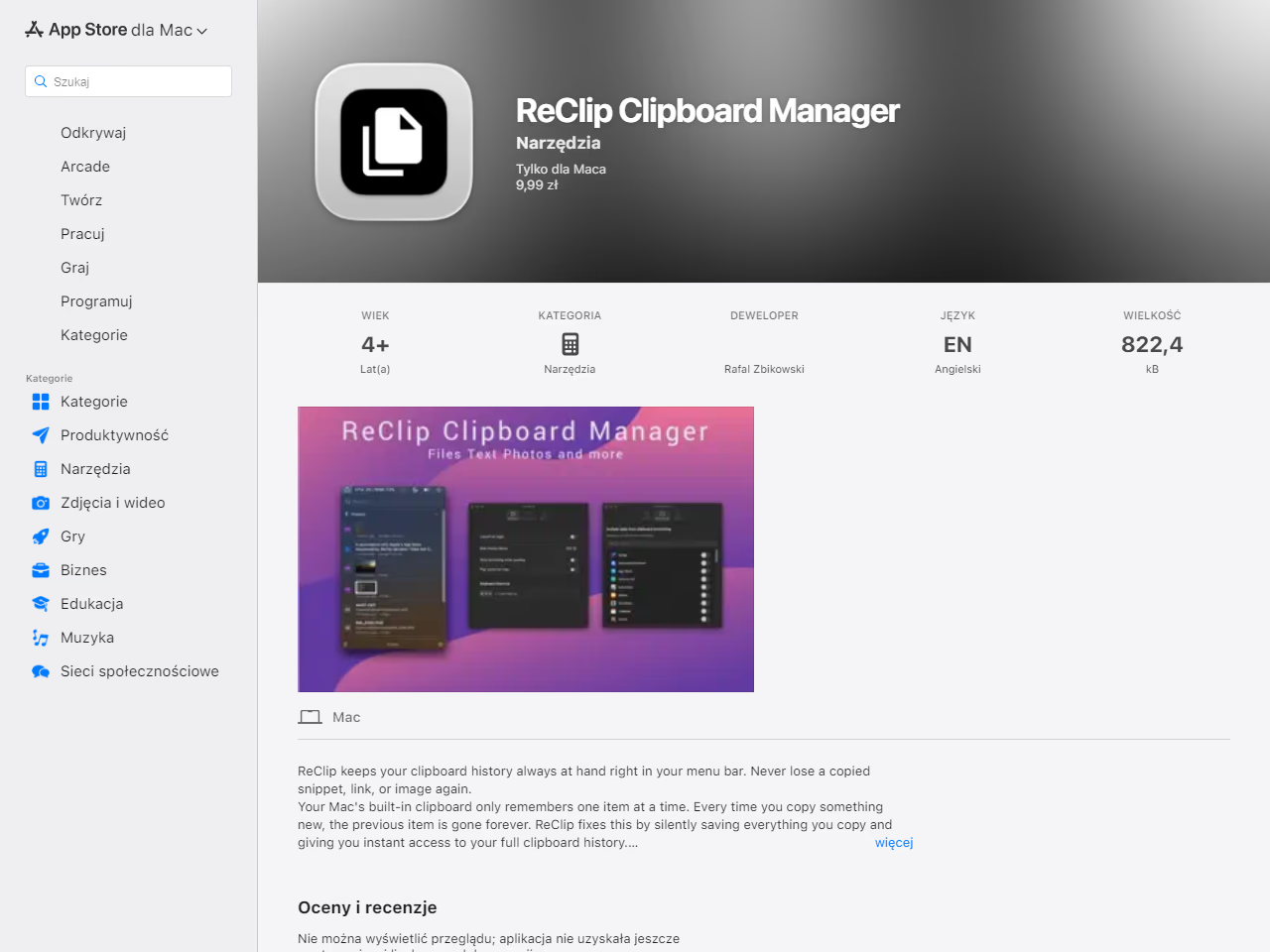
ReClip Mac's clipboard memory

Visit Website

Mac's clipboard remembers only one item reClip fixes this.

Visit Website

Screenshots

ReClip Mac's clipboard memory ImageClick to view full size

About ReClip Mac's clipboard memory

What is ReClip Mac's clipboard memory?

ReClip Clipboard Manager is a macOS application that extends the functionality of the built-in clipboard. Unlike the default system clipboard, which only retains the most recent copied item, ReClip maintains a comprehensive history of all copied items such as text, links, images, emails, code snippets, and more. The tool is designed to increase productivity by allowing users to quickly access and search through their clipboard history using a simple menu bar interface. It offers features like thumbnail previews for images, smart content detection with visual indicators, and pinned items to preserve frequently used clips. It also focuses on user privacy by storing data locally without any cloud integration or tracking. Additionally, ReClip supports plain text mode, stripping text formatting for clean pasting. Lightweight and built with Swift for macOS versions 14 Sonoma and later, ReClip enhances user experience with features like global keyboard shortcuts and minimal system resource usage.

Problem this tool solves

Mac clipboard keeps only one item, so copied text/images are easily lost.

How it solves the problem

Menu bar app saves clipboard history with search, pinning, and local-only storage.

Target Audience

Mac users needing searchable clipboard history.

Use Cases

  • · Find a copied link or code
  • · Reuse pinned snippets daily

Main Features

Clipboard historyInstant searchText & image capturePin favoritesPlain text paste

Categories

ProductivityDeveloper Tools

Pricing

Pricing Type: Paid

Makers

RA
@rafalzbikowski8185632 karma

Analytics

Upvotes

4

Comments

0

Impressions

142

Website Visits

-

Tool Page Visits

-

Comments

Add a comment...