
PDF Pro — Privacy-First PDF Workspace
Private PDF tools that run entirely in your browser.
by webdesign 9
FreemiumWebBrowser Extension
- Upvotes
- 108
- Comments
- 12
- Impressions
- 4.3k
this week
discussions
this week
About
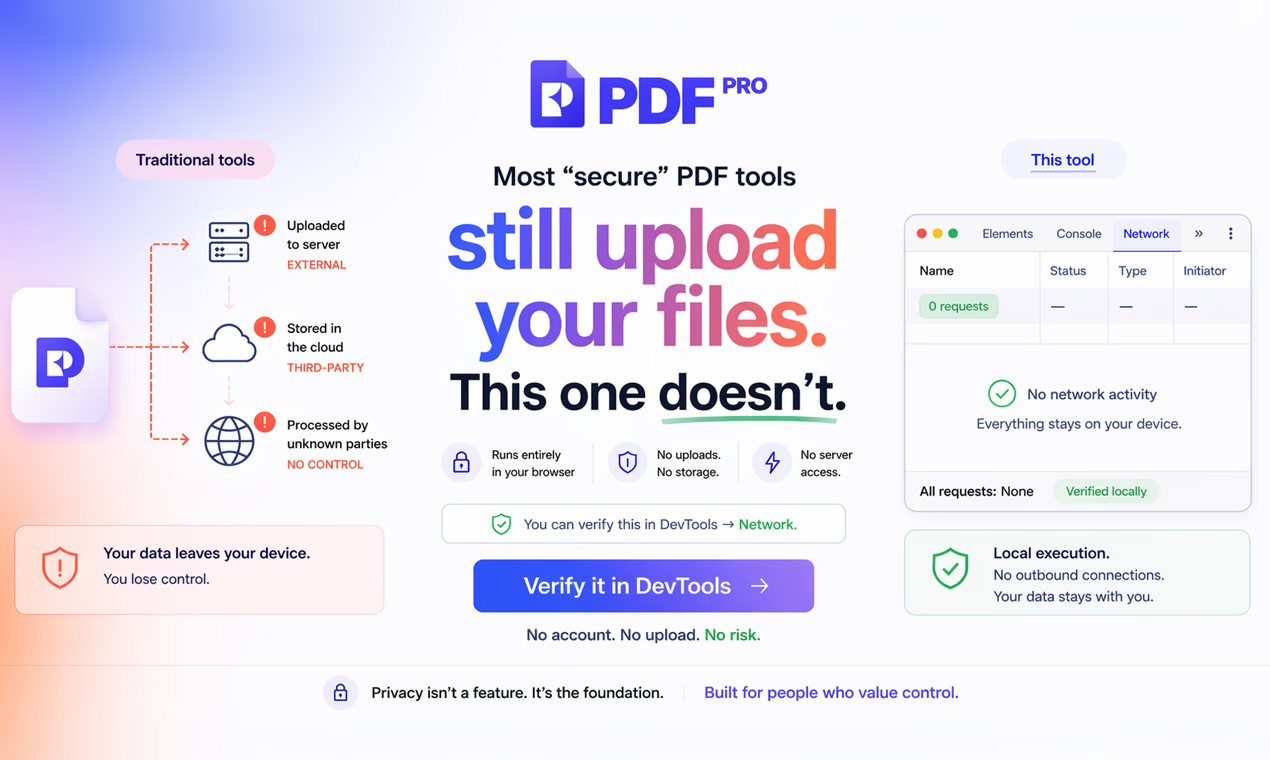
PDF Pro is a privacy-first PDF workspace where everything runs locally in your browser. Unlike traditional tools, your files are never uploaded, stored, or processed on any server. Create, Edit, convert, sign, and even use AI on PDFs — with full control over your data.
Awards
1 awardRecognition this tool has earned on NextGen Tools.
Problem & solution
Problem
Most PDF tools require you to upload sensitive documents to their servers that creates privacy risks
Solution
PDF Pro processes everything directly in your browser. Files are never uploaded.
Who it's for
Anyone working with sensitive documents — including developers, freelancers, businesses
Main features
- Runs entirely in your browser
- In-browser PDF signing
- AI powered PDF tools
- E2EE encrypted file sharing
- AI powered translating PDFs
Use cases
- Sign contracts without uploading files
- Convert PDFs securely without exposing data
Comments
12 shownShare your thoughts about this tool.
Sign in to leave a comment.
- Manchit SananMay 3, 2026
Evaluate early-stage unicorn potential with predictive AI agents.
- Robert GMay 2, 2026
Graet landing page
- Jonathan AudyMay 1, 2026
Good Job!
- praveenmMay 1, 2026
Cool
- Juan SantanaApr 29, 2026
very nice
- t aApr 28, 2026
cool
- webdesign 9Apr 28, 2026
Thanks!
- LEAFY EUApr 27, 2026
How can I verify that files aren’t actually being uploaded to a server?
- webdesign 9Apr 27, 2026
You can check it directly in your browser. Open DevTools → Network tab, then use the tool. If the file isn’t being uploaded, you won’t see any requests sending file data to a server. Everything runs locally, no file leaves your device. You can also disable your internet connection and test it.
- Fizi HostApr 27, 2026
How does the AI chat work if files aren’t uploaded? Is the document sent anywhere for processing?
- webdesign 9Apr 27, 2026
The PDF is parsed and processed locally in your browser first. Only the extracted text (not the original file) is used for AI interactions. For AI responses, the relevant parts of the text are sent to the model - not the full document and not the raw file itself. So your file never gets uploaded.
- Clint E.Apr 27, 2026
Everything runs smooth. Solid!
- Makaveli iApr 27, 2026
Tried the secure transfer feature - pretty straightforward and fast. I like the idea of sharing files without exposing them. Does the link expire or stay active until you remove it?
- webdesign 9Apr 27, 2026
You can actually control both — links can expire (1h, 6h, 24h, etc.) and you can also enable one-time access, so the file is deleted right after it’s opened. The key part is still that everything is encrypted in your browser, and the decryption key is part of the link - never sent to the server.
- Burak CiftciApr 27, 2026
Tested this — surprisingly smooth. The no-upload approach is actually refreshing compared to most PDF tools. Curious how it performs with bigger files.
- webdesign 9Apr 26, 2026
Hey — creator here 👋 Built PDF Pro because uploading sensitive PDFs never felt right. Everything runs locally in your browser — no uploads, no accounts. Still early, would love to hear how you handle PDFs today 🙏