
MachinesFluent
The Most Flexible AI-Powered Dictation Tool

FreemiumWindows
- Upvotes
- 0
- Comments
- 0
- Impressions
- 11
this week
discussions
this week
About
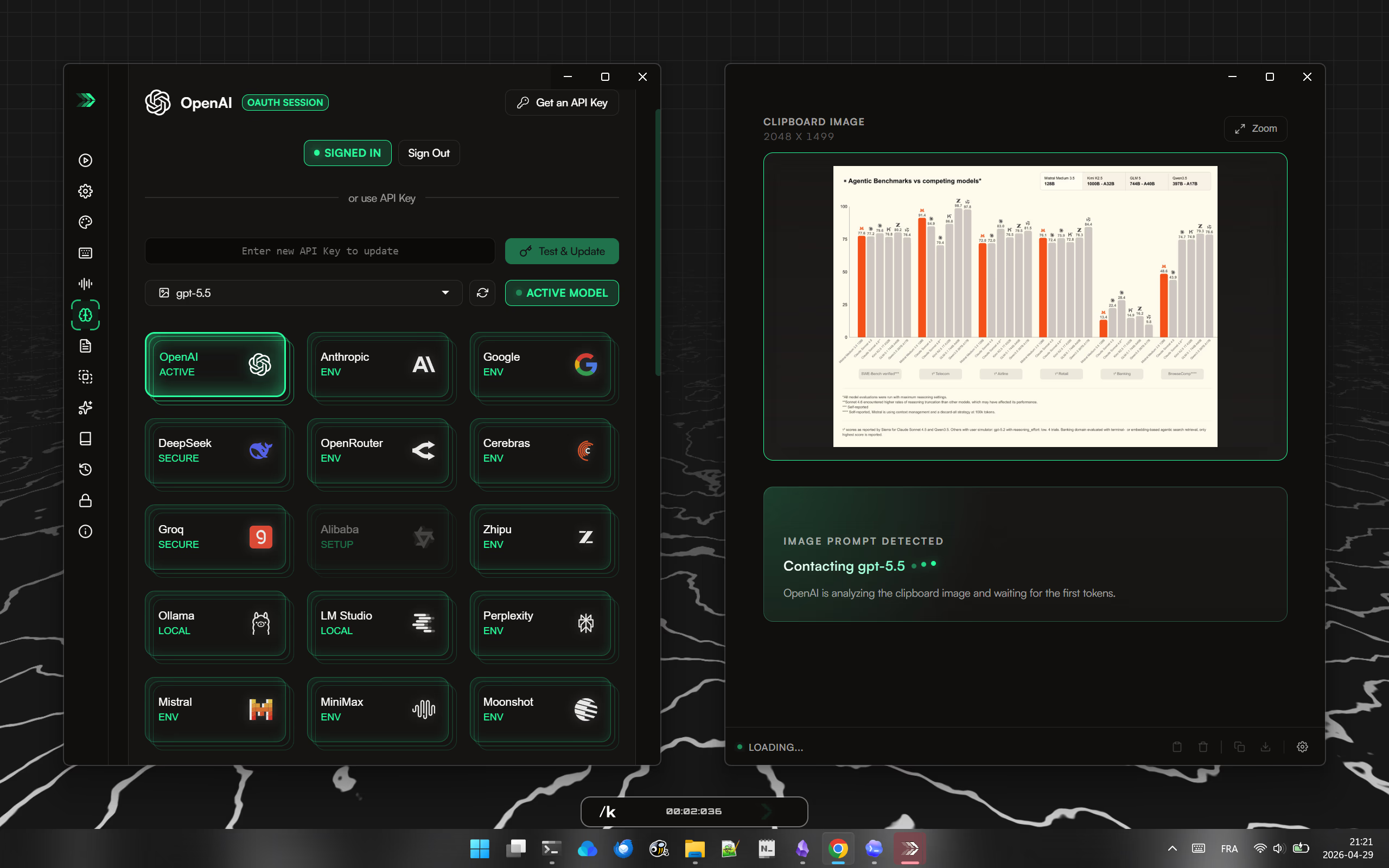
MachinesFluent is a flexible AI-powered dictation app that works anywhere, online or offline. Press a hotkey, speak, and your words appear where you're working—as raw text or transformed by AI. Send speech through custom prompts to turn rough thoughts into polished emails, structured notes, summaries, translations, replies, documentation, action lists, cleaner paragraphs, or any format you design. Ask questions out loud and get AI answers without opening a browser, typing a query, or copying results back into your work. Clipboard processing turns copied text into context. Copy, trigger or speak your command: summarize, rewrite professionally, translate, explain code, extract action items, compare points, make it shorter or clearer, or turn it into an email. Clipboard images work too. Copy a screenshot, diagram, chart, UI mockup, or photo, then ask a vision-capable model to explain it, extract information, describe what's visible, or inspect the interface. The app also transcribes existing audio and video files—meeting recordings, lectures, interviews, podcasts, voice notes, screen recordings—so live dictation and file transcription live in one tool. Built around choice: - Offline dictation for privacy, or cloud speech for recognition - Local AI via Ollama or LM Studio, or cloud providers for stronger models - Sign in with OpenAI or use API keys - Reusable prompts with different models per task - Vocabulary dictionaries for names and jargon - Voice snippets for repeated text - Clipboard preservation after paste, local history, configurable hotkeys - App- or website-aware dictation styles for different writing behavior per app MachinesFluent is for people who want dictation that does more than type—it writes, rewrites, searches, translates, summarizes, explains, inspects images, processes clipboard content, transcribes files, and adapts to the way you work.
Problem & solution
Problem
The keyboard in an AI era is becoming the bottleneck.
Solution
You can write 4x faster by speaking on average compared to typing on a keyboard.
Who it's for
Anyone with a keyboard
Main features
- AI powered dictation
- Web search via voice
- Clipboard manipulation
- File transcription
- Local ASR/LLM models supported
Use cases
- Real time dictation
- File transcription
Comments
0 shownShare your thoughts about this tool.
Sign in to leave a comment.
No comments yet. Be the first to leave one.