

- Upvotes
- 1
- Comments
- 21
- Impressions
- 100
this week
discussions
this week
About
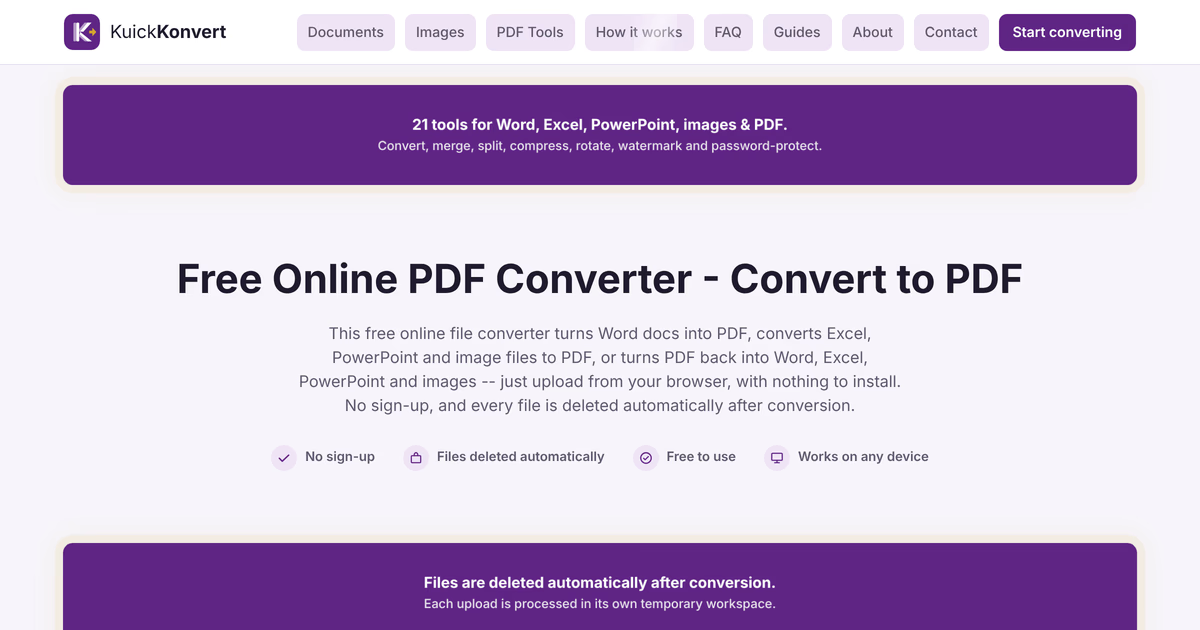
KuickKonvert is a free online file converter for Word, Excel, PowerPoint, images and PDF, in both directions, plus PDF tools to merge, split, compress, rotate, watermark and password-protect. No sign-up and no credit card. You use it from your browser: your file is uploaded, converted on our server and deleted automatically after conversion.
Problem & solution
Problem
Many file converters ask for sign-up or card details before you can convert a file.
Solution
Upload your file; it is converted on our server and deleted after. No account, no payment.
Who it's for
Professionals, students, and small businesses needing quick, one-off file conversions.
Main features
- Word, Excel & PPT to PDF
- PDF to Word, Excel & PPT
- JPG & PNG to PDF and back
- Merge, split & compress PDFs
- No sign-up; files auto-deleted
Use cases
- Turn a Word CV into a PDF before sending it
- Compress a large PDF so it fits in an email
Comments
21 shownShare your thoughts about this tool.
Sign in to leave a comment.
- offdfox6k35137Oct 23, 2026
finally a web converter that does not track users or force email registrations
- x37bn8pc0n2226Oct 23, 2026
safe isolated workspace processing ensures uploaded materials never linger on external servers.
- KuickKonvertOct 27, 2026
thank you
- isoisesz901174Oct 23, 2026
no signup wall makes this a massive win for converting sensitive client files quickly.
- KuickKonvertOct 23, 2026
Thank you! No sign-up is a core principle for us. For confidential documents, we always recommend checking the output before sharing it. — KuickKonvert
- mghv1bo4he5138Oct 23, 2026
great privacy first conversion tool that respects user data without keeping uploaded documents
- wwap8k56t88848Oct 23, 2026
zero friction and completely private no account needed and files clear automatically after processing giving complete peace of mind
- KuickKonvertOct 23, 2026
Appreciate it! Our aim is to keep things simple: upload, convert, download, and the files are cleared automatically. — KuickKonvert
- msf53tusq3614Oct 23, 2026
"Refreshing alternative to bloated web utilities." Most document conversion sites are stuffed with aggressive pop-ups and ads. KuickKonvert keeps it clean and lightweight.
- x9t47wv0f7517Oct 23, 2026
"Fair and honest service model." No hidden paywalls or sudden limits after 3 conversions like other tools pull. It's upfront, honest, and gets the job done.
- KuickKonvertOct 23, 2026
Thanks! All 21 tools are free to use, with no sign-up. — KuickKonvert
- gdnciaxbzo2776Oct 23, 2026
"Automatic file clearing gives real peace of mind." The clear commitment to running conversions in isolated workspaces and deleting files immediately after completion makes it a trustworthy service.
- KuickKonvertOct 23, 2026
Thank you for noticing. Each conversion runs on its own, and the files are deleted automatically afterwards. — KuickKonvert
- nk0zks3eup2147Oct 23, 2026
"Open-source transparency build confidence." Knowing this project operates under the AGPL license gives me confidence in its transparency and open-source principles. Excellent initiative!
- KuickKonvertOct 23, 2026
Thanks! KuickKonvert is released under the AGPL, so anyone can review how it works. — KuickKonvert
- obt97yriip7117Oct 23, 2026
"True zero-friction design." No forced newsletter popups, no account confirmation emails, and no captchas. You visit the page, process your file, and leave. Pure utility.
- KuickKonvertOct 23, 2026
Much appreciated. Removing unnecessary steps is what we focus on most. — KuickKonvert
- re45ui7fkj2095Oct 23, 2026
"Outstanding free service for quick document management." High quality output, no registration walls, and fast processing. Easily deserves 5 stars across all directories.
- KuickKonvertOct 23, 2026
Thank you, glad it’s been useful. If you spot anything we can improve, please let us know. — KuickKonvert
- rj33x61v6y6560Oct 23, 2026
"Smooth UX from start to finish." The drag-and-drop interface, quick processing times, and simple download buttons make using this web app a delight
- KuickKonvertOct 23, 2026
Thanks! Good to hear the experience feels smooth. More improvements are on the way. — KuickKonvert
- un45enp7da8979Oct 23, 2026
"A tool I'm happy to bookmark and share." It's rare to find a side project this well-tuned for real-world utility. Already recommended it to my team members.
- KuickKonvertOct 23, 2026
Thank you for sharing it with your team. We hope it saves everyone time. — KuickKonvert
- xvd4tgpv17133Oct 23, 2026
"Everything you need in one clean suite." Having 21 different document and image tools grouped together under one fast web app makes file conversions painless.
- KuickKonvertOct 23, 2026
Thanks! Having 21 conversion tools in one place was the goal from day one. — KuickKonvert
- h1tgw7099p4025Oct 23, 2026
"Kudos to Shahid Iqbal for building this!" Great execution by the maker. The simplicity, performance, and clear focus on user privacy make this tool stand out.
- KuickKonvertOct 23, 2026
Thank you for the kind words. Your support is much appreciated. — Shahid, KuickKonvert
- eec795167fc7061Oct 21, 2026
"Extremely accessible web utility." No intrusive pop-ups or hidden paywalls. It's refreshingly simple to use for fast, everyday conversions.
- KuickKonvertOct 21, 2026
Thanks for your comments
- a4cd8897691565Oct 21, 2026
"Effortless UI experience." Love how organized the tools menu is. Finding specific options like WEBP to JPG or PDF merging takes less than 5 seconds.
- KuickKonvertOct 21, 2026
Thank you very much
- ce318bdd2f3611Oct 21, 2026
"Modern design meets practical utility." Very well designed web app. Everything from PDF splitting to image format shifting works in just a few clicks.
- KuickKonvertOct 21, 2026
Thanks for appreciating.
- b80fa87cf9b44241Oct 21, 2026
Beginner-friendly and intuitive." You don't need tech skills to figure this out. The layout is straightforward and gets straight to the point without ad clutter.
- KuickKonvertOct 21, 2026
Thank you very much for your kind words.
- ea68451a48451Oct 21, 2026
"Clean, distraction-free interface." The clutter-free design makes navigation effortless. Everything is clearly labeled, from document tools to image conversion options.
- KuickKonvertOct 21, 2026
Thanks so much! A clean, easy-to-navigate layout was a big priority for us. If you have ideas for tools we should add next, we’d love to hear them.
- Umme AmmaraOct 18, 2026
As a bachelor’s student, I found KuickKonvert really helpful when working on assignments and managing different document formats. I often need to convert Word files to PDF, compress documents, or combine multiple files before submitting coursework. Overall, it’s been a very convenient solution!
- KuickKonvertOct 19, 2026
Thank you, Umme! Really glad KuickKonvert helps with your coursework. If useful, here's a short checklist for submitting coursework as one PDF: https://kuickkonvert.com/guides/submitting-coursework-as-a-pdf Feedback on what to add next is always welcome. Best of luck with your studies.
