
Claude Sessions Pro
Run multiple Claude accounts at once

PaidFree trialmacOSWindowsLinux
- Upvotes
- 5
- Comments
- 0
- Impressions
- 246
this week
discussions
this week
About
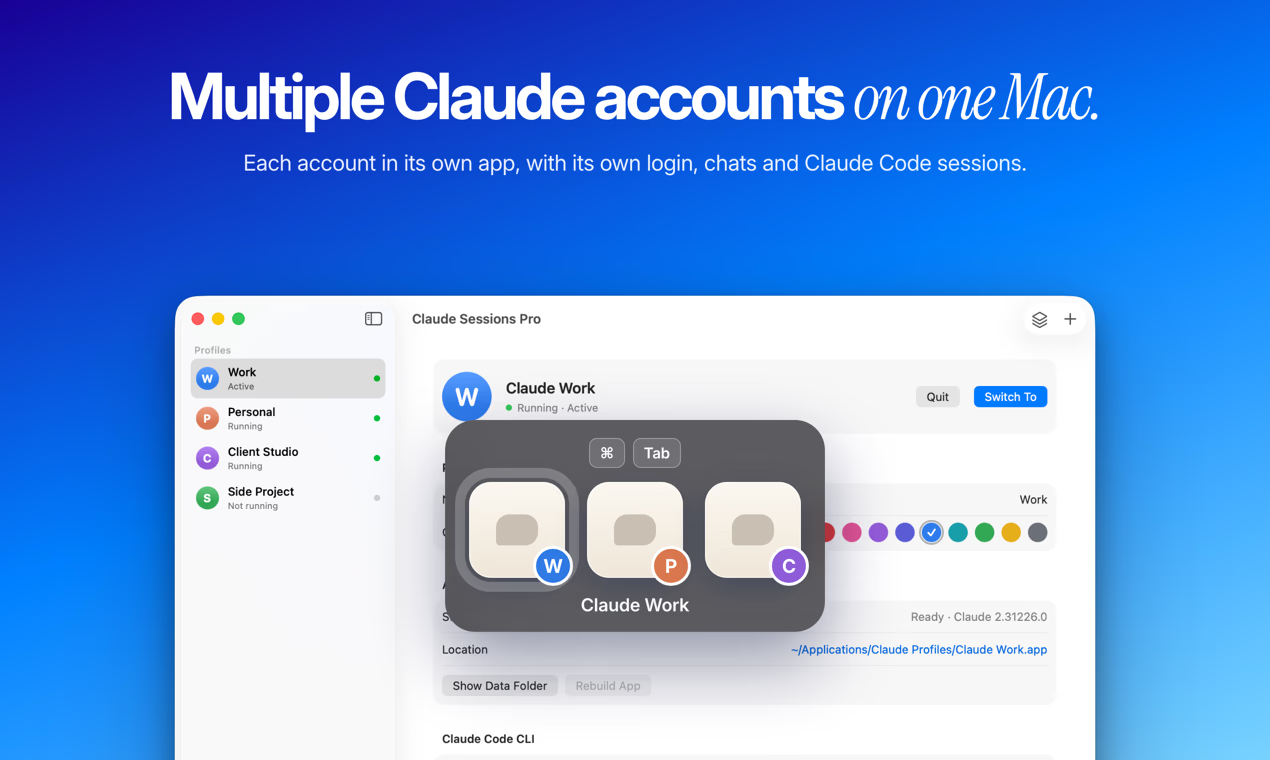
If you use Claude for work and for yourself, or for several clients, Claude Desktop makes you sign out and back in every time you switch. Claude Sessions Pro gives each account its own copy of the official Claude Desktop app, each with its own data folder, so signing in to one never signs you out of another. On a Mac, each account is a real app with a colored letter badge on its Dock icon and its own place in Cmd-Tab; on Windows and Linux, each runs in its own window with its own taskbar entry. Your regular Claude stays as it is and is listed as Main. Claude Code sessions and pins follow each account, the Claude Code CLI opens per profile with its own login, and usage bars show how much of each account's limit is left. One-time purchase ($15, no subscription) for up to 2 computers, with a 1-hour free preview.
Problem & solution
Problem
Claude Desktop keeps one account signed in, so switching means signing out and back in.
Solution
Each Claude account gets its own app with its own login, chats and Claude Code sessions.
Who it's for
Developers, freelancers and teams with separate Claude accounts for work, clients and personal
Main features
- Each account in its own app
- Own Claude Code sessions
- Usage bars per account
- Menu bar and tray switcher
- Survives Claude updates
Use cases
- Work and personal Claude accounts side by side
- One Claude account per client, kept apart
Comments
0 shownShare your thoughts about this tool.
Sign in to leave a comment.
No comments yet. Be the first to leave one.