
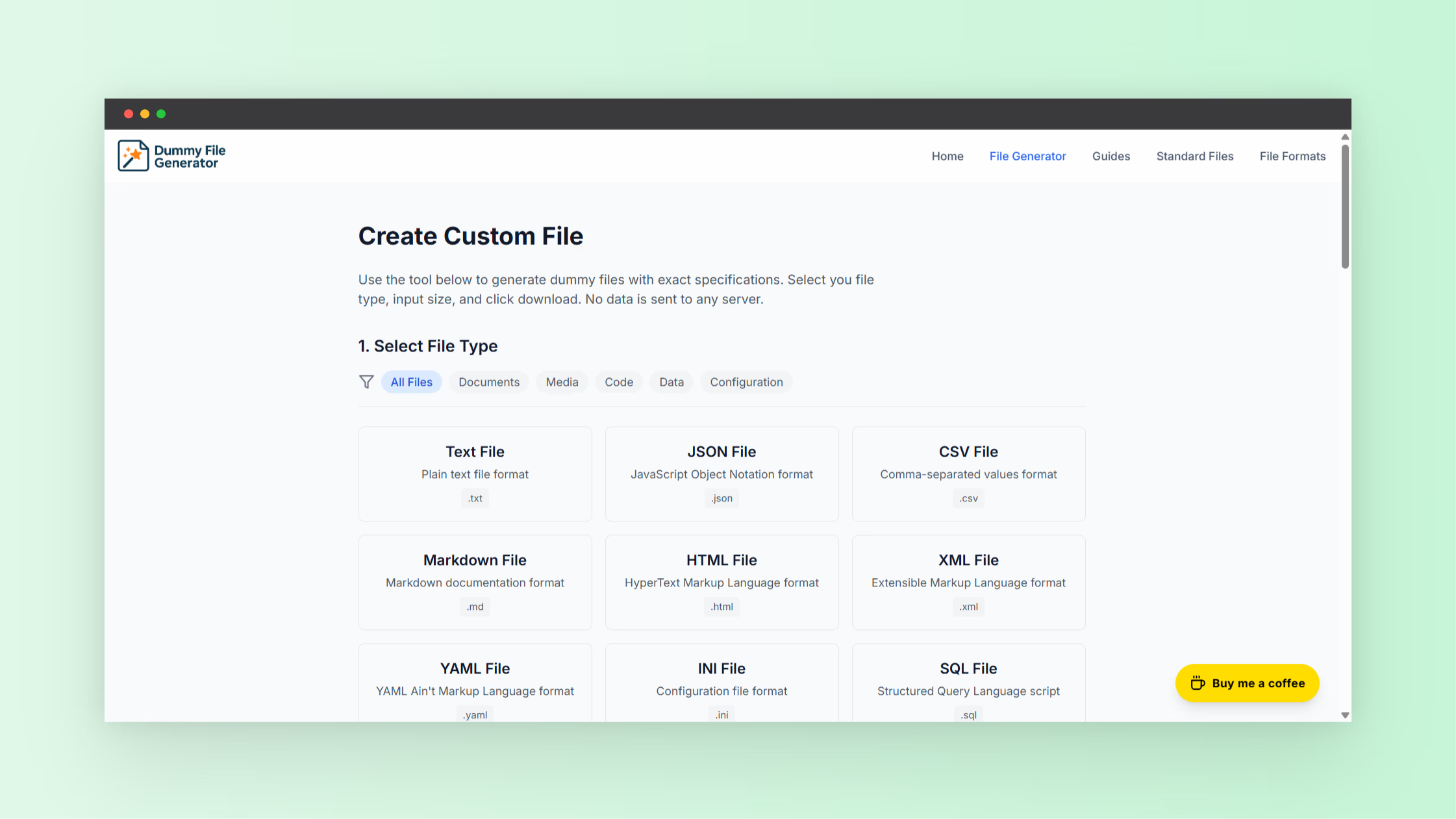
Modern software development depends on testing. Developers test uploads, storage systems, APIs, and network behavior before features reach production. One challenge appears early in this process. Teams need files of different sizes to simulate real usage.
A dummy file generator solves this problem. Instead of searching for sample files or building them manually, developers generate files instantly in a browser. These files act as placeholders used for debugging, QA validation, and performance testing.
If you want a quick solution for creating placeholder files, use this dummy file generator. The tool generates files in seconds and helps developers test systems without manual setup.
What Is a Dummy File
A dummy file refers to a placeholder file created for testing. It contains sample or repeated data rather than meaningful content. Developers use these files to simulate how applications handle uploads, downloads, and storage operations.
For example, an application with an upload feature must support images, documents, or large files. During development, engineers rarely have real user files available. Dummy files fill this gap and allow safe testing.
These files often include random data patterns or repeated characters. The content does not matter. File size and structure matter most because developers test system behavior under different conditions.
Why Developers Need Test Files
Test files remain essential in modern development workflows. They allow engineers to simulate user activity and confirm that applications behave correctly.
Upload limit testing
Many applications enforce file size limits. A platform might allow uploads up to 10 MB. Developers generate files slightly below and above the limit to confirm proper validation behavior.
Storage testing
Applications store large volumes of user data. Engineers use dummy files to simulate heavy storage usage and observe how the system performs under load.
Performance testing
Large file transfers impact network performance and server response time. Test files help engineers measure upload speed, processing time, and server load.
API validation
Many APIs accept file uploads as request payloads. Developers use generated test files to confirm request limits, file parsing, and error handling.
User interface testing
Front-end developers test upload components with dummy files. They verify progress indicators, validation errors, drag and drop interactions, and user feedback.
What Is a File Generator
A file generator produces files automatically based on selected parameters. Developers choose a file size and format. The tool creates the file instantly.
Instead of writing scripts or generating data manually, developers rely on a file generator to produce files within seconds.
Most generators include these core capabilities.
- Select custom file sizes
- Generate multiple file types
- Create files instantly in a browser
- Download files immediately for testing
This workflow removes unnecessary steps and speeds up development testing.
Benefits of Using a Dummy File Generator
Faster testing preparation
Creating files manually takes time. A generator produces them instantly. Developers move directly to testing instead of preparing data.
Consistent test scenarios
Teams repeat tests with identical file sizes. A generator ensures consistent inputs across multiple test cycles.
No installation required
Browser-based generators work instantly. Developers open the page and create files without installing additional software.
Improved productivity
Quick file generation allows developers to focus on building and debugging features rather than preparing test data.
Flexible file size testing
Applications must support many file sizes. Dummy file generators allow developers to test both small uploads and large data transfers.
Common Use Cases for Dummy Files
Dummy files appear across many areas of software development and IT operations.
Testing upload systems
Web platforms often include document uploads, media libraries, and profile image uploads. Test files validate these systems before users interact with them.
Simulating large downloads
Content delivery networks and storage systems must handle large downloads. Developers generate large test files to evaluate download performance.
Storage quota validation
Applications with storage limits require testing. Dummy files allow developers to simulate user storage consumption.
Infrastructure benchmarking
Engineers use large placeholder files to test disk performance, transfer speed, and server capacity.
Stress testing systems
Test files help simulate heavy workloads. Engineers generate many files and observe how systems behave under pressure.
How to Generate Test Files Online
Creating test files with a generator requires only a few steps.
- Open the dummy file generator tool
- Select the desired file size
- Choose the file extension if needed
- Generate the file
- Download the generated file
Developers repeat this process with different sizes to test multiple scenarios such as upload limits, server load, and storage behavior.
Features Developers Look for in a File Generator
Not every generator provides the same capabilities. Developers often choose tools based on several important features.
- Custom file size options
- Support for multiple file formats
- Fast generation process
- Browser-based functionality
- Instant downloads
These features simplify development workflows and reduce preparation time.
Best Practices When Using Test Files
Dummy files improve testing efficiency. Developers follow several practices to maximize results.
Use realistic file sizes
If production systems support large uploads, testing should use similar file sizes.
Test boundary limits
Developers often test files slightly larger than the allowed limits. This confirms error handling behavior.
Organize test files
Saving generated files in structured folders helps teams repeat tests efficiently.
Avoid sensitive information
Dummy files contain placeholder data. Never include real user data in testing environments.
Integrate automated testing
Generated test files work well with automated testing pipelines. This approach improves continuous integration workflows.
Developer Tools Continue Growing in 2026
Browser-based utilities continue growing among developers. Many prefer quick tools that solve small problems without installing additional software.
Simple utilities improve productivity. Developers access them instantly and continue building features without interrupting their workflow.
Platforms with collections of developer utilities provide solutions for many common tasks, such as file generation, formatting tools, and data utilities.
You can explore more developer utilities and productivity tools at NextGen Tools.
Final Thoughts
Testing plays a central role in reliable software development. Applications must handle files correctly before reaching real users. Dummy files allow developers to simulate user behavior without risk.
A dummy file generator simplifies this process. Developers generate files instantly, choose file sizes, and run tests without manual preparation.
This approach improves testing speed, reduces setup work, and helps teams validate upload systems, storage behavior, and infrastructure performance. As development workflows continue evolving in 2026, tools that simplify testing remain essential for developers and QA teams.