
Building the "Dashchat": Why Your Next Admin Panel Should Be a Chatbot
In the early days of managing a website or app, building a "Dashboard" was a rite of passage. You had to spend dozens of hours creating a UI filled with graphs, charts, and forms just to perform basic tasks like viewing or deleting data.
But as we scale NextGen Tools, we’ve realized something: The most efficient UI is no UI at all.
By combining an n8n AI workflow with Telegram, we have moved into the era of the "Dashchat." Instead of navigating a complex backend, you can now give a suite of AI software tools to an LLM, and it will fetch, filter, and format your data based on a simple text request.
1. The Power of Instant Data Fetching
Because modern AI understands context better than ever, we no longer need to hard-code every single filter. Whether you are checking the total number of users or looking for a specific entry in an AI list, you just ask.
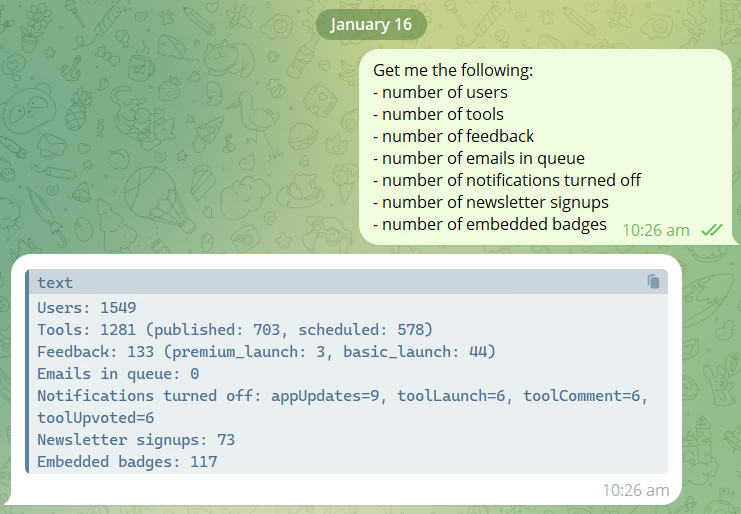
As you can see in the image above, I was able to pull all the necessary data at once and receive a solid, structured report. The AI takes the raw database output and turns it into readable text that I can understand at a single glance.
2. Solving Complex Queries with "Agentic" Logic
One of the biggest hurdles with traditional admin panels is "The Custom Request." Usually, if you want a specific data slice (like comparing two types of launches), you have to write a new SQL query or build a new chart.
With a dashchat, you can ask for complex tasks on the fly. For example, I recently tried to get a breakdown of our feedback loop:
"Show me the total number of feedbacks for 'Premium Launch' versus 'Basic Launch' this month."
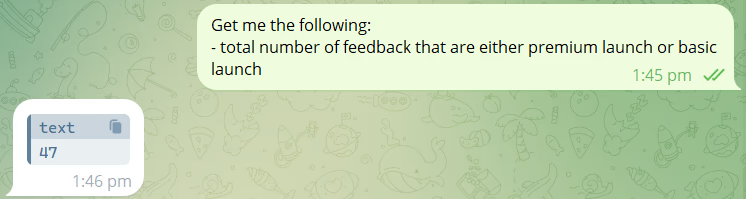
As you can see, the AI was able to do exactly what I wanted. It didn't just dump the data; it digested the information fetched from the data sources and performed the calculation internally. This is why AI-driven workflows are becoming the best AI productivity tools for solo founders and small teams; they act as a 24/7 data analyst.
3. The "Infinite" Admin Panel: Just Add a Node
The real superpower of this setup is how it grows with your business. In a traditional dashboard, adding a new data view requires front-end work, back-end work, and deployment.
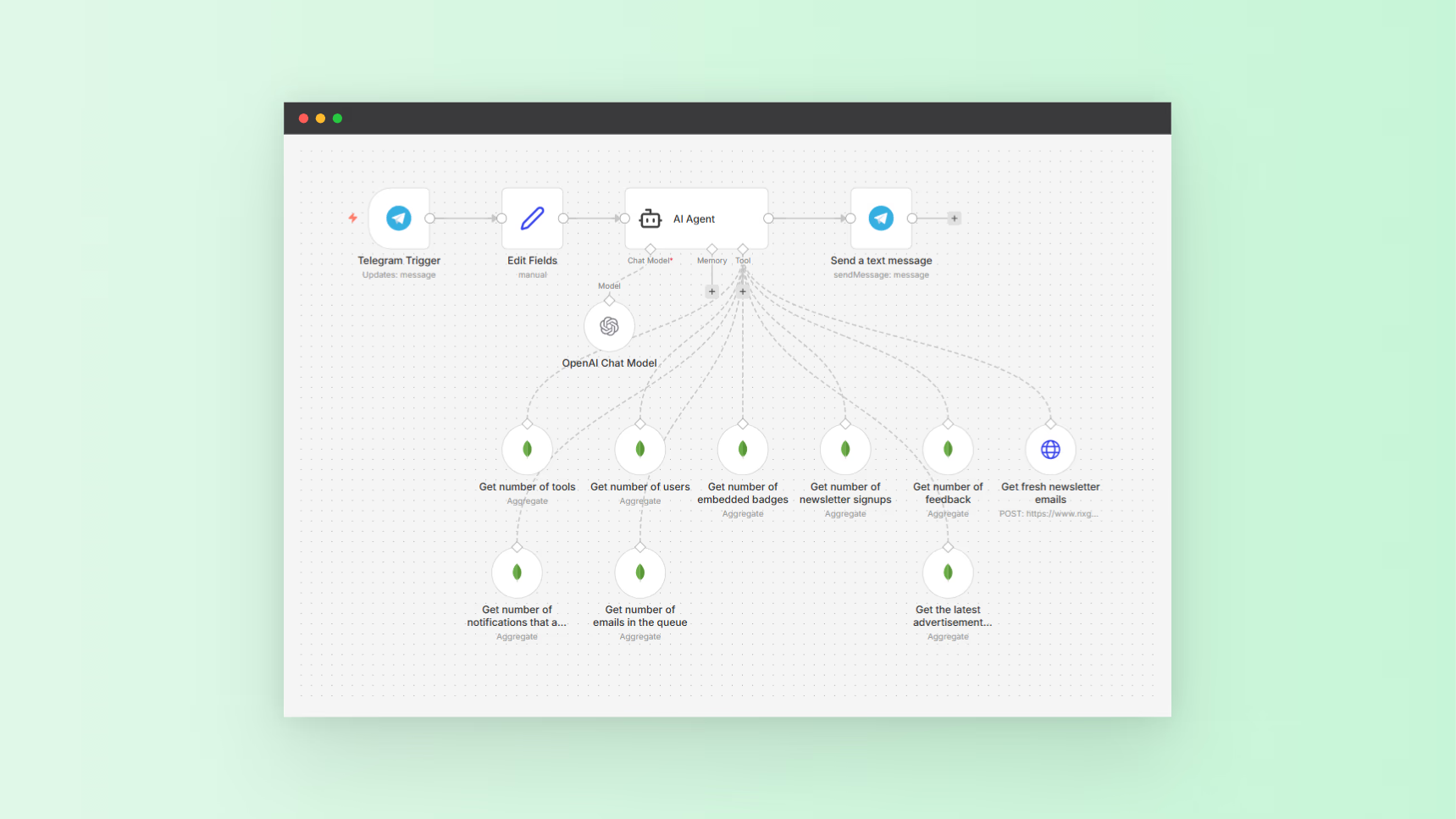
With a dashchat, whenever I want to add new information or a new capability, I simply set up a new node in n8n and add it to the AI agent’s tools.
Whether it’s connecting to Stripe to check revenue or a Google Sheet to track marketing leads, the AI agent instantly knows how to use that new "tool" to answer my questions. You aren't building a static page; you are building an evolving brain for your business.
4. My 5-Minute Daily Routine
This isn't just a gimmick; it’s the heartbeat of my workflow. Every morning, the first thing I do isn't opening a browser or logging into a slow admin panel.
I just send a quick message to my dashchat to get a view of how my app is doing. Within 5 seconds, I have a complete summary of active users, new feedback, and server health waiting for me on my phone. It’s the ultimate AI software tool for staying informed without getting bogged down in "dashboard fatigue."
Get me the following:
- number of users
- number of tools
- number of feedback
- number of emails in queue
- number of notifications turned off
- number of newsletter signups
- number of embedded badges
Conclusion
The era of clicking through clunky admin menus is over. By leveraging the best AI tools for developers like n8n and Telegram, you can build a system that is faster, more mobile, and significantly smarter than a traditional dashboard.
The Admin Dashchat is the backbone of how we manage NextGen Tools, allowing us to stay focused on the code while the AI handles the data.
The NextGen Workflow: Get the Blueprint
Want to set this up for your own SaaS or project? Here is the exact workflow structure I used for the Admin Dashchat of NextGen Tools:
- Trigger: Telegram "On Message" node.
- Logic: AI Agent node with "Tools" (HTTP Request nodes to your database/API).
- Expansion: Simply add more nodes (Stripe, Slack, Database) and check the "Call as Tool" box.
Here is the workflow that I used for the Admin Dashchat of NextGen Tools: