
Writing a book can take months or even years. Authors spend countless hours developing an idea, writing chapters, editing drafts, and finally preparing their manuscript for publication.
Then they reach the book cover.
For independent authors, creating the cover can suddenly turn into an entirely different technical project. A professional-looking image is only one part of the process. Print publishing requires the correct dimensions, spine width, bleed, safe zones, barcode placement, resolution, and export format.
That is the problem I wanted to solve when I built Cover Studio AI.
The goal was to create a book cover design platform specifically for independent authors—one that could take an author from artwork to a complete, production-ready cover without requiring several different design and publishing tools.
AI Can Create Artwork, But Artwork Isn't a Book Cover
Generative AI has changed what independent creators can accomplish.
An author can describe a fantasy city, historical battlefield, romantic landscape, mysterious forest, or futuristic world and generate artwork in seconds.
But there is an important distinction:
Cover artwork and a finished book cover are not the same thing.
A Kindle eBook generally needs a front-cover image. A printed paperback or hardcover requires an entire wraparound design containing the back cover, spine, and front cover.
Those dimensions aren't arbitrary.
Amazon KDP's own cover calculator asks for information including binding type, paper type, trim size, and page count because those specifications affect the dimensions of the finished cover.
I wanted Cover Studio AI to bridge that gap.
Instead of generating an image and then sending the author somewhere else to figure out how to turn it into a printable cover, the artwork becomes part of a complete book-cover workflow.
Start With the Book, Not a Blank Canvas
Most general-purpose graphics applications begin with a blank canvas.
Cover Studio AI begins with the book.
An author chooses whether they're creating a paperback, hardcover, or Kindle cover and enters the specifications for that edition.
From there, the studio can construct the appropriate workspace.
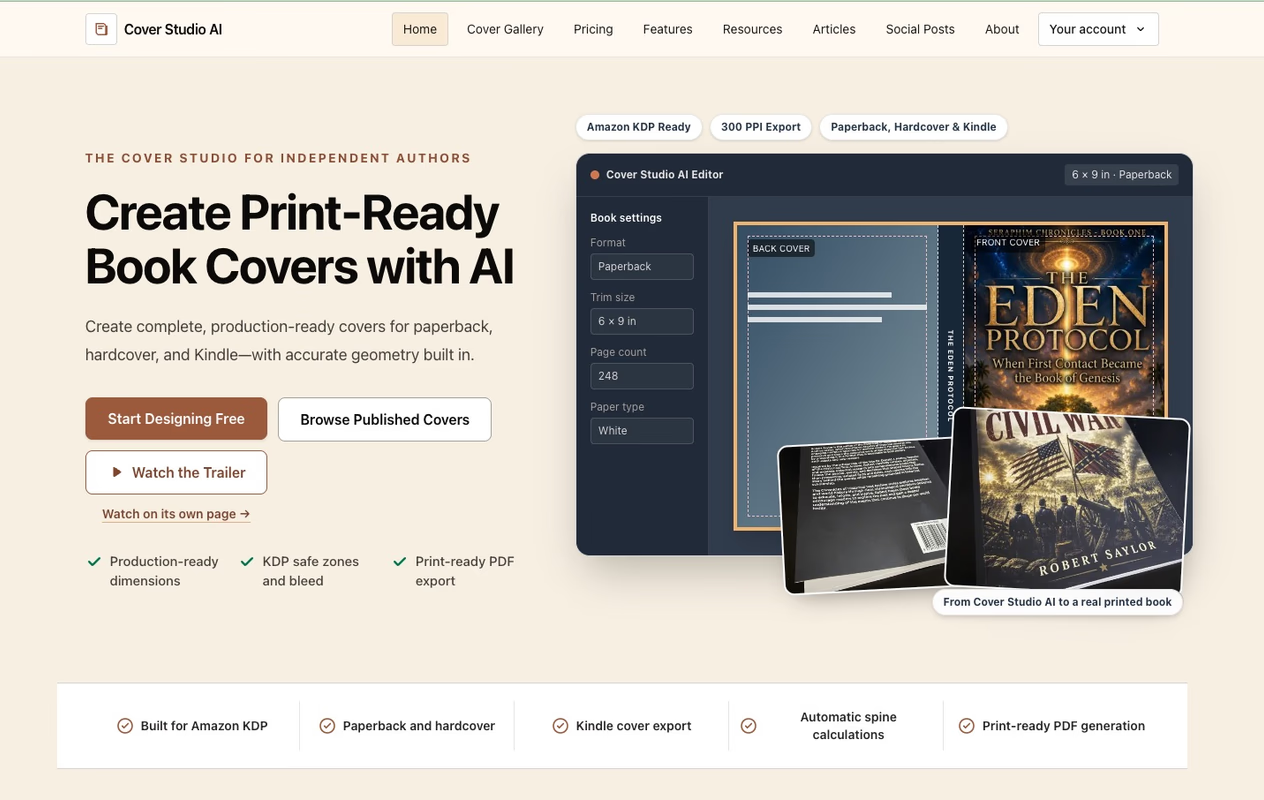
For print books, that means accounting for the front, spine, and back while displaying production boundaries such as trim lines, safe areas, bleed, and the barcode region.
Authors interested in understanding these measurements can also use the Cover Studio AI book cover resources, which include publishing guides and cover calculation tools.
The idea is to make the technical requirements part of the design process instead of something an author discovers after finishing the design.
Build a Complete Paperback Cover
Paperback publishing is one of the clearest examples of why I built the platform.
Amazon requires a paperback cover to be submitted as a single file containing the back cover, spine, and front cover. Amazon also recommends a minimum resolution of 300 DPI for cover images.
That means simply creating a 6 × 9-inch front-cover image for a 6 × 9-inch book isn't enough.
The complete dimensions depend on the book.
With the Cover Studio AI Paperback Cover Generator, authors can enter their book specifications and work with the complete wrap.
The spine is calculated from the book information, while guides help identify important production boundaries.
Authors can then position their artwork, title, author name, spine text, back-cover description, and other elements before exporting the finished design.
Instead of separately calculating dimensions, building a template, designing the cover, and preparing the PDF, those steps can happen inside one focused workspace.
Hardcover Covers Need Their Own Workflow
Another challenge is assuming a paperback design can simply be reused as a hardcover file.
The visual concept can certainly carry across editions, but the production geometry is different.
Hardcovers introduce additional measurements and areas that need to be considered when preparing the complete wrap.
That's why Cover Studio AI also includes a dedicated Hardcover Cover Generator.
The hardcover editor handles the complete front, spine, and back layout while providing guides for hardcover-specific geometry, including hinge and outer-wrap areas.
The author can maintain the same branding and artwork used for another edition while producing a cover specifically designed around the hardcover format.
Kindle Is Different Again
Kindle covers have a much simpler physical structure because there isn't a physical book to wrap.
There is no printed spine, back cover, bleed, or barcode region. The primary concern is creating a strong front cover that works well digitally—including when displayed as a small thumbnail.
Cover Studio AI therefore provides a separate Kindle Cover Generator for digital editions.
Authors can upload their own artwork or use AI-generated artwork, add their title and author information, position the elements, and export a high-resolution front-cover image.
Keeping Kindle and print workflows separate is intentional.
The same book may have paperback, hardcover, and Kindle editions, but each format has different production requirements.
Bring Your Own Artwork or Use AI
Despite the name Cover Studio AI, I didn't want artificial intelligence to be mandatory.
Authors already obtain artwork in many different ways.
Some hire illustrators. Others are designers themselves. Some purchase licensed artwork, use photography, or already have an image they want for their book.
Those authors shouldn't have to pay for AI generation they don't need.
That's why the core Cover Studio can be used for free with your own artwork.
Authors can upload artwork they have the rights to use, build their cover, use the production guides, and export supported files without subscribing to an AI plan. AI generation is an optional upgrade for authors who want help creating original artwork or exploring new visual directions.
I like that model because AI becomes another creative tool rather than a requirement.
Why the Production Details Matter
Bleed lines, safe zones, spine widths, and resolution aren't particularly exciting compared with generating beautiful artwork.
But they're what turn artwork into a printable product.
Amazon's KDP documentation explains that bleed helps artwork extend correctly to the trimmed edge, while safe areas help prevent important content from shifting into problematic areas during production.
For authors who want to understand the measurements in greater detail, I created an Amazon KDP Cover Size Guide explaining how paperback, hardcover, and Kindle dimensions differ.
Cover Studio AI tries to handle as much of that complexity as possible while still showing authors what's happening.
From a Browser to a Real Printed Book
One of the most rewarding parts of building Cover Studio AI has been seeing a cover created in the application become an actual physical book.
There's a big difference between looking at a design on a monitor and holding the finished printed copy.
It also reinforces why seemingly minor production details matter.
The spine needs to land where expected. Text needs to remain safely inside its intended area. Artwork needs enough resolution. Backgrounds need to extend correctly through the bleed area.
Cover Studio AI isn't intended simply to produce a good-looking preview.
The objective is to help produce a cover that can make the journey from the browser to an actual book.
Built for Independent Authors
Professional cover designers remain extremely valuable, and there are many books where hiring an experienced designer is the right decision.
Cover Studio AI isn't intended to eliminate professional designers.
It's another option for the growing number of independent authors who want more control over their publishing workflow.
That might be a first-time author working with a limited budget. It could be an experienced self-publisher releasing several books every year. It could also be a small publisher that already has artwork but wants an easier way to prepare covers for different formats.
All of them face essentially the same production problem:
How do you turn artwork into the actual cover file required to publish the book?
That's the part Cover Studio AI is designed to simplify.
Making Self-Publishing a Little Easier
Self-publishing has removed many of the traditional barriers between writers and readers.
At the same time, it has made independent authors responsible for jobs that were once distributed across publishing teams.
Cover design is one of those jobs.
My goal with Cover Studio AI is straightforward: give authors one place where they can choose their book format, enter the specifications, upload or generate artwork, create the front, spine, and back, and export the finished cover.
If you're working on your own book, you can start designing a book cover for free with Cover Studio AI.
Authors already did the hardest part.
They wrote the book.
Creating the cover shouldn't be what stops them from publishing it.