
Building a trading app is mostly a data engineering problem disguised as a UI project. Your charts, watchlists, alerts, screeners, and even order tickets depend on one thing: fast, accurate, and continuously updating prices. That is why choosing and integrating a real-time market data API for a trading app is one of the most important early decisions you will make.
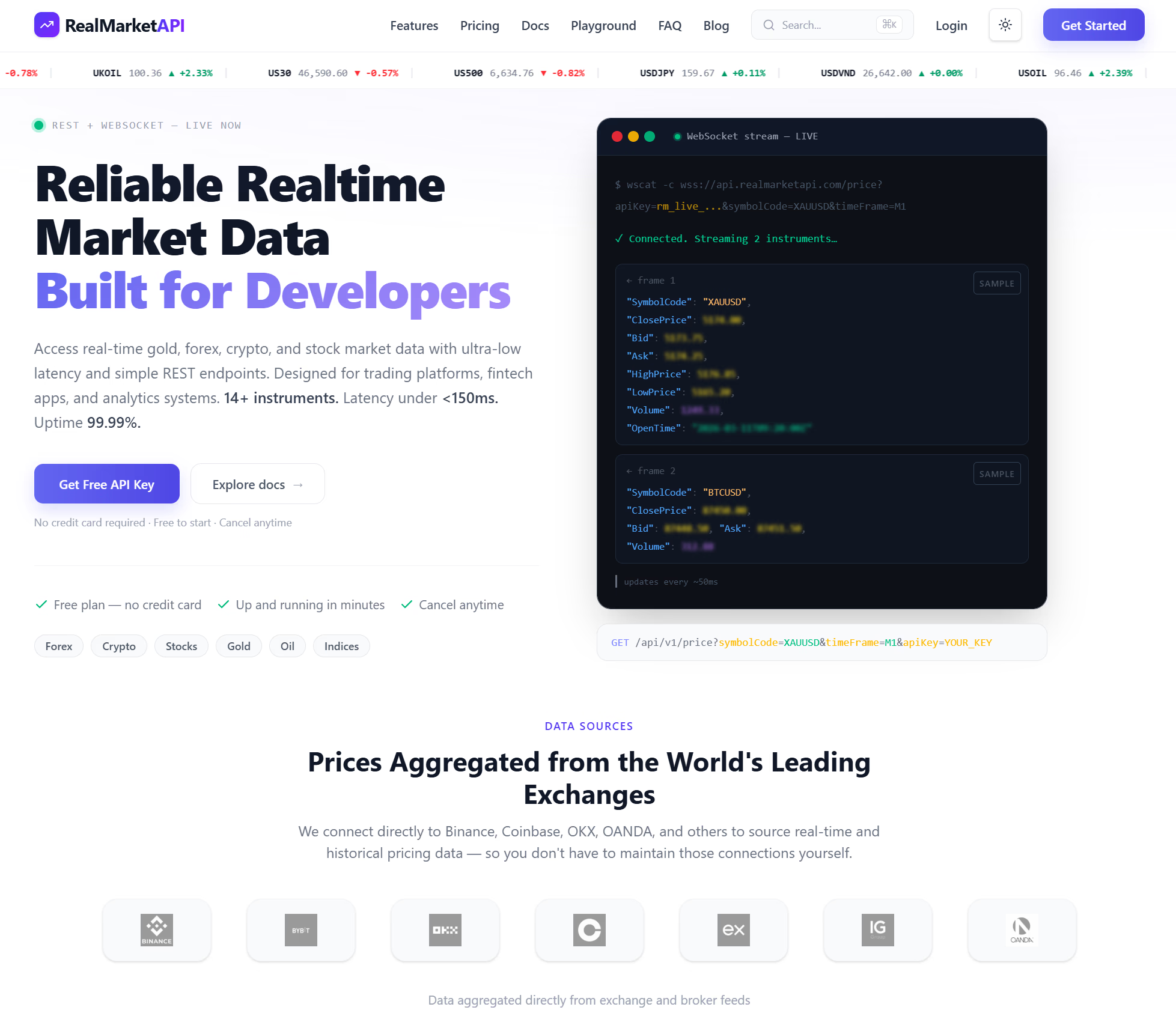
This guide walks through a practical, step-by-step integration approach using Realtime Market API (tagline: “Build trading apps with real-time market data in seconds.”). You will learn how to define requirements, connect to streaming data, normalize symbols, handle reconnects, manage rate limits, store data, and ship a reliable production integration.
What “real-time market data” means for a trading app
“Real-time” can mean different things depending on the asset class, venue, and your product’s expectations. For most trading apps, real-time means you can subscribe to live updates (often via WebSockets) and receive new ticks, quotes, and candles with low latency and consistent delivery. It also means you can request snapshots through REST endpoints for initial page load or recovery after reconnects.
When you evaluate a real-time market data API for a trading app, think in terms of outcomes. You want a user to open a watchlist and immediately see a correct snapshot, then see continuous updates without freezing, drifting, or silently disconnecting. You also want your alerts and indicators to run on a dependable stream so notifications do not trigger late or incorrectly.
Step 1: Define your data requirements before you write code
Integration goes faster when you start from use cases, not endpoints. Begin by listing the screens and features your trading app will ship in the first release, because those features determine what data you must consume and how you must process it.
Use this checklist to define what you need from a real-time market data API for a trading app:
- Instruments and coverage: stocks, ETFs, crypto, forex, indices, options, or a subset.
- Data types: last trade, bid/ask quotes, OHLC candles (1s, 1m, 5m, daily), volume, order book depth, news (if needed).
- Latency and update frequency: how fast updates must arrive and whether throttling is acceptable for mobile.
- Trading hours and sessions: pre-market, regular, after-hours, weekends.
- Historical data needs: how far back you need candles for charts and indicators.
- Scale expectations: concurrent users, symbols per user, and peak market-open load.
- Compliance constraints: where data can be stored, how long, and how you can redistribute it.
Once you document these requirements, you can map them to the API’s capabilities and design your internal data layer around them. This prevents rework, especially around caching, symbol normalization, and backfilling candles.
Step 2: Plan your architecture (client, server, or hybrid)
Most teams start by connecting a WebSocket from the mobile or web client directly to the provider, because it is quick. That can work for prototypes, but production apps often move to a hybrid architecture where the server maintains upstream subscriptions and clients subscribe to your own gateway.
Here are common patterns for a real-time market data API for a trading app:
- Client-to-provider: simplest, but exposes API keys and makes it harder to control usage and caching.
- Server-to-provider, client-to-server: most common for production, because you can secure keys, fan out streams, cache snapshots, and enforce limits.
- Serverless edge gateway: useful when you want global latency improvements and lightweight routing, while still protecting secrets.
If your app has watchlists, alerts, and notifications, a server-side aggregator usually pays off. It lets you compute indicators once, store derived values, and avoid every client subscribing to the same symbols independently.
Step 3: Set up authentication and environment separation
Before streaming data, you need a clean way to manage credentials. Treat your market data API key like any other secret. Store it in environment variables, a secret manager, or your deployment platform’s encrypted config.
For a production-grade integration, create separate environments:
- Development: fast iteration and debugging.
- Staging: production-like load tests and release candidates.
- Production: locked down, monitored, and rate-limited.
This separation helps you test reconnect behavior, symbol universes, and caching without risking outages or unexpected usage spikes in production.
Step 4: Implement snapshot-first loading for a responsive UI
A common mistake is relying only on streaming updates. A user opens a watchlist, and you wait for ticks to arrive, which can leave blank cells or stale values if the stream is slow or disconnected. Instead, load an initial snapshot via REST (or a snapshot endpoint) and then switch to live updates.
The snapshot-first approach works like this:
- Fetch current quotes for the user’s symbols in a single batch request if available.
- Render the UI immediately with those values.
- Open a WebSocket connection and subscribe to the same symbols.
- Apply live updates on top of the snapshot state.
This is the easiest way to make a real-time market data API for a trading app feel “instant” to users, even on slower networks.
Step 5: Connect to streaming data (WebSocket) and subscribe to symbols
Streaming is where a trading app becomes truly interactive. With WebSockets, you can keep one connection open and receive a continuous stream of events. Your integration should be explicit about connection lifecycle, subscriptions, and message parsing.
Below is an example of the structure you should implement in your app server (or client for prototypes). Replace endpoint paths and payload shapes with those provided by Realtime Market API, but keep the reliability patterns the same.
// Node.js style pseudo-code for a streaming connection
const WS_URL = process.env.MARKET_WS_URL;
const API_KEY = process.env.MARKET_API_KEY;

let ws;
let subscribed = new Set();

function connect() {
  ws = new WebSocket(WS_URL);

  ws.onopen = () => {
    ws.send(JSON.stringify({ type: "auth", apiKey: API_KEY }));

    // Re-subscribe after reconnect
    if (subscribed.size > 0) {
      ws.send(JSON.stringify({ type: "subscribe", symbols: Array.from(subscribed) }));
    }
  };

  ws.onmessage = (evt) => {
    const msg = JSON.parse(evt.data);

    // Normalize and route messages internally
    // Examples: quote, trade, candle, heartbeat, error
    routeMarketEvent(msg);
  };

  ws.onclose = () => reconnectWithBackoff();
  ws.onerror = () => ws.close();
}

function subscribe(symbols) {
  for (const s of symbols) subscribed.add(s);
  if (ws && ws.readyState === WebSocket.OPEN) {
    ws.send(JSON.stringify({ type: "subscribe", symbols }));
  }
}
Your goal is not just to receive data, but to guarantee continuity. That means handling disconnects, confirming auth, and resubscribing automatically without requiring an app restart.
Step 6: Add reconnect logic, backoff, and heartbeats
Networks fail constantly, especially on mobile. A strong real-time market data API for a trading app integration assumes failure and recovers quickly. You should implement exponential backoff reconnects and, if the API supports it, heartbeat or ping messages to detect dead connections.
Recommended practices:
- Exponential backoff with jitter: avoids reconnect storms during provider incidents.
- Heartbeat timeout: if no heartbeat or data arrives for N seconds, reconnect.
- Resubscribe on reconnect: keep a local subscription registry.
- Sequence handling if available: detect gaps and trigger a snapshot refresh.
If you cannot guarantee ordered delivery, you should still guard against stale updates. For example, compare timestamps and ignore older events when updating the UI state.
Step 7: Normalize symbols and build a single internal market data model
Symbol formatting differences are a common source of bugs. One system uses “AAPL,” another expects “NASDAQ:AAPL,” and another distinguishes between classes or venues. If you do not normalize, your watchlists will show duplicates and your subscriptions will miss updates.
Build a canonical internal representation that your app uses everywhere, then map to provider-specific symbols at the boundary. Your internal model should also standardize fields so your UI and analytics code do not depend on the provider’s message shape.
A simple internal quote model might include:
- symbol
- timestamp
- bidPrice, bidSize
- askPrice, askSize
- lastPrice, lastSize
- dayOpen, dayHigh, dayLow, prevClose
- volume
Once you have a consistent internal model, integrating a real-time market data API for a trading app becomes much easier, because every screen consumes the same stable structure.
Step 8: Cache smartly to reduce cost and improve speed
Caching is not only about performance. For real-time market data, caching also reduces unnecessary upstream subscriptions and helps you survive transient outages. The key is choosing what to cache and for how long, based on how users interact with your app.
Practical caching layers:
- In-memory cache (per server instance): latest quote per symbol for ultra-fast reads.
- Shared cache (Redis or similar): shared latest quote, recent candles, and computed indicators.
- Time-series storage: store candles and trades if your product needs history, replay, or analytics.
Combine caching with snapshot-first loading. When a user opens a symbol page, you can serve the cached latest quote instantly, then refresh from the provider in the background, then rely on streaming updates for continuous changes.
Step 9: Build charts with candles and handle backfills
Charts are usually the most visible part of a trading app, and they often fail in subtle ways. Users notice when candles have gaps, when the latest candle does not update, or when the chart jumps after reconnect.
To keep charts stable:
- Load historical candles for the visible range.
- Subscribe to live candle updates (or aggregate trades into candles yourself).
- When reconnecting, fetch a small backfill window to cover the disconnect period.
- Deduplicate candles by timestamp and interval.
If your provider sends trade ticks rather than candles, you can still build candles by aggregating trades into OHLCV buckets. This is common when building a custom charting engine, and it gives you more control over intervals and session boundaries.
Step 10: Create alerting and notifications on the server
Alerts feel simple, but they require reliable real-time inputs. If your alert logic runs only on the client, it stops when the app is closed, and it can miss triggers. For most trading apps, server-side alerts are the correct approach, because the server can keep subscriptions open, evaluate conditions continuously, and send push notifications immediately.
Implement alerts with a pipeline:
- Subscribe to required symbols centrally.
- Update the latest price in a shared cache.
- Evaluate alert rules on each update or on a short interval.
- Deduplicate triggers and enforce cooldowns.
- Dispatch notifications and log outcomes for auditing.
This design turns your real-time market data API for a trading app into a reliable event source that powers features beyond charts, including risk warnings and price level triggers.
Step 11: Handle rate limits, symbol limits, and fan-out efficiently
Every market data service has constraints, such as requests per minute, concurrent connections, or maximum subscriptions. Your integration should treat these limits as first-class design requirements, not edge cases.
Common techniques:
- Batch requests: request snapshots for multiple symbols in one call when possible.
- Subscription deduplication: if 10,000 users watch AAPL, you should maintain one upstream subscription and fan out internally.
- Throttling for UI: stream every tick internally, but throttle updates to the client to a smooth rate like 2 to 10 times per second.
- Prioritization: prioritize symbols visible on screen and downshift background lists.
These patterns are especially important at market open, when update frequency spikes and many users open the app at once.
Step 12: Test your integration like a production system
A trading app cannot be “mostly working.” You need confidence in correctness, latency, and recovery behavior. Testing a real-time market data API for a trading app should include unit tests for parsing and normalization, plus integration tests that simulate disconnects and bursts.
What to test:
- Parsing and validation: unknown message types, missing fields, and error payloads.
- Ordering and staleness: reject older timestamps and handle duplicates.
- Reconnect recovery: reconnect, resubscribe, and snapshot refresh.
- Load tests: many symbols and many concurrent users with fan-out.
- UI behavior: smooth updates without flicker, and consistent last price vs bid/ask display.
Also test market edge cases, including session opens, halts, and low-liquidity symbols where updates are sparse and snapshots matter more.
Production checklist for launching with Realtime Market API
Before you ship, confirm that your integration is secure, observable, and cost-aware. These final checks help ensure your first production week is calm, even when traffic spikes.
- Secrets: API keys are server-side and never shipped in public clients.
- Observability: logs for connect, auth, subscribe, errors; metrics for latency, reconnect rate, and message throughput.
- Fallbacks: snapshot refresh on gaps, and cached values if upstream is briefly unavailable.
- Data correctness: consistent rounding, decimal handling, and currency assumptions.
- Client performance: throttle UI updates and avoid rendering on every tick.
- Compliance posture: documented retention and redistribution behavior aligned with your product’s needs.
With these pieces in place, Realtime Market API can serve as the backbone of your app’s watchlists, charts, alerts, and analytics. More importantly, your users will experience a product that feels responsive and trustworthy, which is what a trading app must deliver.
Putting it all together: a simple integration flow you can follow
If you want a straightforward sequence to implement, follow this flow and you will cover the most important parts of integrating a real-time market data API for a trading app.
- Model: define your internal quote and candle structures.
- Snapshots: implement batch quote fetch for initial loads.
- Streaming: connect WebSocket, authenticate, subscribe, and parse messages.
- Reliability: add reconnect with backoff, resubscribe, and snapshot refresh on gaps.
- Caching: store latest quotes in memory and a shared cache.
- Fan-out: broadcast updates to clients efficiently and throttle UI updates.
- Charts: load history, then merge live candles and backfills.
- Alerts: evaluate server-side rules and send notifications.
- Testing: simulate disconnects, bursts, and edge sessions.
- Monitor: track latency, errors, and subscription counts.
Follow this plan and you will not only connect to the data, but also operationalize it. That is the difference between a demo and a dependable trading product built on a real-time market data API for a trading app.