.avif "WhoFixedIt")
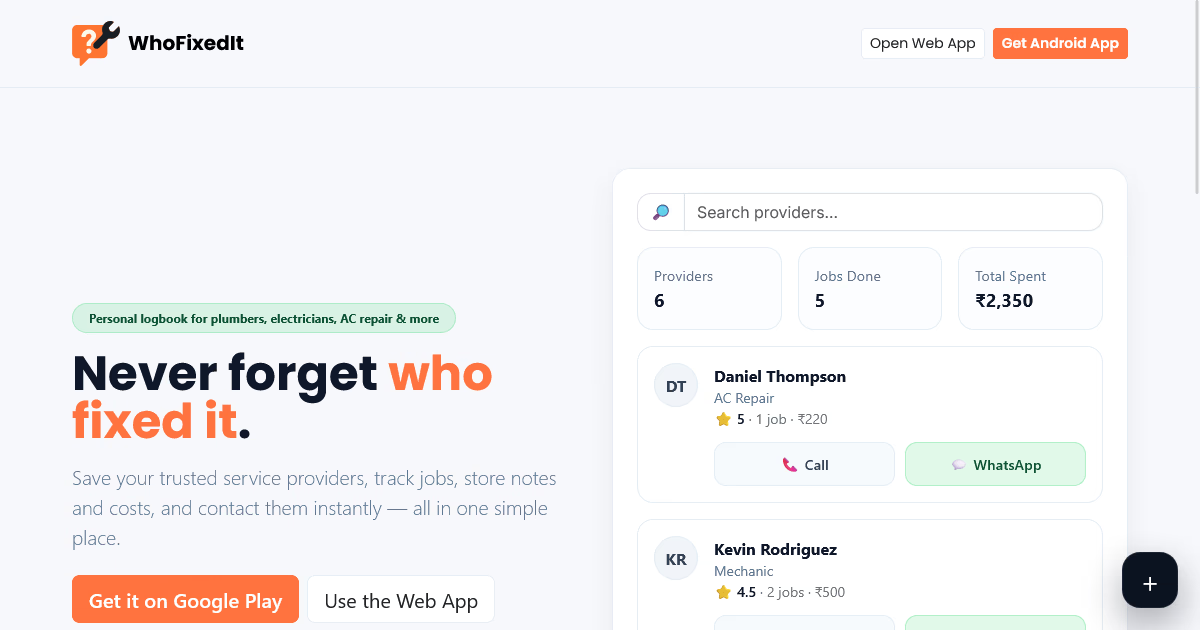
If you have ever tried to remember which plumber replaced a shutoff valve, what brand of paint you used in the guest room, or when the HVAC was last serviced, you already understand the value of a home repair history log app. A dedicated log turns scattered receipts, old texts, and half remembered details into a simple timeline you can search in seconds.
WhoFixedIt is built around a straightforward promise: remember who fixed what. In practice, that means capturing the key details of every repair, service visit, and improvement while they are fresh, then retrieving them later when you need a warranty, a repeat visit, or a reliable recommendation. This guide walks you through a practical, repeatable system for using a home repair history log app to stay organized without turning home maintenance into a second job.
What a home repair history log app should help you do
A home repair history log app is most useful when it reduces friction. You should be able to log an event quickly, store the information you will actually need later, and find it again fast. Whether you are managing a single condo or a multi room house, your log should help you:
- Identify who fixed what (contractor, company, or DIY).
- Record what was done in clear, searchable language.
- Capture dates and costs for budgeting, resale, and warranty claims.
- Store context like parts used, paint colors, model numbers, and symptoms.
- Keep everything in one place so you do not hunt through email, photos, and paper folders.
WhoFixedIt’s tagline highlights the most commonly forgotten detail: the person or business behind the work. When you commit to logging “who” and “what” consistently, everything else becomes easier to rebuild later.
Set up your home profile the right way (so logging stays fast)
The biggest reason people abandon a home repair history log app is setup that feels too detailed. Keep the structure simple and aligned with how you think about your home.
- Start with key areas: kitchen, bathrooms, HVAC, roof, electrical, plumbing, appliances, exterior, and yard.
- Add high value assets: water heater, furnace, AC, refrigerator, dishwasher, washer/dryer, and any smart home hubs.
- Decide your naming conventions: “Upstairs Hall Bath” is better than “Bathroom 2,” because it matches how you talk about it.
- Keep one default bucket for “General” so you can log quickly when you are unsure where something belongs.
Your goal is not to perfectly model your house. Your goal is to make each repair entry easy to categorize so you can find it later without overthinking.
Create a repeatable repair entry template
To get consistent value from a home repair history log app, you need a simple checklist you follow every time. Think of each entry as a “maintenance receipt” written in plain language. When using WhoFixedIt, capture these fields (or their equivalents) every time:
- What was fixed: one line summary, for example “Replaced leaking kitchen faucet cartridge.”
- Where: room, system, or appliance.
- Who fixed it: person, company, and the best contact method.
- When: date of service, and optionally the date the issue started.
- Cost: labor, parts, and any service call fee if you know it.
- Details that matter: parts used, sizes, paint codes, serial numbers, settings, or constraints.
- Outcome: “Resolved,” “Temporary fix,” or “Follow up needed.”
This template is what turns your app into a reliable home repair history log, instead of a pile of notes.
Log repairs while the contractor is still there
The easiest way to remember who fixed what is to log the job before the details disappear. The best moment is often the last five minutes of a visit, right after the work is done and before you pay or the technician leaves.
Use this quick workflow:
- Ask for the exact name of the person who did the work and confirm the company name.
- Capture the key action: replaced, repaired, resealed, cleaned, adjusted, or diagnosed.
- Write the symptom and the fix: “Pipe hammered when washer turned off; installed arrestor and secured line.”
- Record any recommendations: “Flush water heater annually” or “Replace capacitor if issue returns.”
- Note warranty language in plain terms: “Parts covered for 1 year; labor 90 days.”
Even if you only log these items, your home repair history log app will pay off the next time the issue returns or you need a comparable service.
Use photos and documents without turning it into a filing project
Many people avoid attaching documents because they think they need to scan everything. You do not. For most home owners, a few targeted images provide the biggest value:
- Photo of the invoice (even if it is wrinkled on the counter).
- Photo of the installed part and any visible model or serial number.
- Before and after photos for repairs you might need to explain later.
- Label photos with a short note: “Laundry room shutoff valve replacement.”
A home repair history log app works best when the attachments support the story of the repair. Keep it lightweight so you actually do it.
Track “who fixed what” for DIY projects too
WhoFixedIt is not just for hired contractors. DIY work is often the hardest to remember because there is no invoice and you may repeat similar jobs years apart. Logging DIY entries also helps you avoid re buying the wrong materials later.
For DIY items, set “Who fixed it” to you (or a household member) and add extra detail in the notes:
- Exact product names you used (paint line, caulk type, filter size).
- Where you bought it (optional), which helps for returns or reorders.
- Steps worth repeating, like “Shut off breaker 14” or “Needed two coats.”
- Time spent, which improves future planning.
Over time, this turns your home repair history log app into your personal “house manual,” which is incredibly useful when you tackle seasonal maintenance or plan renovations.
Make your entries searchable with simple naming rules
Search is only as good as the words you put in. A few small conventions make a home repair history log app feel effortless later:
- Start with the object: “Water heater” beats “Fixed hot water.”
- Add the action: “Water heater: replaced anode rod.”
- Include the symptom when relevant: “Dishwasher: not draining, cleared blockage.”
- Use consistent location words: “Front door,” “Garage,” “Upstairs bath.”
If you do this, you can later type a single word like “anode,” “drain,” “crack,” or “GFCI” and immediately pull up the right history.
Log maintenance, not just repairs
A common mistake is treating the app as a place to record only emergencies. Preventive maintenance is where the long term value lives, because it creates a timeline you can follow. Add entries for routine tasks such as:
- HVAC seasonal service and filter changes
- Water heater flushes
- Dryer vent cleaning
- Gutter cleaning
- Chimney inspections
- Termite or pest treatments
- Roof inspections after major storms
When you use a home repair history log app for maintenance, you reduce repeat problems and you also build evidence of responsible ownership, which can matter during a sale or insurance claim.
Build a trusted contractor list as you log
The phrase “remember who fixed what” also implies “remember who did a good job.” Each entry is a chance to build a practical vendor list based on real experience, not ads or random recommendations.
After each job, add one short quality note:
- Would you hire them again? Yes/No/Maybe.
- What stood out? On time, clean work area, explained options, fair pricing.
- Any cautions? Hard to schedule, requires follow up, does not service certain brands.
Later, when the same type of issue happens again, your home repair history log app becomes your shortcut to a contractor you already trust.
Use the log to speed up repeat visits and warranty claims
When something fails twice, the fastest path to resolution is having the history ready. With a home repair history log app, you can quickly answer the questions a service desk will ask:
- When was it last repaired?
- Who performed the work?
- What parts were used?
- Is it still under warranty?
- What symptoms happened before and after the repair?
Keeping these details together reduces back and forth and helps you advocate for yourself if a repair should be covered.
Turn your history into a home upgrade roadmap
Once you have several months of entries, patterns appear. You may notice recurring clogs in one drain, repeated breaker trips on one circuit, or a seasonal HVAC issue. That insight is the foundation for smarter upgrades.
Use your log to:
- Identify repeat problems that justify a permanent fix.
- Plan replacements based on age and repair frequency.
- Budget realistically using your actual maintenance costs.
- Prioritize safety by highlighting electrical, gas, or water issues.
A home repair history log app is not only a memory tool. It becomes your planning tool once you have enough data.
Best practices to keep the habit effortless
The difference between a helpful log and an abandoned app is habit design. Keep your system simple enough that you can maintain it during busy weeks.
- Log immediately: aim for the same day, while details are still clear.
- Keep entries short: you can always add more later.
- Use plain language: write as if you are explaining it to your future self.
- Review monthly: scan your last 30 days and add missing costs or notes.
- Record “unknown” rather than skipping: if you do not know a model number, write “unknown” and move on.
WhoFixedIt’s core concept works best when you prioritize consistency over perfection.
What to log for common home systems (quick examples)
If you want your home repair history log app to be truly useful, it helps to know what details matter most for each system. Here are examples you can copy.
- Plumbing: fixture location, brand if known, part replaced, leak symptoms, shutoff valve location notes.
- Electrical: breaker number, outlet or fixture location, parts installed, any code related notes, test results.
- HVAC: model/serial if available, filter size, refrigerant or capacitor notes, seasonal performance observations.
- Appliances: model/serial, error codes, parts replaced, settings used, whether repair was warranty covered.
- Paint and finishes: room, paint line and color name, sheen, number of coats, date painted.
- Roof and exterior: storm date, damaged area, materials used, photos, contractor contact.
When you log these details consistently, you stop relying on memory and start relying on your system.
How this helps when you sell or rent out your home
Buyers and renters often ask about the age of major items, how well the home has been maintained, and whether recurring issues exist. A clean timeline from a home repair history log app can make those conversations easier and less stressful.
Even if you never share the entire log, it helps you answer questions confidently:
- “The furnace was serviced last fall by the same technician who has maintained it for years.”
- “The leak behind the upstairs toilet was repaired, and the seal was replaced on this date.”
- “Here is the history of the roof patch and the follow up inspection.”
In many cases, the ability to remember who fixed what is also the ability to demonstrate that problems were handled professionally.
Final checklist: your next 10 minutes with a home repair history log app
If you want to get started today, do this quick setup and you will immediately feel the benefit.
- Create your main areas (kitchen, baths, HVAC, electrical, plumbing, exterior).
- Add your last three repairs from memory and keep them short.
- For each entry, include “who fixed what” plus date and cost range (even estimates are fine).
- Add one photo per entry if you have it (invoice or the finished work).
- Set a simple rule: every service visit gets logged the same day.
Once you get a few entries into WhoFixedIt, you will stop guessing and start knowing. That is the core advantage of using a home repair history log app: the next time something breaks, you will already have the answers ready.