
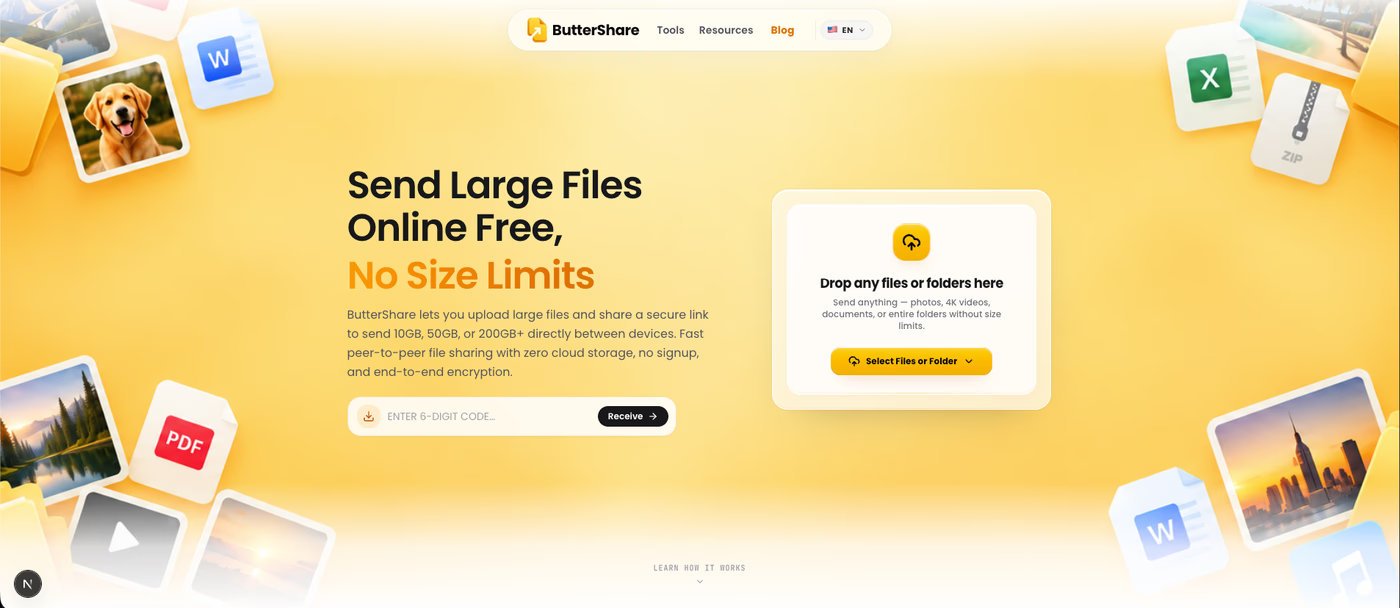
Sending a small file is easy.
Sending a 20GB video project, a 50GB folder of RAW photos, a large ZIP archive, or a complete project directory is not.
Most online file transfer services require you to upload your files to cloud storage first. That usually means waiting for the upload to finish, dealing with file size limits, creating an account, watching transfer links expire, or paying for additional storage.
ButterShare takes a different approach.
ButterShare is a browser-based peer-to-peer file transfer tool that lets you send large files directly between devices without storing the files in the cloud.
There is no account required, no app installation, and no artificial file size limit imposed by ButterShare.
You select your files, generate a share link or QR code, send it to the recipient, and the transfer happens directly between the connected devices.
If you are looking for a simple way to send large files online without uploading them to cloud storage first, this is exactly the problem ButterShare is designed to solve.
Why Sending Large Files Online Is Still Difficult
The internet has made it easy to send messages, photos, documents, and links almost instantly.
Large file transfer is still more complicated.
The problem becomes obvious when you need to transfer files such as:
- 4K or 8K video footage
- RAW photography folders
- large ZIP or archive files
- database backups
- game builds
- design project folders
- audio stems
- development projects
- large datasets
- video editing project files
A file transfer service may work perfectly when your file is 100MB.
Then you try to send a 10GB or 50GB file and suddenly discover a file size limit.
You may be asked to upgrade to a paid plan, compress the files, split them into smaller parts, install a desktop application, or upload them to cloud storage.
That creates unnecessary friction when your actual goal is simple:
Move a file from one device to another.
ButterShare was built around that exact use case.
What Is ButterShare?
ButterShare is an online file transfer tool that works directly in your web browser.
It allows users to send files and folders from one device to another through a direct peer-to-peer connection.
Instead of uploading the entire file to ButterShare servers and waiting for the recipient to download it later, ButterShare streams the file data directly between the connected devices.
That makes ButterShare different from traditional cloud storage platforms.
Cloud storage is designed to keep files online.
ButterShare is designed to transfer them.
You can open ButterShare, select the files you want to send, create a link or QR code, and share it with the recipient.
The recipient opens the link in their browser and receives the file directly from your device.
No separate application is required.
No account is required for the normal file transfer process.
How to Send Large Files Online With ButterShare
Sending a large file with ButterShare is designed to be straightforward.
Step 1: Open ButterShare
Open ButterShare in your browser.
You do not need to create an account before starting a transfer.
Step 2: Select Your Files or Folders
Choose the files you want to send.
ButterShare can be used for individual files, multiple files, or complete folders.
This is useful when you need to send a project containing many different files instead of manually selecting everything one by one.
Step 3: Create a Share Link
ButterShare generates a link for your transfer.
You can also use a QR code when transferring files between devices.
Step 4: Send the Link
Share the link through the communication tool you already use.
For example, you can send it through:
- Slack
- Messenger
- iMessage
- another messaging platform
The recipient does not need to sign up for ButterShare.
They simply open the link.
Step 5: Transfer the File Directly
Once the two devices connect, ButterShare begins transferring the file directly between them.
The file does not need to be uploaded to ButterShare cloud storage first.
This means the transfer workflow is fundamentally different from traditional upload-and-download file sharing.
Send Large Files Without Cloud Storage
One of the main differences between ButterShare and many online file-sharing services is that ButterShare does not use cloud storage as the middle step for the file itself.
Traditional file sharing often looks like this:
Your device → Cloud server → Recipient
ButterShare uses a direct model:
Your device → Recipient
That difference matters.
When you use a cloud-based file transfer platform, the file normally has to be uploaded to the provider's infrastructure before the recipient can download it.
For a very large file, that can mean waiting through a long upload first.
With peer-to-peer file sharing, the transfer can happen directly between the sender and receiver once they are connected.
This makes ButterShare useful for people who want to transfer large files without storing an additional copy on a third-party cloud service.
Send Files Online Without Signup
Account creation can make simple file transfers unnecessarily complicated.
Imagine sending a file to a client, friend, coworker, or family member.
If the recipient has never used the file-sharing platform before, they may need to:
- create an account
- verify an email address
- remember another password
- install an application
- accept invitations
- learn a new interface
ButterShare removes those steps from normal file transfers.
You can create a transfer and send the recipient a link.
They open it in the browser and connect.
This makes ButterShare useful when you want to send files online without requiring the other person to register for another service.
Large File Transfer Without Artificial File Size Limits
File size restrictions are one of the most common frustrations with online file transfer tools.
Many services limit transfers depending on the plan.
You may be able to send a small file for free but need a subscription when your transfer becomes larger.
ButterShare is designed without an artificial file size limit.
That makes it suitable for transfers involving very large files, including files that may be tens or hundreds of gigabytes in size.
The file is streamed in chunks rather than loaded completely into memory.
This is important because a computer does not need enough RAM to hold the entire file at once.
Real-world transfer performance still depends on several factors, including:
- sender internet speed
- recipient internet speed
- network stability
- browser behavior
- device performance
- connection quality
ButterShare does not remove those physical limitations.
What it removes is the artificial file size restriction created by cloud storage quotas.
Peer-to-Peer File Transfer Explained
Peer-to-peer file transfer means the file moves directly between connected devices instead of being stored on a central server first.
In a traditional file-sharing system, the provider acts as a storage middleman.
You upload the file.
The service stores it.
The recipient downloads it.
With peer-to-peer file sharing, the sender and recipient establish a direct connection.
The sender's device provides the data, and the recipient's device receives it.
ButterShare uses browser technology to make this possible without requiring a separate desktop application.
For users, the technical details are less important than the practical result:
You can send a large file directly from your browser to another browser.
Cross-Platform File Sharing Between Devices
Another common file transfer problem appears when the sender and recipient use different devices.
For example:
- Windows to iPhone
- Android to Mac
- Mac to Windows
- iPhone to Android
- Windows to Android
- Mac to iPhone
Many native file-sharing systems work best when both devices belong to the same ecosystem.
Cross-platform file sharing can be much less convenient.
ButterShare uses the browser as the common platform.
This makes it possible to transfer files between different operating systems without requiring every device to install the same application.
If both devices can access ButterShare through a compatible web browser, they can participate in the transfer.
Transfer Files Between Phone and Computer
ButterShare can also be used for moving files between your own devices.
For example, imagine you have a large video on your phone and want to transfer it to your laptop.
Traditional options may include:
- uploading it to cloud storage
- sending it through a messaging application
- connecting a cable
- installing a transfer utility
- using ecosystem-specific software
With ButterShare, you can create a transfer on one device and open it on another.
QR codes make this especially useful when transferring files between phones and computers.
Instead of typing a long URL manually, the second device can scan the QR code and connect.
Send Entire Folders Online
Large work projects often contain many files.
A video editing project may contain:
- raw footage
- music
- sound effects
- graphics
- project files
- exports
A photography delivery may contain:
- RAW images
- edited photos
- previews
- exports
- multiple folders
A development project may contain hundreds or thousands of files.
Sending every file individually would be impractical.
ButterShare supports folder transfers so users can move organized groups of files instead of manually rebuilding the same folder structure later.
This makes it useful for large project transfers where organization matters.
A File Transfer Tool for Video Editors
Video files are becoming larger.
High-resolution footage, ProRes files, multicamera projects, and long recordings can quickly reach tens or hundreds of gigabytes.
For video editors, file transfer limits can become a serious bottleneck.
A project may contain:
- raw camera footage
- proxy files
- audio tracks
- motion graphics
- project files
- final exports
Uploading all of that to cloud storage before another editor can access it can take significant time.
A direct browser-based transfer provides another option.
If both people are online, ButterShare can transfer the data directly between their devices without requiring the entire project to be stored in the cloud first.
A File Transfer Tool for Photographers
Professional photography can also generate very large folders.
A wedding photographer may return from an event with hundreds or thousands of RAW photos.
A commercial shoot may contain gigabytes of source images.
Sharing those files through services with small transfer limits can become difficult.
ButterShare can be used to transfer complete photography folders directly between devices.
That may be useful for:
- photographers sending files to editors
- studios transferring RAW images
- teams exchanging project folders
- creators moving photos between computers
A File Transfer Tool for Developers
Developers also work with large files.
Examples include:
- database backups
- project archives
- virtual machine images
- build artifacts
- datasets
- application bundles
- development assets
Not every file needs to live permanently in cloud storage.
Sometimes a developer simply needs to move a large file to another machine or send it to another person.
ButterShare provides a browser-based option for those temporary direct transfers.
A File Transfer Tool for Creative Teams
Creative projects often involve large assets.
Designers, editors, photographers, animators, producers, and developers may need to exchange large files during a project.
That can include:
- design assets
- large exports
- video files
- audio projects
- archives
- client deliverables
- source files
When these files are too large for email or messaging applications, teams often turn to dedicated file-transfer services.
ButterShare provides another option focused on direct browser-to-browser transfer.
Privacy and Direct File Transfers
Privacy is another reason someone may prefer direct file transfer.
When you upload a file to a cloud-based transfer service, an additional copy of that file is stored on infrastructure controlled by another company.
That may be perfectly acceptable in many situations.
But it is not always necessary.
If the sender and receiver are both online, a direct connection can avoid storing the file itself on intermediary cloud storage.
ButterShare uses encrypted peer-to-peer browser connections for transfers.
The file data is designed to move between the sender and recipient rather than being permanently stored by ButterShare.
Users should still handle sharing links carefully, especially when transferring private or sensitive files.
Direct transfer does not remove the need for basic security practices.
ButterShare vs Cloud File Sharing
ButterShare and cloud storage solve different problems.
Cloud storage services are useful when you want to:
- keep files online
- access files later
- synchronize files across devices
- collaborate asynchronously
- allow downloads while your own device is offline
ButterShare is useful when you want to:
- send a file directly
- avoid uploading it to cloud storage
- transfer a very large file
- avoid creating accounts
- transfer files between different device types
- send complete folders
- move files while both devices are online
Neither approach replaces the other.
They simply serve different situations.
If you want permanent online storage, a cloud drive makes sense.
If you want to move a large file directly from one online device to another, peer-to-peer transfer may be simpler.
Why ButterShare Does Not Require Cloud File Storage
Traditional file-sharing services often have to pay for both storage and bandwidth.
When users upload massive files, those files have to be stored somewhere until they are downloaded or deleted.
That creates infrastructure costs.
Those costs are one reason file-transfer services often introduce:
- storage quotas
- transfer limits
- expiration periods
- paid upgrades
- file size restrictions
ButterShare uses a different architecture.
Because the file is transferred between devices instead of being permanently stored on ButterShare servers, the product does not need to use the same storage-based model for direct transfers.
That architectural difference is what makes large peer-to-peer transfers possible without the same type of cloud storage restriction.
When Should You Use ButterShare?
ButterShare is useful when the sender and recipient are both available online during the transfer.
Good examples include:
Sending large video files
Transfer video footage, project files, or exports directly to another person.
Sharing photography folders
Send RAW photos or large image collections without splitting them into smaller archives.
Transferring files between phone and PC
Move files across your own devices through the browser.
Sending large project folders
Transfer organized directories containing many related files.
Cross-platform file sharing
Send files between Windows, macOS, Android, and iOS devices.
Temporary direct transfers
Move a file without needing to store it permanently in a cloud drive.
When Cloud Storage May Be Better
Peer-to-peer transfer is not the right solution for every situation.
Cloud storage may be better when the recipient needs to download the file much later.
With direct transfers, the sender generally needs to remain connected while the transfer is taking place.
Cloud storage also makes sense when you need:
- persistent file hosting
- backups
- long-term storage
- team collaboration
- version history
- offline sender availability
ButterShare is focused on direct transfer rather than replacing every feature of cloud storage.
Understanding that difference helps you choose the right tool for each situation.
Why Browser-Based File Transfer Matters
Installing software creates another barrier.
A desktop application may be useful for frequent users, but it should not always be necessary just to send a file.
Modern browsers already provide technologies that can establish direct connections between devices.
ButterShare uses that capability to turn the browser itself into the file transfer interface.
That means a recipient can receive a file without first downloading another file-sharing application.
For one-time transfers, that can make the process significantly easier.
No App Installation Required
ButterShare works through the browser.
That means users do not have to install a separate desktop client or mobile application before transferring files.
This is especially useful when sending files to someone outside your team.
You cannot assume a client, friend, coworker, or customer already has your preferred transfer application installed.
A browser link is easier.
You send the link.
They open it.
The devices connect.
The file transfers.
What Makes ButterShare Different?
ButterShare focuses on a specific combination of features:
- browser-based file transfer
- peer-to-peer transfers
- no cloud storage for the file itself
- no account required
- no artificial file size limit
- folder transfer support
- share links
- QR code sharing
- encrypted transfers
- cross-platform browser support
Individually, these ideas are not complicated.
The value comes from putting them together into a simple file transfer workflow.
Frequently Asked Questions About ButterShare
Can I send large files online with ButterShare?
Yes. ButterShare is designed for transferring large files directly between devices without imposing an artificial file size limit.
Actual transfer performance still depends on your devices, browsers, network conditions, and internet connection speeds.
Does ButterShare store my files in the cloud?
ButterShare's direct transfer model does not require the file itself to be stored in cloud storage before the recipient receives it.
The file data is transferred directly between connected devices.
Do I need to create an account?
No account is required for the normal ButterShare file transfer workflow.
Does the recipient need an account?
No. The recipient can open the shared transfer link in a browser.
Can I send folders?
Yes. ButterShare supports transferring folders as well as individual files.
Can I send files between different operating systems?
ButterShare is browser-based, so it can be used across different devices and operating systems where compatible browsers are available.
Can I send files from my phone to my computer?
Yes. ButterShare can be used to transfer files between phones and computers through the browser.
Is ButterShare a cloud storage service?
No. ButterShare is primarily a file transfer tool.
Its purpose is to move files between devices rather than permanently store them online.
Does ButterShare have a file size limit?
ButterShare does not impose an artificial file size limit on direct transfers.
Network and device limitations may still affect extremely large transfers.
A Simpler Way to Send Large Files Online
Sending large files should not automatically mean buying more cloud storage.
It should not require both people to install another application.
And it should not become impossible simply because a file crosses an arbitrary size limit.
ButterShare approaches file transfer differently.
Instead of storing the file first and delivering it later, it connects the sender and recipient so the data can move directly between their devices.
Select your files.
Create a link.
Share it.
Connect the devices.
Transfer the data.
That is the basic idea behind ButterShare.
If you need to send large files online, transfer folders between devices, share files across different operating systems, or avoid uploading everything to cloud storage first, ButterShare provides a direct browser-based alternative.
ButterShare is built for one simple job: moving files from one device to another without unnecessary steps.